
 Script Planner Assistant▸
 AI Apps
 AI News

ImgCreator AI_云技派,专注ai人工智能!
ImgCreator AI_云技派,专注ai人工智能!Introduction
Imgcreator ai is a powerful and flexible online image generation tool, an amazing all-in-one AI design tool. All you need to do is enter the text you want to convert into an image in the input box, and Imgcreator will instantly generate the corresponding image for you. It can help users quickly generate various types of images, such as posters, business cards, covers, advertisements, etc. Whether you are a designer, writer, educator, or business professional, as long as you need to present complex information in the form of images, Imgcreator can provide you with powerful support.
Imgcreator AI supports users to upload their own images or select templates for editing and design, and also provides a rich material library and text editing tools to meet various user needs. Imgcreator also offers a wealth of design options, allowing you to customize the appearance of the generated images. You can choose different color schemes, font styles, layouts, and sizes, and even add background images or graphic elements, to ensure that the generated images are of high quality and meet your specific needs.
ImgCreator AI Features:
Versatile Image Creation: Generate illustrations, anime, and concept design images based on text descriptions
Commercial Usage Rights: Users can commercialize images created with ImgCreator.AI according to the terms of service
Template Selection: Offers various types of image templates, such as posters, business cards, covers, advertisements, etc. Users can choose the template that suits their needs for editing.
Image Upload: Supports users to upload their own images for editing and design.
Material Library: Provides a rich library of images, icons, backgrounds, and other materials. Users can select and add them to templates as needed.
Text Editing: Provides text editing tools, allowing users to freely adjust attributes such as font, color, and size.
Image Editing: Provides image editing tools such as cropping, rotating, and scaling. Users can freely adjust the size, position, color, and other attributes of the image.
One-Click Generation: Generate high-quality images with one click and provide multiple format options.
History Records: Saves users' editing history, making it convenient for users to edit again next time.
Before generating the image, Imgcreator allows you to preview the design result in real time.
Flexible Output Resolution: The free version provides 512x512 pixels, while subscribed users get 1024x1024 pixel images
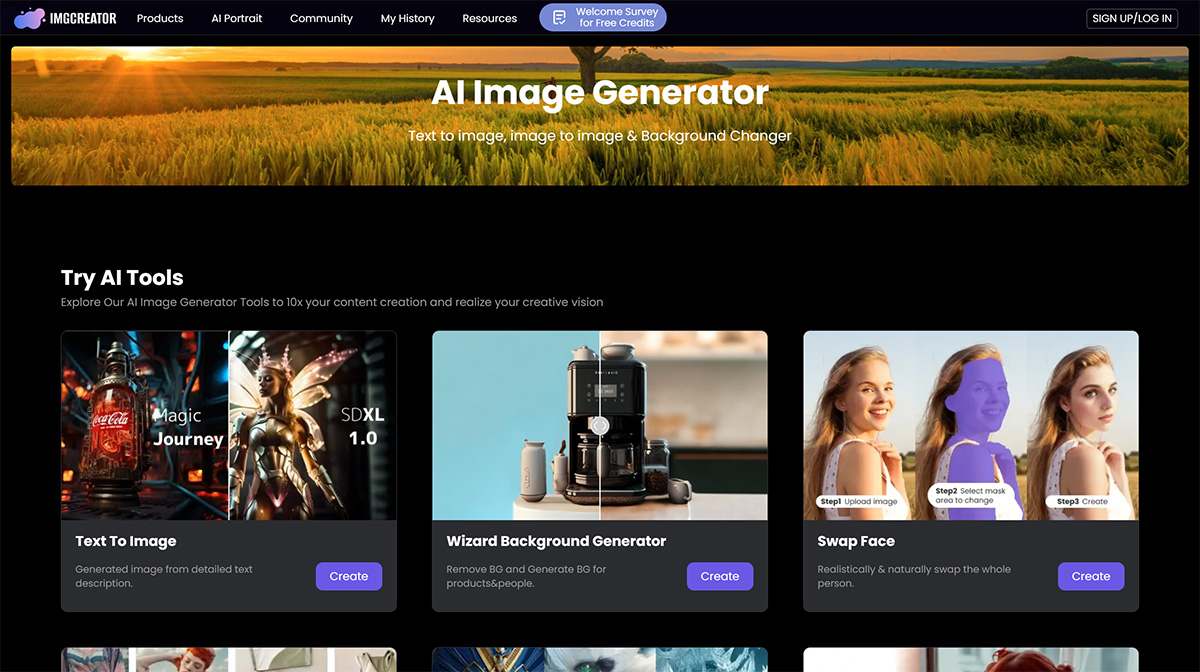
How to Use Imgcreator?
Using Imgcreator is very simple. First, visit Imgcreator's website or download its application. Then, follow these steps:
1. Enter the text you want to convert into an image in the input box.
2. Select design options as needed.
3. Click the "Generate" button and wait for the image to be generated.
4. Preview and edit the generated image until you are satisfied.
5. Save or export your image.














