
 Script Planner Assistant▸
 AI Apps
 AI News

LazySo: AI Image Watermark Remover Supporting Gemini and Doubao
LazySo: AI Image Watermark Remover Supporting Gemini and DoubaoIntroduction
What is LazySo?
LazySo (LazyCut) is a browser-based, pure frontend online tool focused on AI image watermark removal. No software installation required, no account registration needed—just open the webpage and use it directly. Remove watermarks with one click, upload without registration, manually select areas for precise removal, efficient and lossless processing. All processing is done locally; images won't be uploaded to the server, which offers more peace of mind when it comes to privacy.
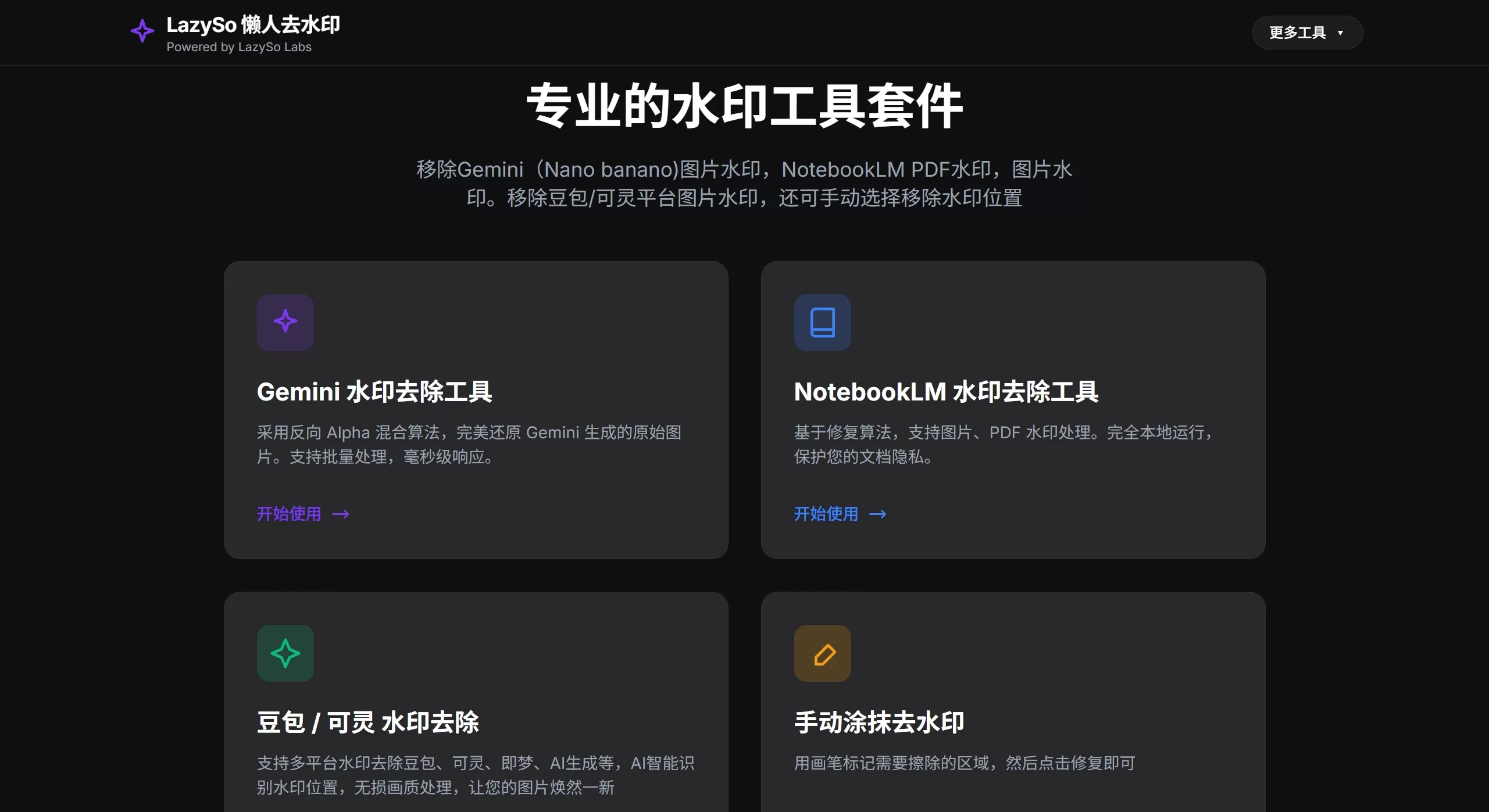
What Can LazySo Do
LazySo has been specifically optimized for watermarks from several AI platforms:
Gemini Watermark Removal: The semi-transparent watermark in the lower-left corner of Google Gemini-generated images is restored using a reverse alpha blending algorithm to recover the covered pixels—it's not a simple smudge, and textures and text are preserved fairly well.
Doubao/Keling Watermark Removal: For watermarks from ByteDance's Doubao and Kuaishou's Keling, it uses YOLOv8 for automatic localization and the MiGAN model for redrawing, with batch processing support.
NotebookLM Watermark Removal: Handles PDFs and images exported from Google NotebookLM, suitable for batch cleanup of multi-page documents.
Manual Smudging: Manually frame the area you want to erase—strangers and clutter can all be removed.
Technical Features of LazySo
Pure frontend processing, runs models in the browser using ONNX Runtime Web, accelerated by WebGL/WebGPU, relying on local GPU performance.
No upload, no data storage, no database—even sensitive files can be processed.
Chrome or Edge on PC is recommended for the best results.
How to Use LazySo
Open the webpage → Select the corresponding mode → Upload files → Auto or manually select the watermark → Export.
Additionally, the developer has also created a Tampermonkey script that, once installed, lets you save watermark-free images directly from the Gemini webpage, saving the manual upload step.
Notes
Completely free with no usage limits.
When processing large files or batch tasks, the speed depends on your computer's GPU.
Watermarks from Doubao/Keling are harder to handle than Gemini's, so the results may be slightly less ideal.
Overall, it's a tool newly released in early 2026, suited for people who frequently download AI-generated images but don't want to upload their files to third-party servers.
Related Articles:
WatermarkRemover-AI: An Open-Source AI Watermark Removal Tool
Sharing 7 Truly Free Online Video Watermark Removal Websites
Tutorial on Using Tencent Zhiying's Smart Erase Tool to Remove Video Watermarks














