
 Script Planner Assistant▸
 AI Apps
 AI News
MngGifLab – Screen Recording to GIF Tool
MngGifLab – Screen Recording to GIF ToolIntroduction
Mnggiflab provides a free online video to GIF conversion and animated GIF creation tool, which allows you to trim videos and add effects such as image or text watermarks to your GIFs. Mnggiflab also offers a free online screen recording feature, and you can directly convert the recorded video into a GIF.
How does Mnggiflab create a GIF animation from images?
1. Open the Mnggiflab website and click the upload image button to upload your images; 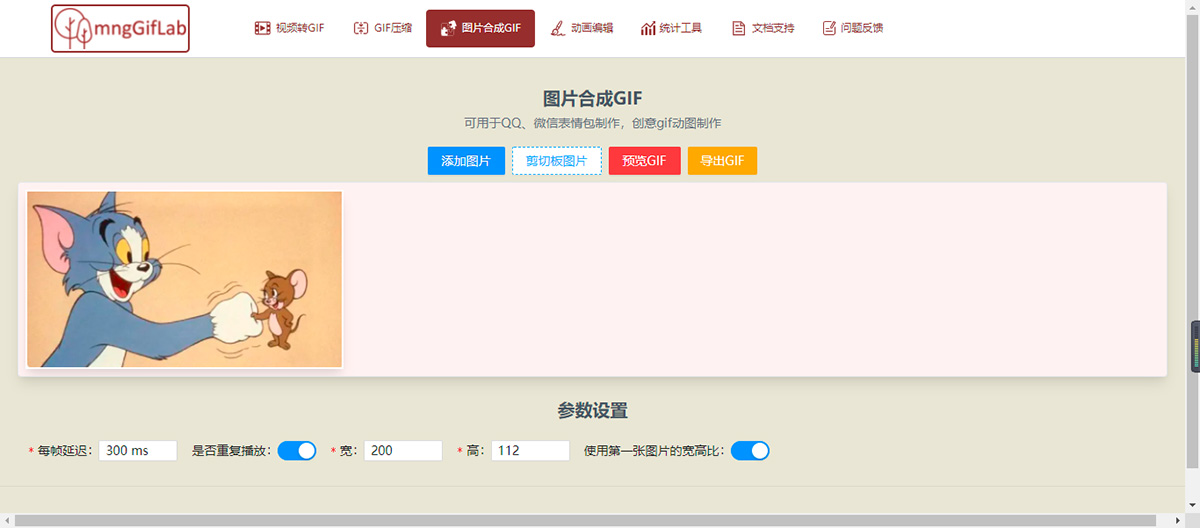
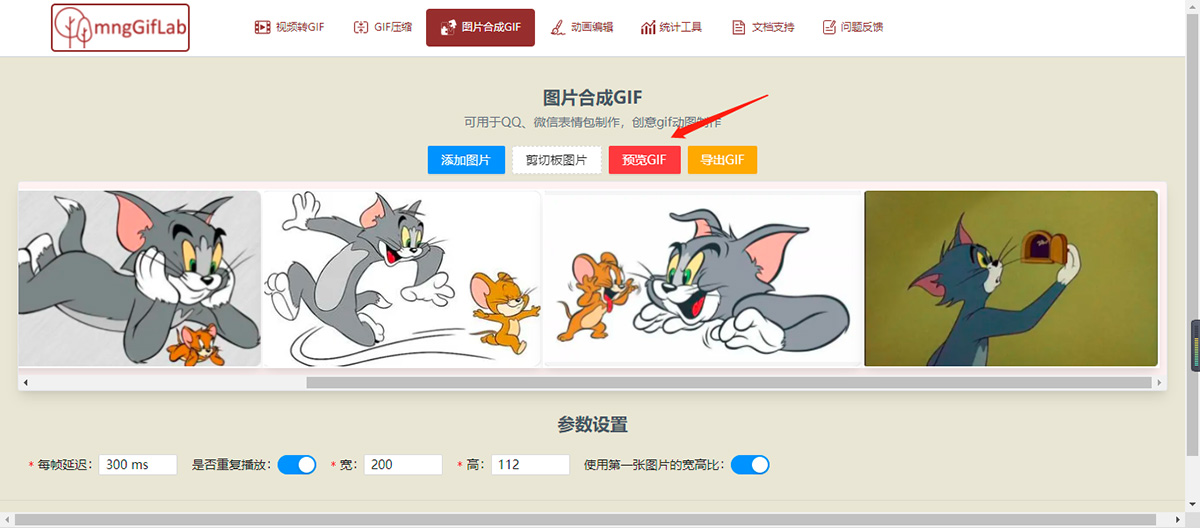
2. Click Preview GIF to preview the created GIF;
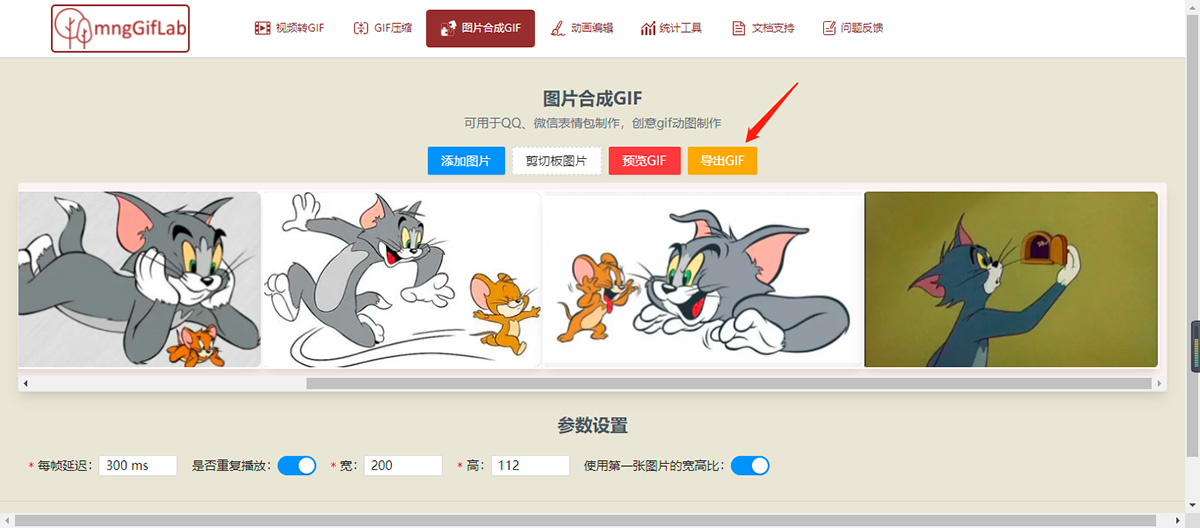
3. Export the GIF animation;
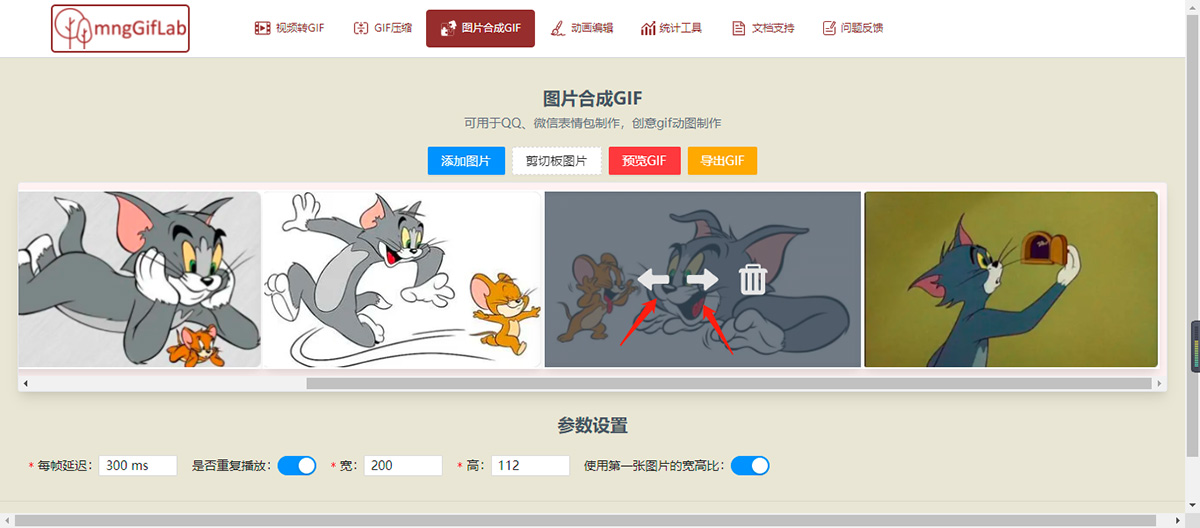
4. Adjust the images: hover your mouse over an image and click the floating icons that appear on it to move and reorder the images;
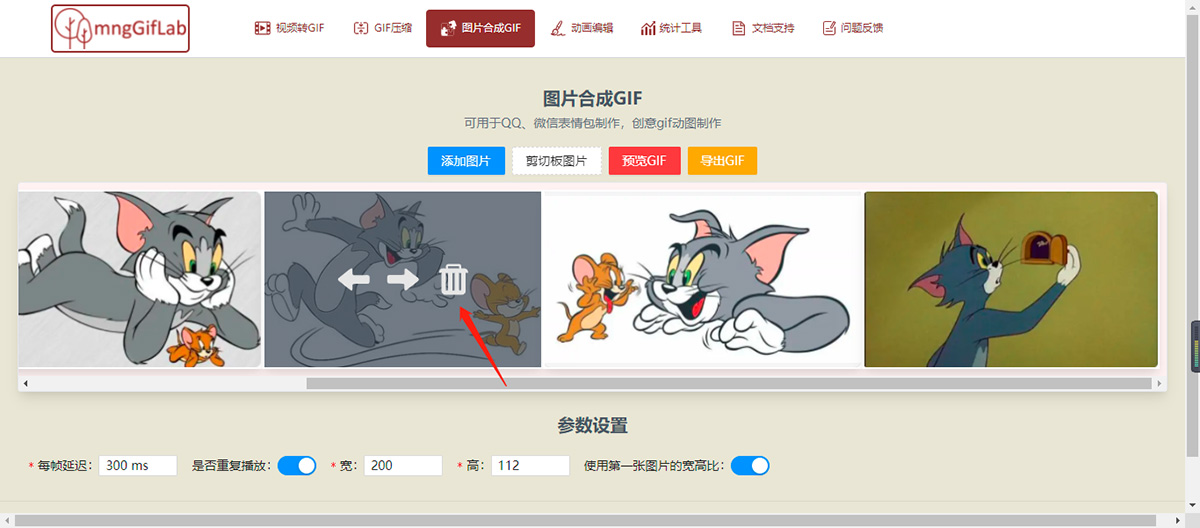
5. Click the delete icon on the image to remove it;
6. At this point, your GIF animation is ready.















