
 Script Planner Assistant▸
 AI Apps
 AI News
Snap Ask Quark: Visual Understanding & Reasoning Powered by the AI Super Box
小编 ·

Snap Ask Quark: Visual Understanding & Reasoning Powered by the AI Super Box
What is "Snap and Ask Quark"?
"Snap and Ask Quark" is a visual understanding and reasoning model capability based on the AI super box launched by the Quark AI Super Box. "Snap and Ask Quark" enables image search, Q&A, thinking, editing, and creation on both mobile phones and computers. It aggregates capabilities such as search, scanning, photo editing, translation, and creation into a unified entry point, allowing users to complete complex tasks without switching between multiple AI tools.
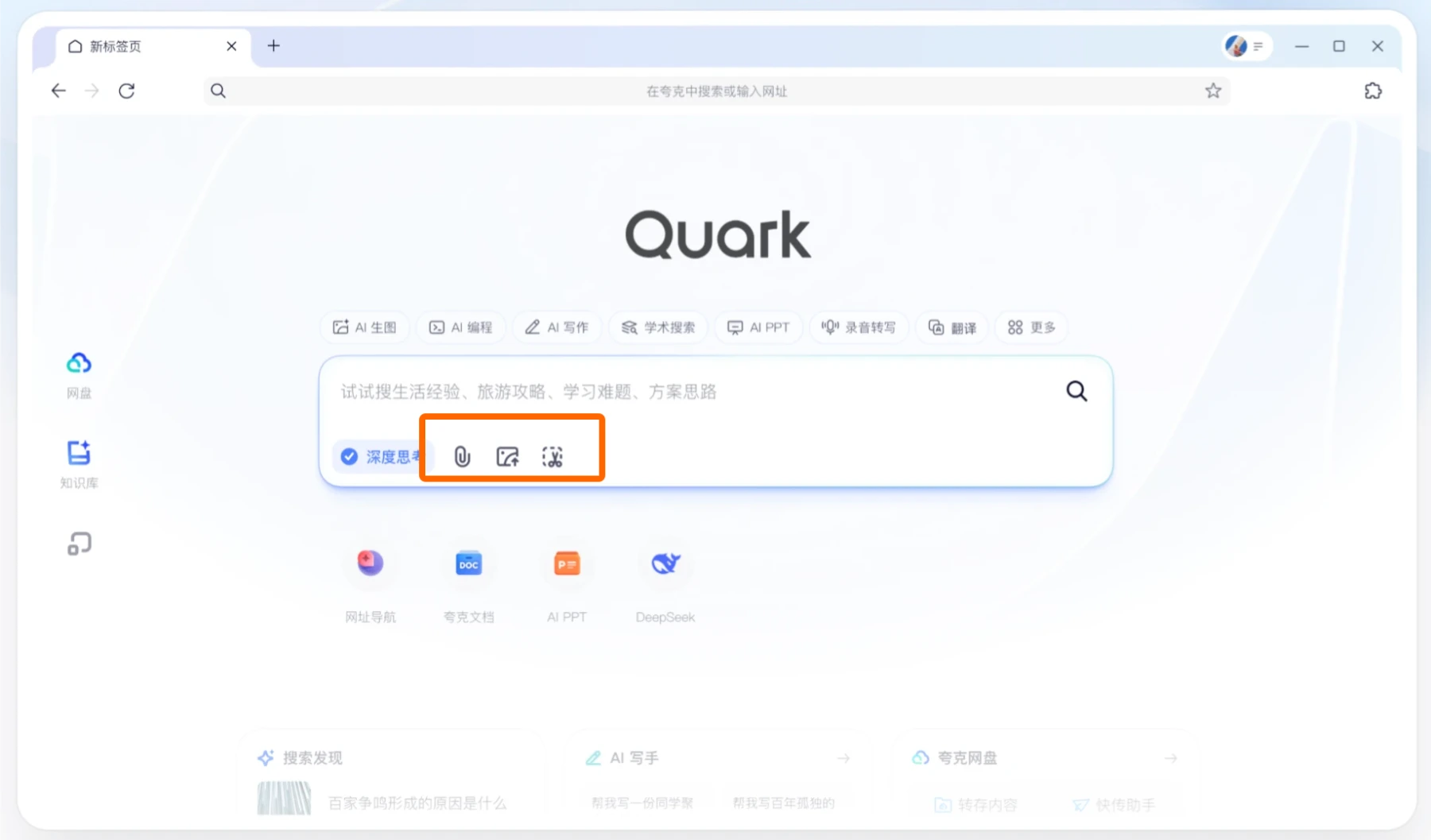
Features of Snap and Ask Quark
Multimodal Interaction: Based on visual understanding and reasoning model capabilities, "Snap and Ask Quark" allows users to perform image search, Q&A, thinking, editing, and creation on mobile phones and computers by taking photos or uploading images.
Precise Recognition and Association: This feature can accurately identify people, objects, details, and more within images, and deeply understand user needs to associate related questions. For example, when photographing cultural relics for search, it automatically links their historical background; when uploading a product image, it can jump directly to the same item on Taobao with one click.
Multi-scenario Application: Whether it is people, animals, plants, architecture, scenery, food, artwork, products, foreign language materials, or error codes, Quark can complete identification in an extremely short time and provide high-quality answers through multi-turn Q&A and deep thinking.
Batch Processing Capability: Users can upload up to 10 images at a time for in-depth reasoning to complete various complex tasks.
Application Scenarios of Snap and Ask Quark
Travel: It can act as a "professional tour guide," providing explanations of cultural relics and travel tips for attractions as you explore and snap photos.
Work: It can assist in analyzing data charts, optimizing code logic, and generating work summary documents.
Health: Upload a physical examination report, and it can provide analysis of abnormal indicators as well as rehabilitation plan suggestions.
Entertainment: It supports fun features such as game guidance, screenshot-based drama search, and matching couple avatars, and can perform HD enhancement, watermark removal, and original source tracing with one click.
Technology Behind Snap and Ask Quark
Second-level Recognition: Based on advanced visual understanding and reasoning models, "Snap and Ask Quark" achieves second-level recognition.
Multi-language Support: It supports queries and translation interpretation in multiple languages.
Agent Capability: Quark currently has over a hundred professional Agents and atomic capabilities, covering fields such as search, health, learning, travel, products, and creation, and continuously optimizes Agent combination strategies through model capability upgrades.
Steps to Use Snap and Ask Quark
Open the Quark APP: Find and open the Quark application on your device.
Enter the Camera Interface: Tap the camera icon in the search bar.
Select Camera Mode: After entering the camera interface, select the corresponding camera mode according to your needs, such as "Snap to Search Questions" or "Homework Solving." If you are searching for cultural relics, products, or other content, simply point and shoot directly.
Take a Photo: Clearly present the content you need to query within the frame, ensuring the image is clear and complete, then tap the shutter to take the photo.
View Results: Once the photo is taken, Quark will automatically identify the content in the image and perform search, analysis, and answering based on the user's question, displaying relevant results on the page, including text answers, images, videos, and more.
Quark Web Version:https://www.quark.cn/









