
 Script Planner Assistant▸
 AI Apps
 AI News
AudioNotes: A FunASR and Qwen2-Based System for Turning Audio/Video into Structured Notes
小编 ·

AudioNotes: A FunASR and Qwen2-Based System for Turning Audio/Video into Structured Notes
AudioNotes is an open-source system for converting audio and video into structured notes, built on top of FunASR and Qwen2. It can quickly extract the content of audio and video, and leverage large language models to organize it into a structured Markdown note for easy and rapid reading.
The usage method is as follows:
1. Environment Preparation
Before getting started, make sure Docker and Ollama are installed on your computer. Ollama is a tool used for managing and running machine learning models.
2. Clone the Project
Use the Git command to clone the AudioNotes project to your local machine:
git clone https://github.com/harry0703/AudioNotes.git
3. Install Dependencies
Navigate to the project directory and install the required dependencies. Typically, the project provides installation instructions in the README file.
4. Deploy the Service
Use Docker to deploy the AudioNotes service. You can start the service with the following command:
docker-compose up
This will start all necessary services and ensure they run properly.
5. Extract Content Using the Model
Once the service is running, you can upload audio and video files to AudioNotes via the API or a command-line tool. The project supports a variety of audio and video formats—make sure your files meet the requirements.
6. Generate Markdown Notes
Once the audio or video content has been extracted, AudioNotes will invoke the large language model to organize it and generate structured Markdown notes. These notes contain the key information and highlights, making them easy and quick to read and understand.
7. View and Edit Notes
The generated Markdown notes can be opened and edited in any text editor that supports the Markdown format. You can further modify and refine the notes as needed.
After installation, the result looks like this:
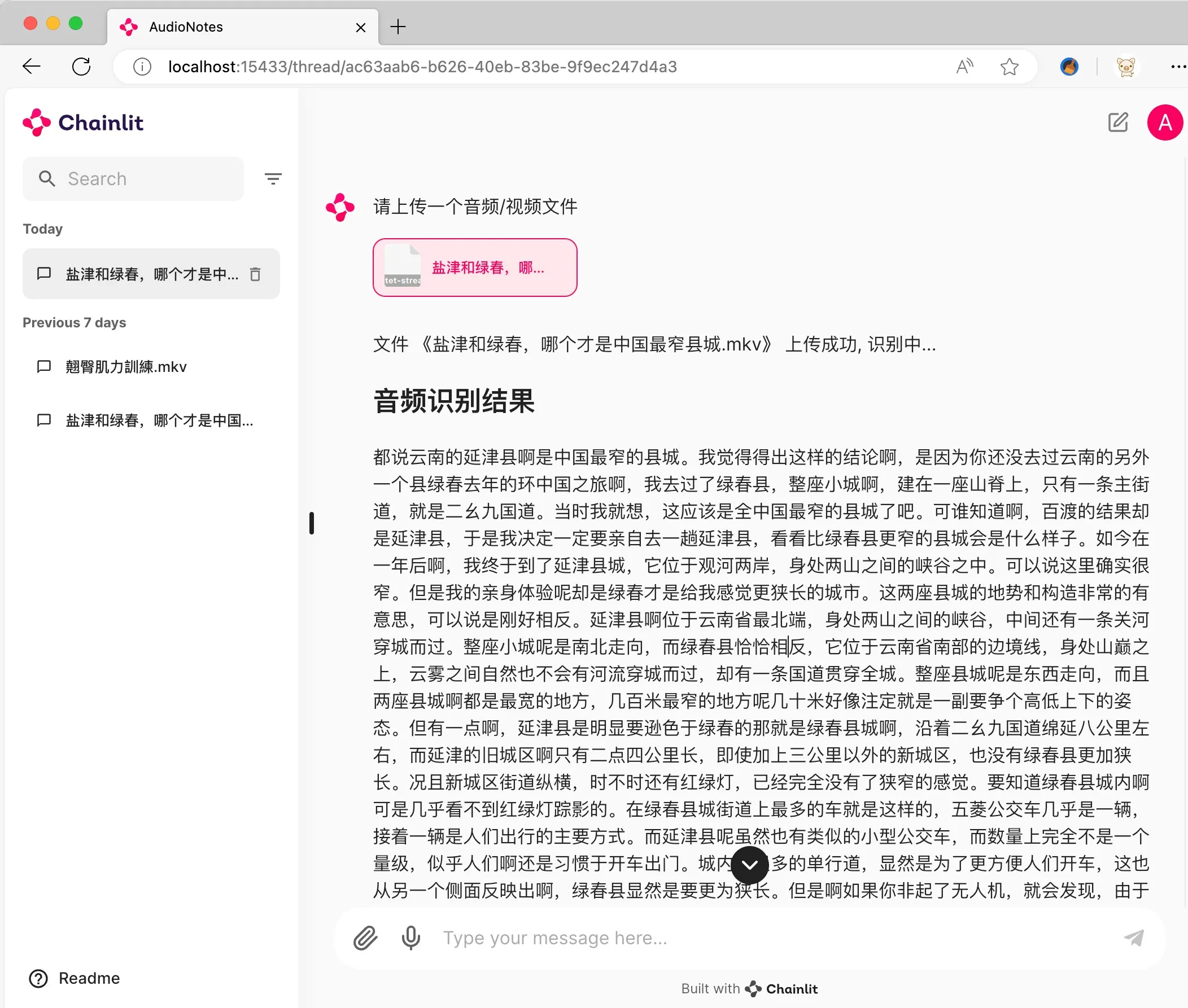
By following the steps above, you can efficiently use the AudioNotes project to extract audio and video content and organize it into structured Markdown notes, boosting your learning and work efficiency.
GitHub: https://github.com/harry0703/AudioNotes









