
 Script Planner Assistant▸
 AI Apps
 AI News

WebToMCP: Extract Website UI Components and Send to Cursor
WebToMCP: Extract Website UI Components and Send to CursorIntroduction
WebToMCP, through a Chrome extension and MCP, can directly scrape UI components from any website, including the complete DOM structure and CSS styles, and then send them to Cursor ai or Claude Code and other AI programming assistants. No need for screenshots or manual descriptions, you can turn ideas into code in 30 seconds, supporting various frameworks such as React and Vue.
WebToMCP solves the pain point that designers and developers produce inaccurate code due to manual component conversion during collaboration, providing pixel-perfect code output and bridging the workflow between the two sides.
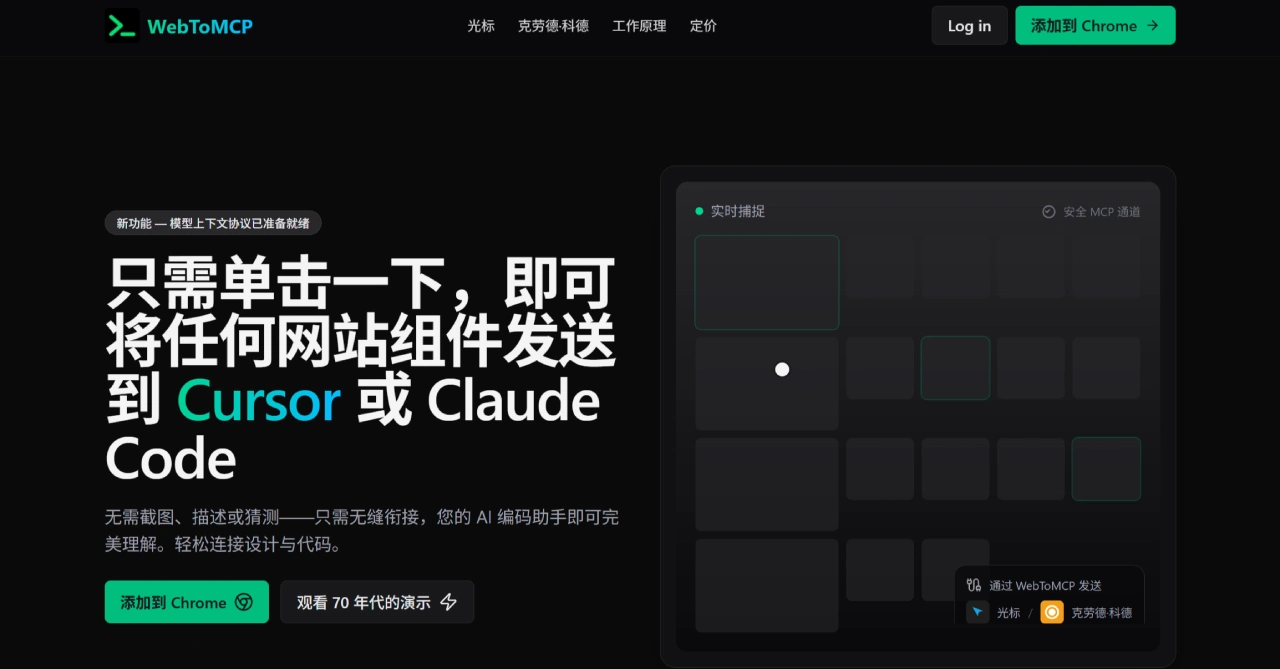
Main Features of WebToMCP
Precise Component Scraping: With a single click, you can scrape UI components from any website, fully extracting the DOM structure and CSS styles, including specific properties such as gradients, rounded corners, and spacing. It also includes responsive effects, hover states, and surrounding layout, achieving a high level of fidelity.
Send Directly to AI: WebToMCP is based on the open MCP standard, and the scraped component data can be sent directly to AI coding assistants such as Cursor and Claude Code, without manual copy and paste, avoiding information loss.
Broad Compatibility: It supports various types of websites (such as officially launched pages and design prototype pages), adapts to technical frameworks such as React, Vue, Angular, and native HTML/CSS, and also works with mainstream AI coding assistants, with no tool restrictions.
Fast Development: From finding the target component to AI generating code, the entire process takes only 30 seconds, which is 10 times faster than the traditional "screenshot + text description + repeated adjustments", reducing communication and revision costs by more than 90%.
Simple Configuration: WebToMCP has clear operation steps. You can install the Chrome extension, complete Google account login, and finish the MCP configuration of your AI assistant within 5 minutes, with no complex technical operations required.
Data Security: It only scrapes components actively selected by the user, and does not collect personal data, passwords, or other sensitive information. It uses Google OAuth for login, does not store user account passwords, and component data is sent directly to the AI assistant without being saved on the WebToMCP server.
Convenient Operation: Click the Chrome extension icon to enter component selection mode, click the target element to select it and generate a reference ID. Use this ID in the AI assistant to call component information, without learning complex operations.
Steps to Use WebToMCP
Open the website from which you want to extract components;
Click the WebToMCP extension icon in your browser to enter component selection mode;
Click the target UI component, and the system will automatically scrape information and generate a reference ID;
In the chat window of Cursor/Claude Code, use the reference ID to call the component, and the AI assistant will generate code based on the complete information.
Applicable Scenarios of WebToMCP
Individual Developers Replicating UI: When working on personal projects, if you like buttons, cards, navigation bars, and other components on a webpage, you don't need to analyze the HTML/CSS structure yourself. Use WebToMCP to scrape with one click and send it to AI, quickly generating code suitable for your own tech stack such as React or Vue, saving the time of manual disassembly and writing styles.
Teams Maintaining Design Consistency: When teams develop new features based on existing design systems (such as company websites or mature open-source design libraries), they can directly scrape standard components from the design system (such as uniformly styled forms and pop-up windows), letting AI generate matching code and avoiding design style inconsistencies caused by different interpretations.
Analyzing Competitor Features: When product or development teams research competitors and want to reference their high-quality interactions, such as smooth carousel components and intuitive data charts, they can use WebToMCP to scrape the corresponding components, quickly obtain the structure and style logic, and then adjust the code according to requirements, accelerating feature optimization.
Beginner Learning and Practice: When beginners learning front-end development encounter complex UI components, such as navigation bars with hover animations and responsive card groups, they can scrape the components and look at the code generated by AI, comparing the actual effects to understand the relationship between DOM structure and CSS styles, improving our efficiency.
Rapid Prototyping: When designing a product prototype, if you want to quickly turn design drafts or reference webpages into a working code prototype, you don't need to wait for front-end developers to write complete code. Use WebToMCP to scrape key modules, let AI generate the base code, quickly assemble a prototype to validate features and effects, and shorten the revision cycle.
Cross-Framework Component Migration: When a project needs to switch from one framework, such as Vue, to another framework, such as React, for the original core UI components, such as custom buttons and business forms, scrape the information and let AI generate code in the target framework, reducing the refactoring cost during migration.
Related Information:
WebMCP: Enables websites to support MCP, allowing AI assistants to interact with web applications












