
 Script Planner Assistant▸
 AI Apps
 AI News
AStudio: iFlytek's All-Scenario AI Productivity Workstation
AStudio: iFlytek's All-Scenario AI Productivity WorkstationIntroduction
What is AStudio
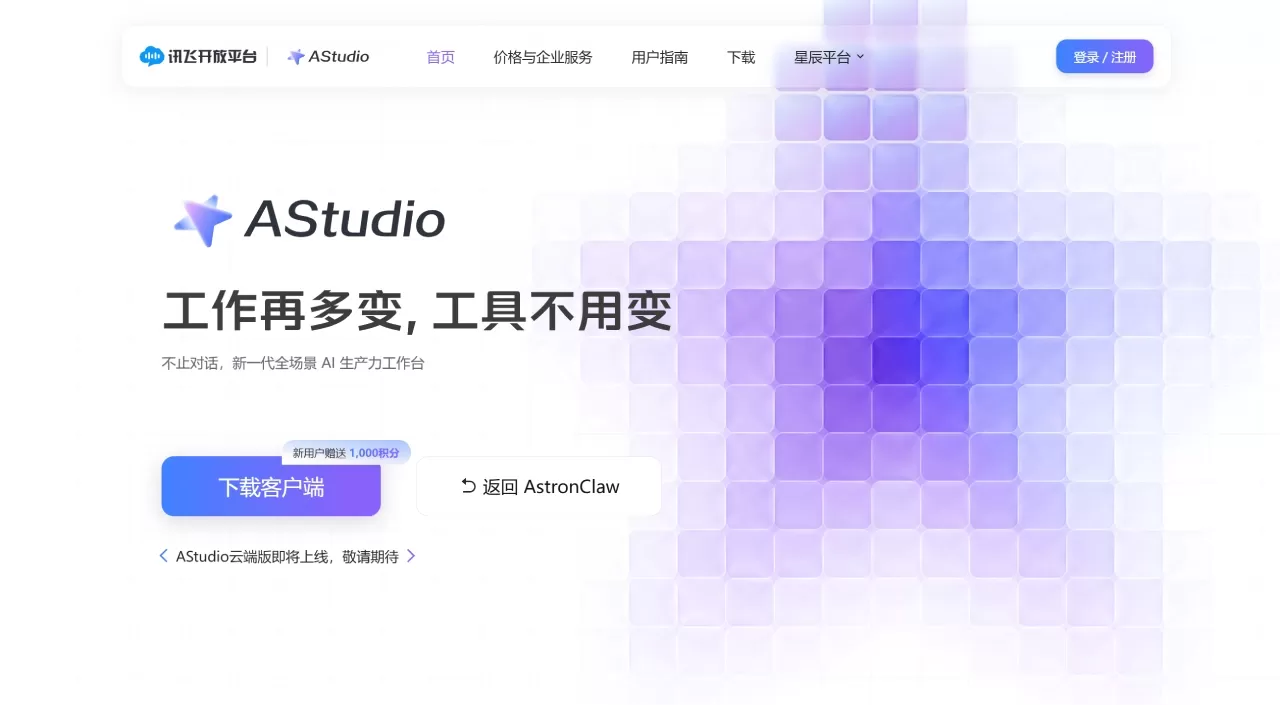
AStudio is a desktop AI productivity workstation launched by iFlytek. Built around the Spark X2.5 large model and powered by its self-developed ACode Harness execution engine, AStudio supports multi-model switching. It features a dual-space design of "Daily + Project," allowing direct connection to local files and real projects, automatic task decomposition, tool invocation, file editing, and result verification—well-suited for office work, programming, and data analysis. Desktop clients are available for macOS and Windows, with a web version coming soon.
Core Features
Dual-Space Workflow: The Daily space handles office tasks, while the Project space connects to local folders to directly read/write code and run commands—office work and development stay out of each other's way.
Multi-Model Switching: Centered on Spark X2.5, with free switching among open-source models such as DeepSeek, matching the optimal model to each task.
Three Execution Modes: Simple tasks run directly; complex tasks can use Plan Mode (confirm the plan first, then execute) or Goal Mode (autonomously drives progress until the goal is met).
Fully Automated Task Loop: From understanding the task to verifying results in one seamless flow, automatically delivering usable outputs such as documents, web pages, and code.
Transparent and Controllable Process: Task progress is fully visible, file edits come with Diff comparisons, and key operations require item-by-item user approval.
Rich Tool Ecosystem: Built-in iFlytek capabilities including translation, OCR, and PPT; the plugin marketplace integrates Alipay, Amap, and Feishu, with support for MCP and Skills protocol extensions.
Deep Search and Research: A built-in web-search plugin retrieves papers and patents across sources and generates visualized research reports, with support for paid database integrations such as Tonghuashun and Tianyancha.
Brain-Trust Multi-Agent Collaboration: Multiple roles collaborate to break down complex, multi-step tasks—filling in the gaps a single agent cannot cover.
Mobile Collaboration: The iFlytek Spark APP upgrades to a "Chat + Work" dual mode, supporting mobile capabilities such as photo recognition of whiteboard content.
Enterprise Collaboration: Unified management of team spaces, tools, and tasks, building a reusable library of agent assets.
Why Choose AStudio
Harness Execution Engine: The ACode framework orchestrates context, task flow, and tool chains, turning model capabilities into completed tasks rather than remaining at the conversation level.
End-to-End Loop: From understanding the task to verifying results in one seamless flow, complex work is delivered as finished outputs, eliminating fragmented multi-tool workflows.
Transparent and Controllable Process: Progress is fully visible, edits come with Diff views, and key operations require approval—"AI said done" becomes "the user can check."
Free Multi-Model Switching: Spark X2.5 paired with open-source models like DeepSeek automatically matches the best approach based on each task's characteristics.
Dual-Space Coverage: Clear separation between daily office work and professional coding projects—one workstation handles it all.
Open and Extensible Ecosystem: The plugin marketplace integrates Alipay, Amap, and Feishu, while MCP and Skills can connect to any business system.
Local and Controllable Data: Restrict which directories and tools the AI can access so data assets never leave your machine, balancing intelligence with privacy and security.
Zero-Barrier Natural Language: Just describe your goal to dispatch tasks—no drag-and-drop orchestration, no coding required, ready to use out of the box.
Use Cases
Overseas Marketing Site Building: Generate a multilingual marketing workstation from a single sentence, with support for specialized term proofreading and currency conversion, producing a dedicated, online-editable web page.
Operations Data Analysis: Read local operations spreadsheets, automatically aggregate metrics like PV, DAU, and retention, and generate interactive data dashboards.
Academic Research: Retrieve papers and patents, filter strongly relevant literature, follow along with detailed walkthroughs of PDF papers, and output visualized research-connection web pages.
Coding Project Development: Connect to local project folders, understand code structure, modify files, and run commands to complete development tasks according to plan.
Mobile Office Rescue: Through the Spark APP Work mode, take a photo to recognize whiteboard content and instantly generate Word meeting minutes and Excel to-do trackers on site.
Financial Report Interpretation: Connect to paid databases such as Tonghuashun to automatically interpret financial report data and generate structured analysis reports.
Enterprise Team Collaboration: Unify management of team spaces and task flows, accumulating reusable agent assets.
Local Private Office: Handle sensitive local files within authorized scope, with data never leaving your device for greater peace of mind.
Automated Workflows: Hand repetitive, multi-step work over to Brain-Trust multi-agent collaboration, freeing people to focus on high-value decision-making tasks.
How to Use AStudio
Visit the AStudio official site at agent.xfyun.cn, download and install the macOS or Windows desktop client; the web version is coming soon.
Sign in with your iFlytek Open Platform account; new users automatically receive 1,000 credits.
Use the "Daily Space" for everyday tasks and the "Project Space" for code projects, connecting your local folders as needed.
Enter your needs via text or voice—simple tasks run directly, while complex tasks can use Plan Mode or Goal Mode.
Restrict which directories and tools the AI can access, enabling data localization and operation-boundary controls.
In Plan Mode, review the AI-generated plan first; approve key operations as needed and confirm risky operations one item at a time.
Track progress and Diff comparisons in real time, inspect the delivered documents, web pages, or code, and intervene with adjustments whenever you are not satisfied.
Frequently Asked Questions about AStudio
Q1: Is AStudio free?
A free trial is offered; Standard, Advanced, and PRO are paid membership plans that come with credit allowances. Refer to the in-client pricing page for the latest details.
Q2: Does AStudio have a desktop client?
Desktop clients are available for macOS and Windows, with switching between local and cloud modes; the cloud version is coming soon.
Q3: How is AStudio different from Coze or Wenxin Agents?
AStudio leans toward local-first and natural-language-driven workflows, emphasizing data that never leaves your device and enterprise collaboration. A competitor comparison table has been published detailing the capability differences across platforms.
Q4: Is AStudio's data secure?
It supports restricting directory and tool permissions, ensuring data assets never leave your device. Risky operations are approved one item at a time, and every key step is fully traceable and auditable.
Q5: Which models does AStudio support?
You can choose iFlytek Spark's latest flagship model, Spark X2.5, and it also integrates open-source models such as DeepSeek, along with Spark's intelligent voice transcription capabilities.
Q6: Can AStudio connect to external databases?
It supports integrations with paid databases such as Tonghuashun and Tianyancha, supplying structured data to complement research-oriented tasks.
Q7: How can a team use AStudio?
Leverage Enterprise collaboration capabilities to centrally manage team spaces, tools, and tasks—ideal for teams building and reusing agents to boost collaboration efficiency.
AStudio vs Tencent WorkBuddy
| Comparison Angle | iFlytek AStudio | Tencent WorkBuddy |
|---|















