
 Script Planner Assistant▸
 AI Apps
 AI News
TapNow AI: Content Creation Platform for E-commerce, Ads, Film, and Short Video
TapNow AI: Content Creation Platform for E-commerce, Ads, Film, and Short VideoIntroduction
What is TapNow ai
TapNow AI is an AI visual creation tool built by Tamar AI, specifically designed to help the e-commerce, advertising, film, and short video industries produce images and videos. It integrates mainstream AI models such as VEO 3.1, Kling, Sora, and Midjourney. What used to take a professional team several days can now be produced in just a few minutes.
The idea behind TapNow AI is simple: let ordinary people create professional-grade visual content without spending a lot of money or waiting a long time.
Main Features of TapNow AI
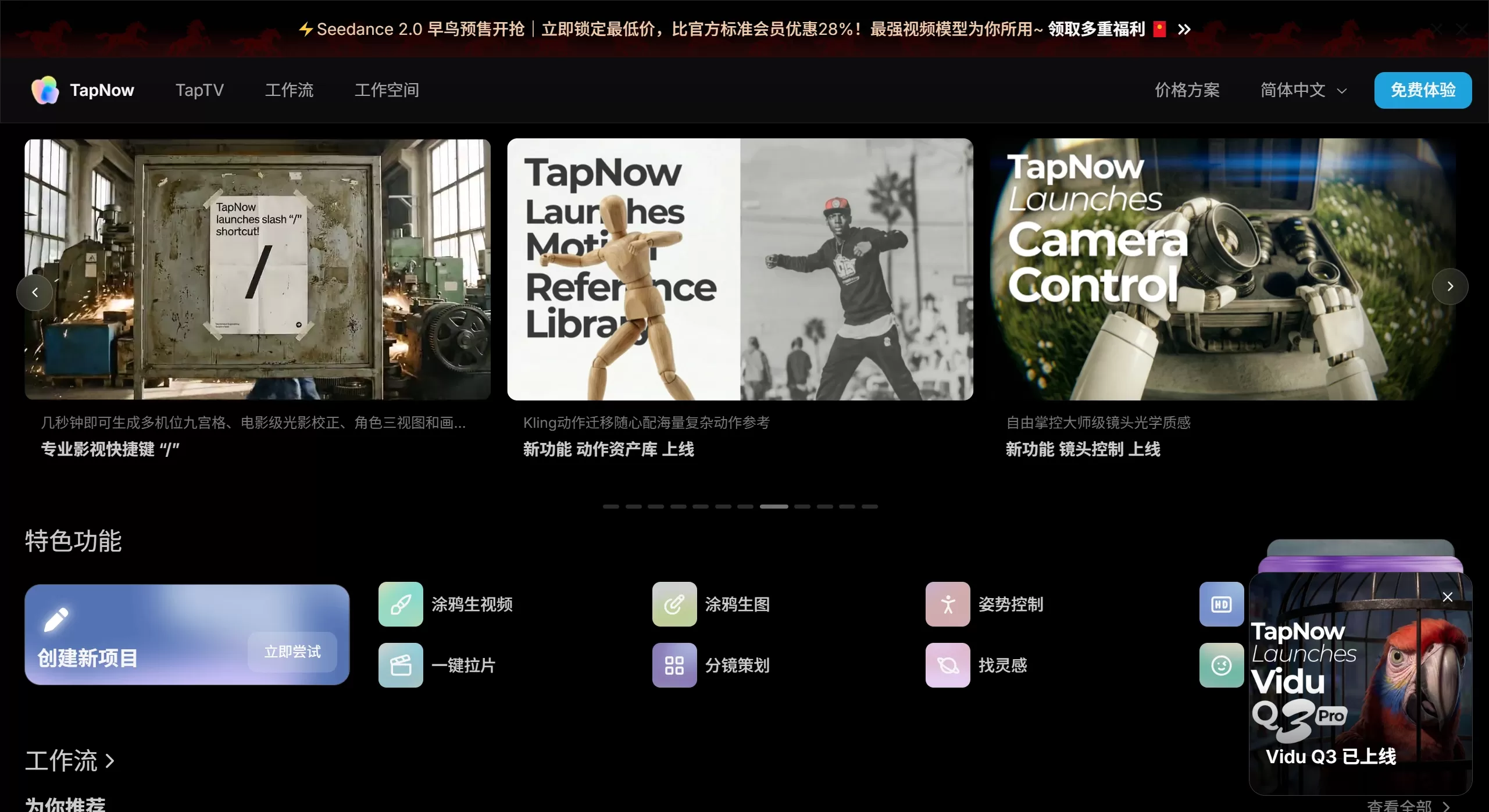
Multi-model selection: Use VEO 3.1, Sora, Grok-3 Video, Kling, Jimeng, and Midjourney all from a single interface—pick whichever model works best.
E-commerce–specific tools: Upload product images and automatically generate main images, model shots, and detail pages. Switch between different market styles such as European/American or Japanese with one click. The models and scenes are all overseas, so it won't look "too Chinese."
AI video production: Create videos from text, images, or even doodles. You can control character movements and lighting effects, making the result look comparable to professional filming. You can also set the opening and ending frames and add audio to the video.
Storyboard breakdown: Upload a reference video, and the AI automatically analyzes camera movements, color tones, and shot scales to generate an editable storyboard. This way you can mimic well-shot advertising pieces.
Node-based workflow: Operate through a canvas with nodes—connect different functions like building blocks. What each node does is clear at a glance, and you can save workflows for later use or share them with colleagues.
Data feedback: View click-through rate data of your assets after they are published, making it easy to run A/B tests and continuously optimize.
TapNow AI Application Scenarios
Cross-border e-commerce: Batch-generate Amazon and TikTok Shop–style main images in 5 minutes—no models or studio rentals needed.
Advertising production: Follow the structure of classic ads and produce a 1-minute brand video in 2 hours.
Short videos: Create hit videos for TikTok, Reels, and Shorts with automatic subtitles, exported directly in various aspect ratios.
Film preparation: Directors first create multi-camera storyboards so actors and cinematographers can see clearly how each shot will be filmed.
Brand promotion: Produce brand videos with a consistent style.
Anime creation: Turn static manga into dynamic videos.
Music videos: Visuals move in sync with the rhythm of the music.
Notable Cases
🎬 Yingshi Juifeng's AIMV project uses TapNow to produce AI shots
🍔 The AI animation segment in the Jay Chou × Meituan Waimai ad was produced with TapNow
🏔️ Antarctica commercial TVC: a million-dollar full-process canvas made publicly available
TapNow AI Tutorial: How to Use It
Basic Steps:
Go to https://www.tapnow.ai/zh and register an account
Click "New Project" to start
Choose a mode:
Pro mode: Drag nodes to build your own workflow
Simple mode: Use ready-made templates such as e-commerce ads, selfie outfit swaps, pet figurines, etc.
Upload images or videos, or enter text
Clearly describe the style and atmosphere you want (you can refer to the examples provided by the system)
Click generate and wait for the AI to finish processing
If you're not satisfied, tweak the description and try again
Export as MP4, GIF, or other formats, or publish directly to social platforms
Advanced Usage:
Upload benchmark ads and let the AI analyze their visual language, then create your own based on that
Adjust the prompt, shot scale, and camera movement for each storyboard individually
Go to the TapTV community, copy other people's workflows, modify them, and use them directly
FAQ
Can I use it if I don't know design? Yes. Beginners can use the simple mode, and experienced users can go deep.
What formats can I export? MP4, GIF, WebM, supporting aspect ratios like 9:16, 1:1, and 16:9.
How long does generation take? Tasks that used to take hours are now done in 5 minutes.
How do you keep characters consistent? Use the --oref parameter to control character consistency and --sref to control style consistency.
Can multiple people collaborate? Yes. You can share projects, review each other's work, and edit together.
How much does it cost? Paid with "Tapies" credits. The free plan gives 40 credits per week, and paid plans range from 1,500 to 30,000 credits per month.
How is it different from tools like Sora? TapNow focuses more on "toolifying the professional film and video workflow," providing a complete workflow rather than a single capability, making it more suitable for commercial deployment.
Can I replicate other people's workflows? Yes! The platform supports viewing and copying workflows of outstanding works for secondary creation.











