
 Script Planner Assistant▸
 AI Apps
 AI News

Morphic: A Tool for Controllable Cinematic Short Video Generation
Morphic: A Tool for Controllable Cinematic Short Video GenerationIntroduction
Morphic is a tool that can controllably produce cinematic short video effects. You only need to upload 2 to 5 keyframe images, or write a single requirement, and it can generate a 3 to 7 second video within minutes. The camera movement of this video can be adjusted manually, while the character and art style remain consistent. Once finished, it can be posted directly to TikTok or Reels. Morphic is a comprehensive platform that helps you complete the entire process from scripting to generation, animation, and editing. It pays special attention to character and style consistency, and comes with built-in timeline editing and post-processing features such as colorizing and color grading.
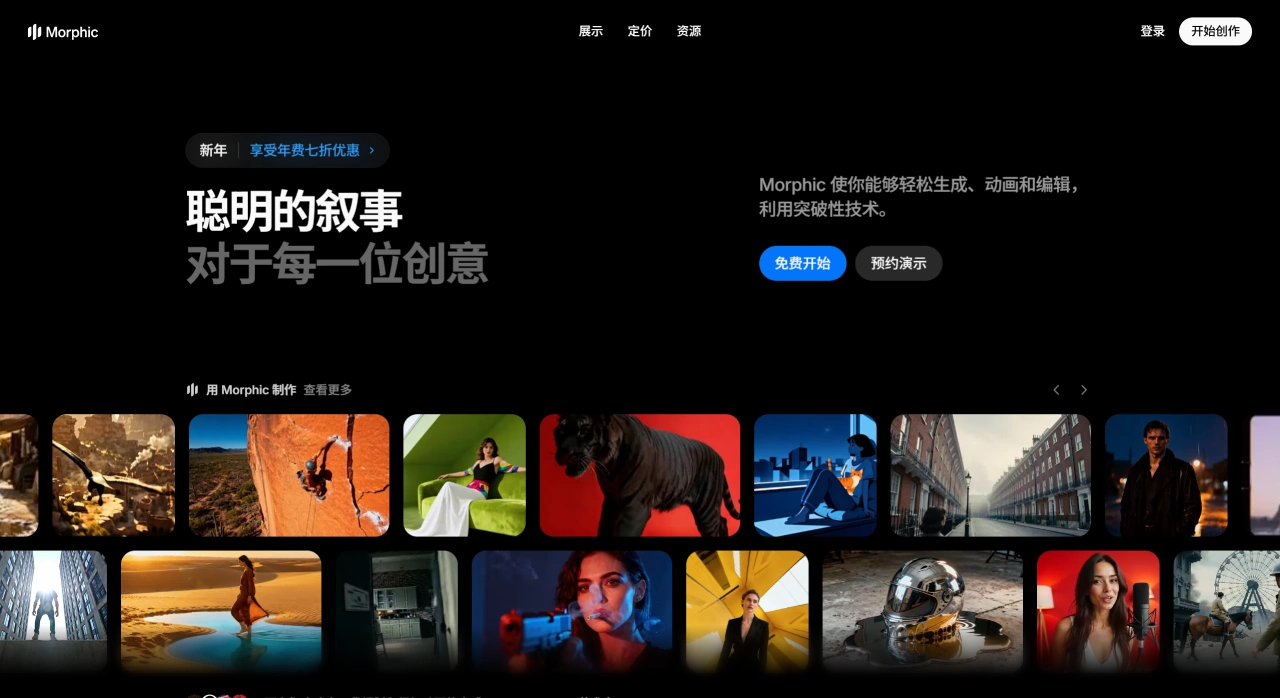
Morphic Key Selling Points
Character and style consistency: The same character and art style can remain consistent across different shots, avoiding the instability issues of ai generation results.
Team collaboration: Supports multi-user online editing simultaneously, allowing file sharing and mutual commenting, suitable for remote teams or small studios.
Fully online operation: Can be used directly in the browser, supporting Mac, Windows, or iPad, with files automatically saved to the cloud.
Morphic Feature Introduction
Canvas collaboration canvas: You can use sketches, photos, or AI-generated images as keyframes, and the AI will automatically fill in the in-between content. Each frame's background, lighting can be adjusted individually, or the character's face can be locked.
Copilot AI assistant: Enter a requirement in Chinese, and it will automatically provide suggestions for storyboards, color schemes, and shooting angles. You can also use 5 images to train an exclusive model to ensure the character's face remains unchanged.
Compose timeline: Drag video clips, music, and subtitles in, and it will automatically adjust rhythm, color, and transition effects. 4K video can be generated with one click, or exported to PR or Final Cut for further editing.
3D Motion camera flight: Convert a single image into a 3D model, manually set 5 shooting angles, and the system will automatically generate 15 types of camera movement trajectories such as push-pull, pan, and spiral ascent, with adjustable speed.
Morphic Applicable Scenarios
Short video operations: One person can produce 20 Reels or TikTok videos per day, each with different camera work.
Advertising and e-commerce: Turn product images into "unboxing" animations to achieve higher click-through rates.
Game and animation previews: Create a 7-second animated clip to show investors first, which is more intuitive than concept art.
Teaching and self-media: Add 3-second animations in ppt to help students understand more easily.
Morphic Pricing
Free version: $0/month, can generate 12 720p videos with watermark.
Standard version: $24/month, can generate 60 1080p videos without watermark, includes 10 GB cloud storage.
Professional version: $45/month, can export 300 4K videos, supports custom character models, suitable for commercial use.
Enterprise version: Pricing negotiated individually, supports on-premise deployment and provides API interfaces, suitable for team collaboration.
How to Use Morphic
Register an account: Visit the Morphic official website, register to receive 3 1080p video generation credits, no credit card binding required.
Upload images: Upload 2 to 5 keyframe images, switch to "Video" mode, and write a description of the camera movement, such as "camera moves from left to right, character looks up and smiles".
Generate video: The video is ready in about 30 seconds. If not satisfied, you can click "Regenerate" to lock the character and change the background. Detailed tutorials can be found at help.morphic.com/zh.
Morphic vs Morph Studio Comparison
| Dimension | Morphic (morphic.com) | Morph Studio (morphstudio.com) |
|---|---|---|
| Core positioning | All-in-one animation/video creation platform (scripting, generation, animation, editing, color grading) | Text-to-video generator (T2V), quickly producing short videos |
| Entry point and platform | Web platform, supports team collaboration and project management | Used via Discord, with public sub-communities for creation |
| Generation duration and resolution | Multi-ratio and resolution export (including horizontal/vertical/square), platform-adapted | Default 1080P; duration 3–7 seconds (3 seconds by default) |
| Key controls | Character/style consistency training, timeline editing, colorizing/color grading, scripting Copilot | Motion intensity -motion 1–10, ratio -ar, duration -s, frame rate -FPS 8–30, camera -camera zoom/pan/rotate |
| Typical scenarios | Education/explainer shorts, brand content, serialized series, reusable character assets | Concept validation, camera language practice, poster animation, social media short videos |
| Cost and benefits | Provides a free plan; Pro supports team collaboration and shared assets; generated content is commercially usable | Early access provides free credits; generated via Discord (policies may change) |
| Other | Supports multi-ratio export, team sharing, scripting and asset management | Prompts currently mainly in English; default 24 FPS |












