
 Script Planner Assistant▸
 AI Apps
 AI News

Nodejam – AI Office Suite Integrating Multiple Productivity Tools
Nodejam – AI Office Suite Integrating Multiple Productivity ToolsIntroduction
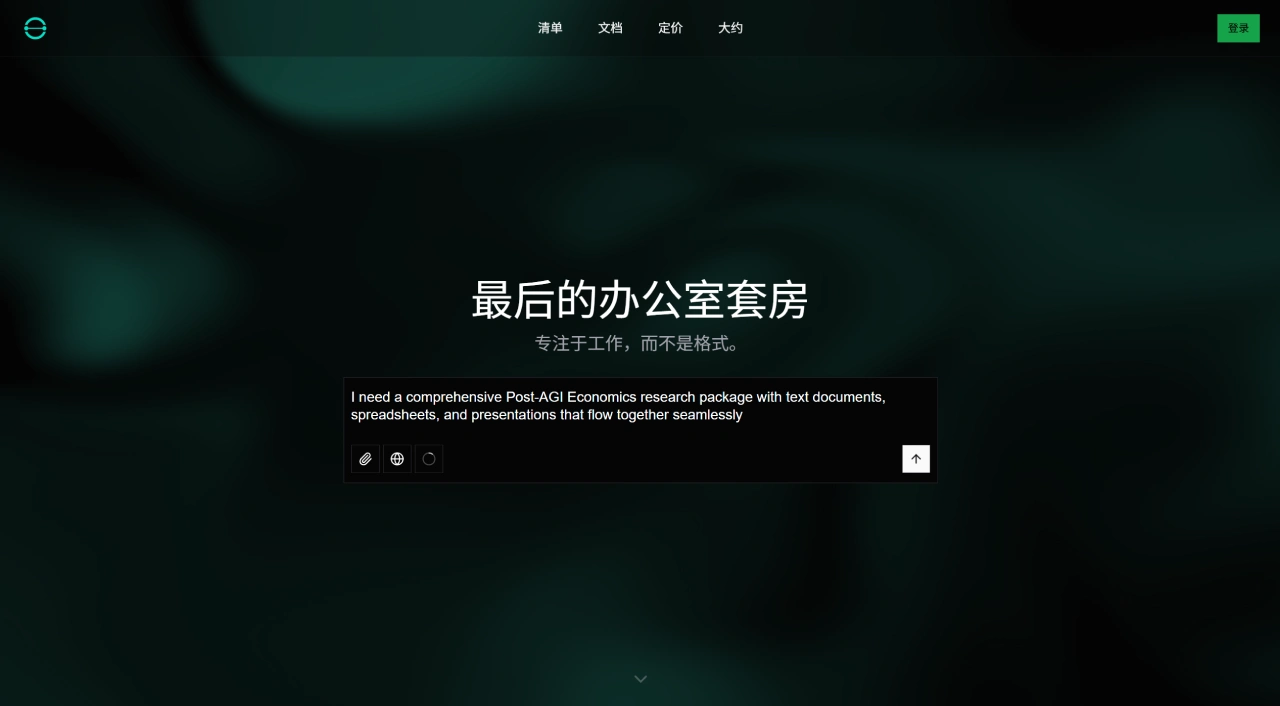
Nodejam is an AI office suite that mainly integrates text, spreadsheets, and presentations, providing users with a unified office platform that can serve as an AI-powered alternative to Microsoft Office.
Nodejam Core Features
Integrates multiple office functions, bringing related office operations together.
Handles documents, spreadsheets, slides, and other office content within a single platform.
Offers a conversational AI assistant that lets users edit documents through dialogue.
Adopts the proprietary .ndjm file format for unified management of office documents.
Supports importing and exporting multiple common formats, such as DOCX, CSV, PPTX, PDF, and more.
Features agentic AI workflow capabilities to assist with related tasks.
Includes AI chat sessions and history features for easy review of conversations.
Enables cross-document operations, allowing different types of documents to work together.
Features an AI-native interface design for a smarter user experience.
Nodejam Use Cases
AI-assisted creation and editing: Quickly create and edit documents, spreadsheets, and slides with the help of the AI assistant.
Unified file formats: Consolid scattered DOCX, CSV, PPTX, and other format files into a single .ndjm format.
Workflow automation: Issue commands through natural language to automatically complete repetitive tasks such as document formatting and data organization.
Cross-document collaboration: Work on projects based on different document types such as text, spreadsheets, and presentations slides within the same platform.
Traditional tool replacement: Replace traditional office suites like Microsoft Office with AI-driven features.
Nodejam Pricing Model
Free Plan: Suitable for individuals, students, and those who want to explore the platform. Includes 2 quick-start projects (Canvas and Classic), 1 chat session per project, provides basic AI models, and supports multimodal import/export.
Team Plan: Suitable for startups and small teams of up to 20 people. Features unlimited projects and advanced features. Includes everything in the Free Plan, plus unlimited projects and workspaces, unlimited chat sessions, editable chat history, multiple AI models, web search, and file attachments.
Enterprise Plan: Designed for large organizations. Offers advanced security, compliance, and customized solutions. Includes everything in the Team Plan, plus SSO and organizational login, custom integrations, hybrid/custom architecture, and enterprise compliance.
Frequently Asked Questions
Q: What are Nodejam's core advantages compared to traditional office suites like Microsoft Office?
There are three main advantages.
Tight integration with AI: combines text, spreadsheets, and slides into a single platform, allowing natural language editing through a conversational AI assistant without manual formatting adjustments. Traditional office suites require switching between different modules, and their AI features are relatively scattered.
Unified file format: the proprietary .ndjm format unifies various office files, solving the incompatibility issues between formats like DOCX and PPTX in traditional suites.
Workflow optimization: supports cross-document workflows and AI agent workflows, automating repetitive operations that traditional suites require users to perform manually.
Q: What specific features does Nodejam's Free Plan include? Can it meet the basic office needs of individual users?
The Free Plan ($0/month) includes: 2 quick-start projects (Canvas and Classic), 1 chat session per project, provides basic AI models, and supports multimodal import/export (supporting DOCX, CSV, PPTX, PDF, and other formats). For individual users (such as students or general office workers) who only need to simply create documents (like writing reports), perform basic spreadsheet editing, or make a single presentation, and who don't have high requirements for the number of projects (within 2) or chat session frequency (1 per project), this plan can meet basic office needs. However, the Free Plan has limitations for users who need to frequently edit multiple projects or use AI chat assistance multiple times.
Q: What is the purpose of Nodejam's proprietary .ndjm file format? How is file compatibility handled when collaborating with partners who don't use Nodejam?
The .ndjm format mainly unifies office file types by integrating various office content such as text, spreadsheets, and slides into a single format, avoiding the hassle of managing multiple scattered formats in traditional office work. It also adapts to Nodejam's AI editing and cross-document workflow features, making editing logic more consistent. When collaborating with partners who don't use Nodejam, compatibility issues can be resolved through Nodejam's multi-format import/export feature: export .ndjm format files into traditional formats recognizable to the other party, such as DOCX, CSV, PPTX, PDF, etc. After the other party edits them, import the files back into the Nodejam platform and continue managing them in .ndjm format.















