
 Script Planner Assistant▸
 AI Apps
 AI News

Vibe3D AI – AI 3D Rendering Tool for Interior Designers and Architects
Vibe3D AI – AI 3D Rendering Tool for Interior Designers and ArchitectsIntroduction
Vibe3D ai is an AI rendering tool designed for interior designers and architects. It can quickly turn 3D models into hyper-realistic images, 10 times faster than traditional methods. It supports popular modeling software such as SketchUp and 3ds Max. Its main features include the ability to modify specific areas with one click and to make requests using everyday language.
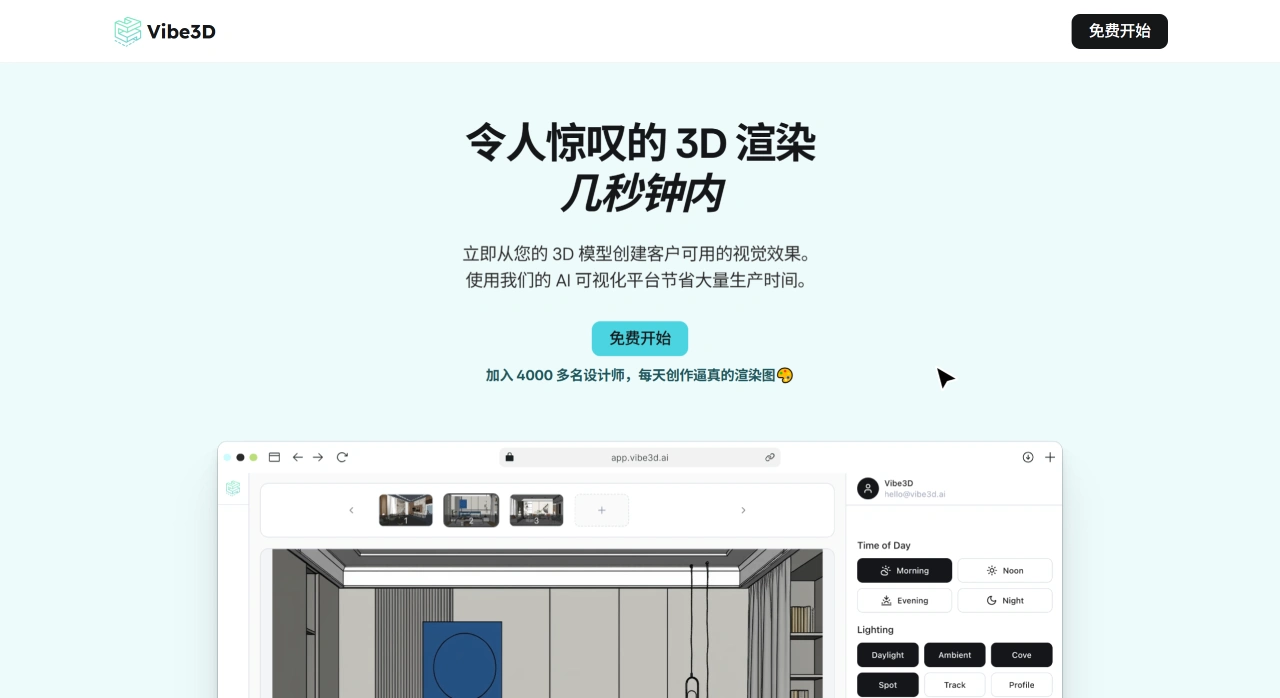
Vibe3D AI Key Features
AI Rendering: Automatically adjusts lighting, materials, and textures to generate realistic images.
One-click Editing & Natural Language Commands: Select the area to change, describe your needs in everyday words (e.g., "change the wall color to light beige"), and the AI completes the modification automatically.
Smart Suggestions: Recommends suitable rendering or editing options based on the current scene, making operations easier.
Software Compatibility: Directly imports model files from SketchUp, 3ds Max, and other software.
How to Use Vibe3D AI
Import Project: Click the import button to select your design file and quickly set up your workspace.
Configure Rendering: Set parameters such as time, lighting, and materials, add custom commands, then click "Render".
AI Editing: After rendering, make changes to any unsatisfactory areas directly using everyday language.
Compare & Export: Use the preview feature to see different versions and download the best result.
Who is Vibe3D AI For?
Professional Designers: Quickly produce high-quality renders, efficiently handle client feedback, maintain design professionalism, and improve work efficiency.
Design Studios: Work on multiple projects simultaneously, enjoy smoother team collaboration, quickly deliver realistic visualizations to clients, and accelerate project delivery.
Students: Beginners can get started easily without complex operations or technical knowledge, producing professional-level renders that enhance learning interest and creative ability.
Vibe3D AI Use Cases
Rapid Delivery: Quickly turn 3D models into high-quality visualizations ready to show clients.
Faster Iteration: Respond quickly to client revision requests, generate new versions in a short time, and shorten feedback cycles.
Increased Capacity: Help design teams handle more projects simultaneously and boost overall output.
Education & Learning: Provide students with a low-barrier professional rendering tool so they can focus on creativity without worrying about technical operations.
Vibe3D AI Core Advantages
Speed: 10 times faster than traditional rendering.
High Quality: Rendering results are clear and realistic.
High Efficiency: Saves designers hours of work time.
Vibe3D Pricing Plans
Basic ($19): Includes 100 2K renders and custom commands.
Ideal for: Students, hobbyists, or freelancers who occasionally need renders for learning, practice, or small projects.
Pro ($49): Includes 300 2K renders, custom commands, and smart suggestions.
Ideal for: Most freelance designers and small design teams. This is the most popular plan — the smart suggestions feature boosts work efficiency and meets the needs of typical commercial projects.
Enterprise ($139): Includes 1000 4K renders, custom commands, smart suggestions, and priority support.
Ideal for: Large design studios, architecture firms, or enterprises that need large volumes of high-quality renders. 4K resolution ensures output quality, and priority support keeps large projects running smoothly.















