Script Planner Assistant▸
 AI Apps
 AI News

APPLORE: Logo Icon Inspiration and Color Palette Analysis Platform
APPLORE: Logo Icon Inspiration and Color Palette Analysis PlatformIntroduction
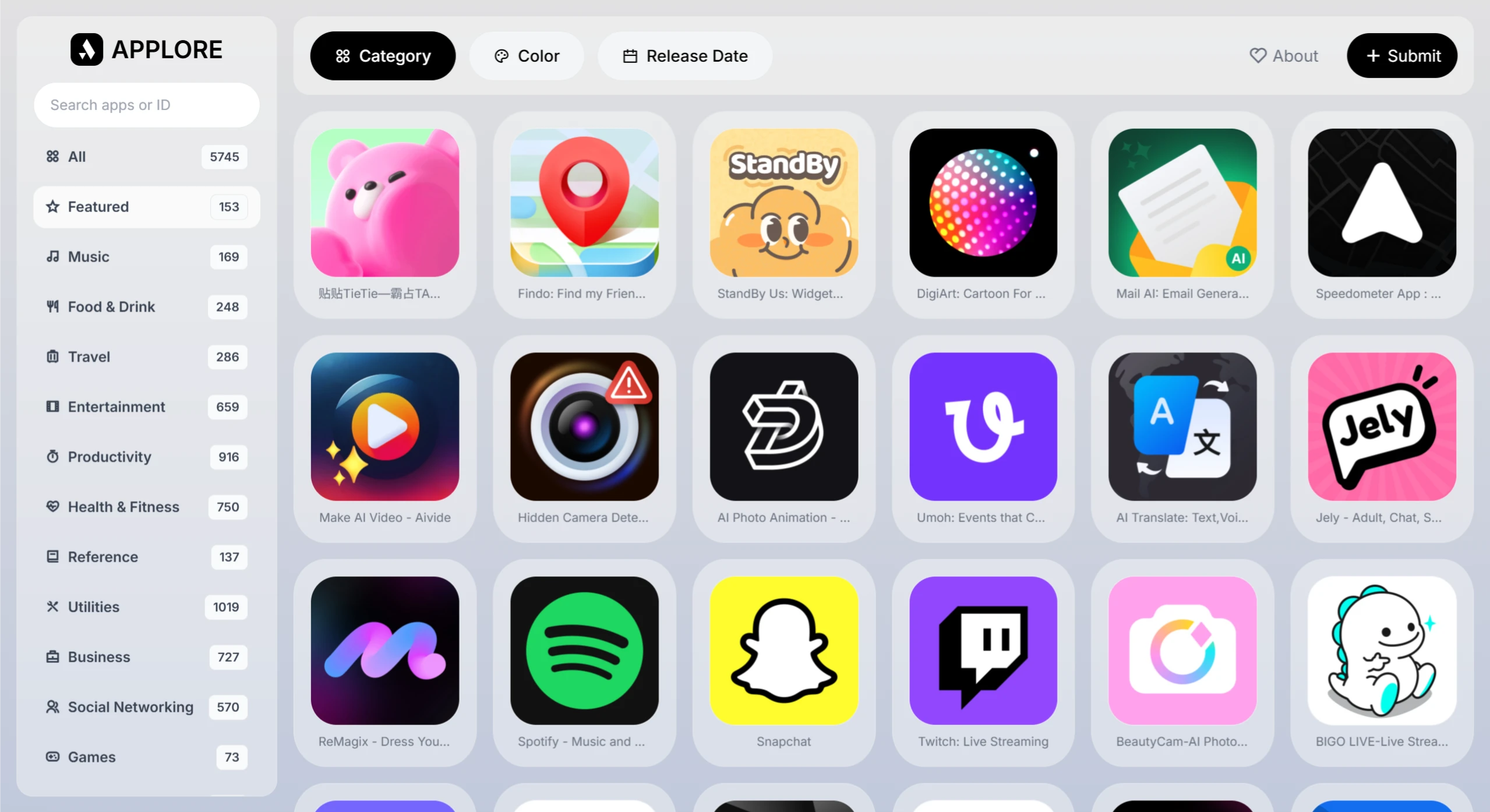
APPLORE is an app logo icon inspiration and color palette analysis platform launched by the creative community UIBoy. It features a rich visual library that lets users browse, search, and analyze app icon designs across different categories and colors. Whether you're a designer, developer, or simply someone interested in app icons, you can find inspiration and creative ideas here.
Website Features
✅ Rich Icon Library: APPLORE offers over 5,000 app icons, including those from well-known apps as well as niche, independently developed ones. You can filter by category, color, or release date to quickly find the resources you need.
✅ Detailed Background Information: Each icon comes with a detailed introduction, covering aspects such as design style, use cases, and any special significance within a particular industry or field—helping designers choose icons that suit their projects.
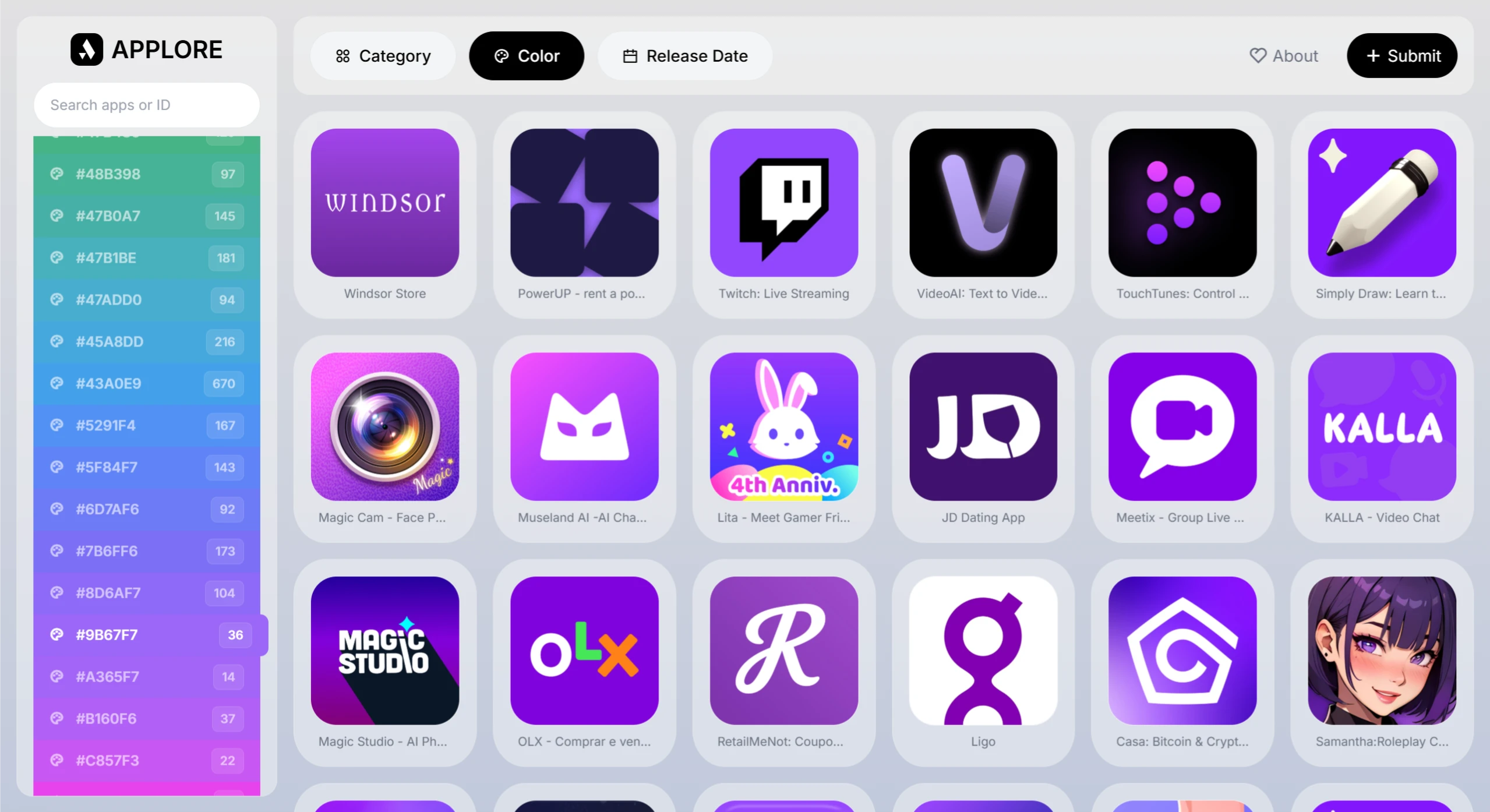
✅ Powerful Color Filtering: APPLORE lets you filter icons by color and quickly analyze the palettes of different icons. The built-in palette analyzer automatically extracts primary colors, secondary colors, and gradient levels, and combines historical data to showcase trending icon styles.
✅ Favorites and Search Functions: Users can save their favorite icons to a personal inspiration library for future use. The search supports precise keyword lookup as well as a dual mode combining keywords with visual similarity, delivering results quickly.
✅ Upload and Sharing: Designers can use the icon submission feature to upload their own work to APPLORE, sharing inspiration and receiving feedback from other creators.
Key Features
Browse app icons by category, color, or release date
View detailed information for each app
Analyze the color schemes of app icons
Powerful search functionality
Submit new app icons to the database
Real-time palette analysis and trend insights, providing data-driven support for design decisions and helping teams make data-informed visual choices
Personal and team collection features for cross-departmental reviews, with the ability to export CSV or image lists for easy team sharing and review
Use Cases for APPLORE
Designers: Quickly compare competitors' visual styles, check whether color palettes work, and find icon inspiration that matches the style of a new project.
Developers: Select high-resolution icon assets that comply with platform guidelines to help apps get listed faster.
Branding and Marketing Professionals: Understand industry visual trends and develop more distinctive brand icon strategies.
How to Use APPLORE
Visit the official site: Open the APPLORE official website (https://app.uiboy.com/).
Browse the icon library: Filter by category (such as social, finance, education, etc.); filter by color, release date, etc.; enter keywords in the search box to quickly find the app icons you need.
View icon details: Click any icon to see detailed information including its industry, app type, color scheme, and design style.
Download or reference for inspiration: Currently APPLORE does not support favorites or account login, but you can take screenshots or use browser bookmarks or third-party tools (such as Eagle, Notion) to save your inspiration. Designers can upload their own icon work through the "Submit" entry to share their creativity with the community.