
 Script Planner Assistant▸
 AI Apps
 AI News

TryShortCut AI_云技派,专注ai人工智能!
TryShortCut AI_云技派,专注ai人工智能!Introduction
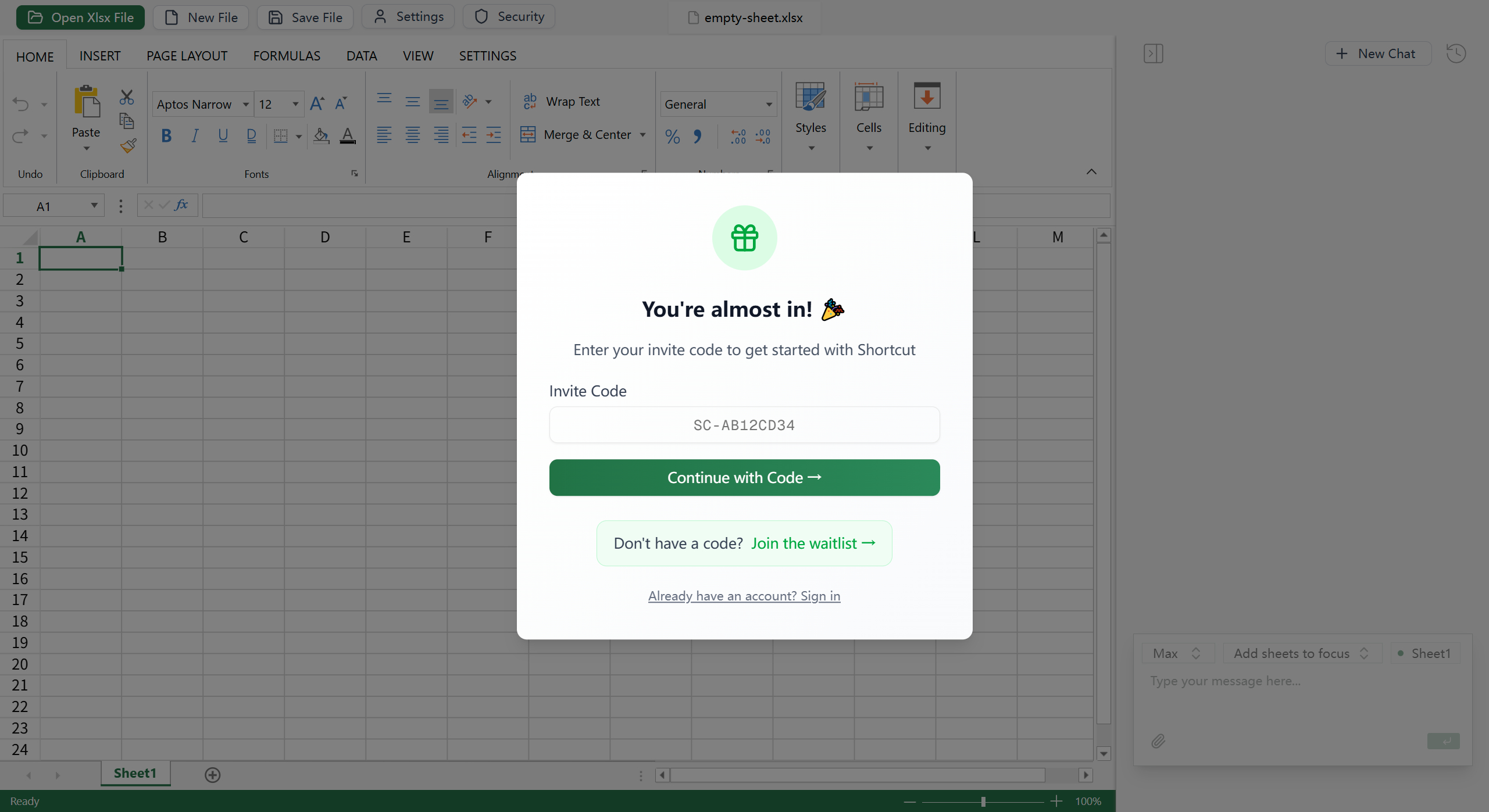
Shortcut is an Excel assistant that allows users to complete Excel tasks without writing complex formulas or VBA code. Users simply describe their needs in simple Chinese or English, such as "help me calculate the total sales" or "generate a monthly sales trend chart," and Shortcut can automatically perform data calculations, auto-fill, formatting, generate pivot tables and charts, and more.
Core Features
Natural Language Processing: Users describe tasks through natural language instructions, and Shortcut intelligently parses and executes them, with no need to master Excel formulas or VBA programming knowledge.
Data Processing and Calculation: Supports automatic calculation of metrics such as sums, averages, and growth rates—for example, quickly summarizing sales data or generating financial reports.
Auto-Fill and Formatting: Automatically fills cells based on data patterns and applies consistent formatting such as fonts, colors, and borders, enhancing the visual appeal and readability of reports.
Pivot Table and Chart Generation: Generates pivot tables with one click to analyze large datasets, and automatically creates visualizations such as bar charts and line charts, simplifying the data insight process.
File Compatibility: Supports direct editing of existing Excel files, as well as importing and exporting data, adapting to a variety of work scenarios.
Application Scenarios
Financial Modeling: In the field of financial modeling, Shortcut can quickly build cash flow analyses, scenario analyses, and capital budgeting models, with efficiency comparable to that of a professional financial analyst. For example, in a test case from the Excel World Championship, it quickly completed tasks such as data cleanup, calculation, and chart generation through natural language instructions, demonstrating its capability in handling complex datasets and high-pressure scenarios.
Efficiency Boost: Traditional financial modeling projects that would take an hour or more to complete manually can be finished by Shortcut in under ten minutes. It can not only automatically identify issues in models—such as errors in Property, Plant & Equipment (PPE) entries—but also recursively correct and complete the balance sheet and cash flow statement, with virtually no human intervention required throughout the process.
How to Use
File Operations: Includes options such as "Open Xlsx File" (Open Xlsx File), "New File" (New File), "Save File" (Save File), and more.
Settings and Security: Includes options such as "Settings" (Settings), "Security" (Security), and more.
Editing and Formatting: Includes options such as "Undo" (Undo), "Paste" (Paste), "Clipboard" (Clipboard), "Fonts" (Fonts), "Alignment" (Alignment), "Numbers" (Number Format), "Styles" (Styles), "Cells" (Cells), "Editing" (Editing), and more.
Insert and Page Layout: Includes options such as "HOME" (Home), "INSERT" (Insert), "PAGE LAYOUT" (Page Layout), and more.
Formulas and Data: Includes options such as "FORMULAS" (Formulas), "DATA" (Data), and more.
View and Settings: Includes options such as "VIEW" (View), "SETTINGS" (Settings), and more.















