Script Planner Assistant▸
 AI Apps
 AI News

Tawk.to: 100% Free Live Chat Software
Tawk.to: 100% Free Live Chat SoftwareIntroduction
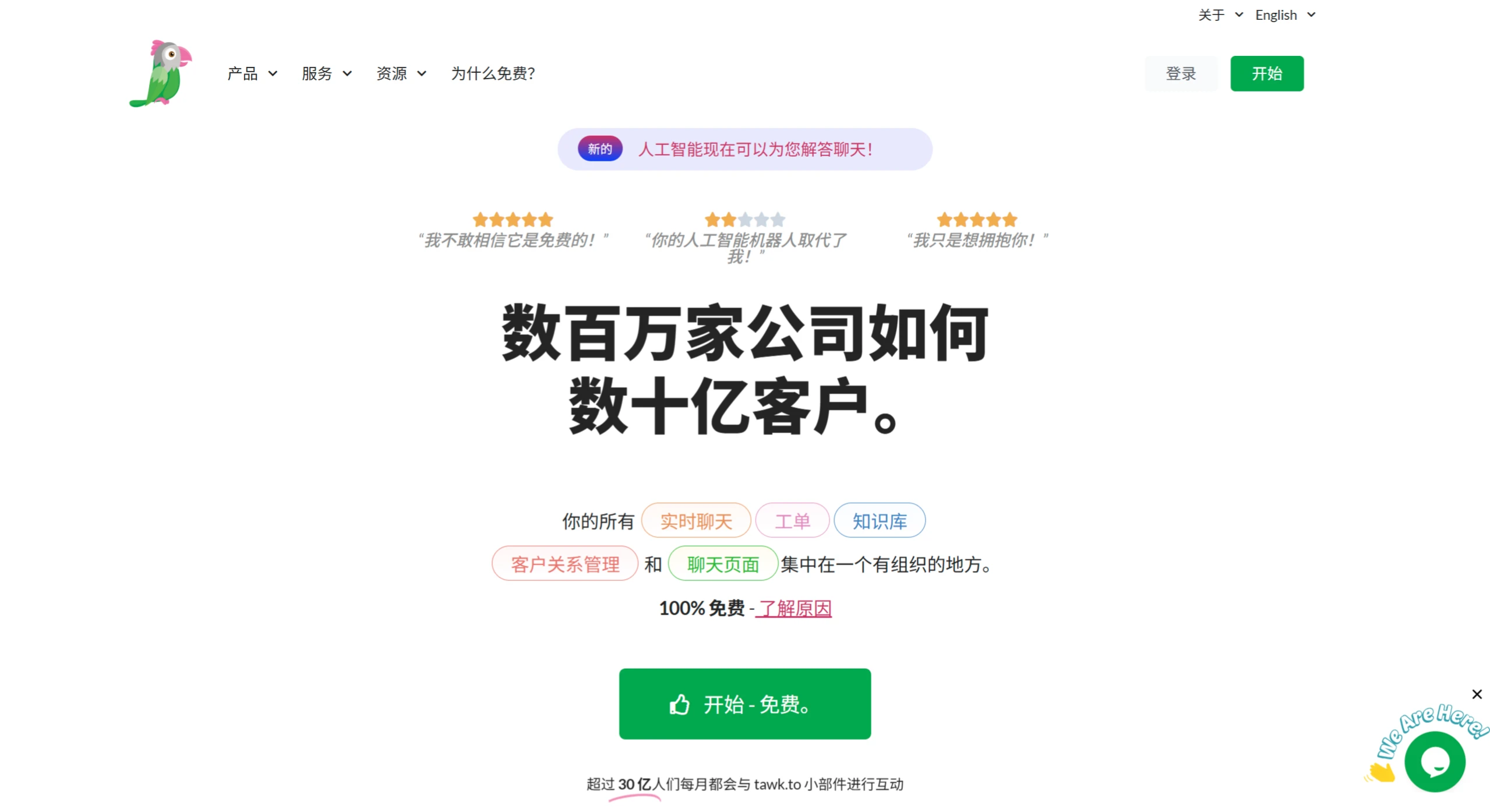
tawk.to, a completely free online customer service chat software, integrates real-time chat, ticketing, knowledge base, CRM, and chat pages, supporting instant communication between businesses and customers.
Core Features
Real-time Communication & Customer Management
Real-time chat: Through a JavaScript code embedded on the website (ready in 30 seconds), it monitors visitor page actions, search records, and chat history in real time, supporting multi-agent collaboration, tagging, and cross-device use.
Ticketing system: Centrally manages customer service inquiries, supports cross-department collaboration and work assignment, ensuring efficient issue follow-up.
Knowledge Base & Self-Service
Provides a customizable free knowledge base, supports knowledge sharing between departments and publishing content to the public, allowing customers to quickly find answers to frequently asked questions (FAQs), reducing manual inquiries.
Data Analysis & Optimization
Provides comprehensive real-time reports, including visitor volume, click-through rate, sentiment analysis (Positive Sentiment), engagement rate, etc., helping businesses adjust the customer experience.
Extended Features
Supports automatic multi-language translation, screen sharing, file transfer, and domain restrictions, meeting the needs of business globalization and personalization.
Use Cases
Sales support: Help customers resolve questions before purchase and increase conversion rates.
Customer service: Quickly answer customer questions and improve customer satisfaction.
Technical support: Provide technical support through online chat and knowledge base.
Community interaction: Build closer connections with customers and increase brand loyalty.
Core Advantages
Permanently free: The basic features are always free, with no limits on the number of agents, network traffic, or websites (only removing the branding requires payment).
Feature-friendly: Supports 45+ languages, screen sharing, sentiment tracking, detailed reports and over 40 advanced features. Some features (such as video and voice calls, automatic translation) are add-ons or beta versions.
Secure & reliable: SHA-256 data encryption in transit, encrypted data storage on servers, guaranteeing no sale of user data and no ads.
Frequently Asked Questions (FAQs)
Q: Are there any limits on the number of agents?
No limits — unlimited agents can be added to the account.
Q: Is data security guaranteed?
Data is transmitted and stored using encryption, complying with privacy protection standards.
Q: Is it free or paid?
Basic features are free for life; only value-added services are optional paid options.
Q: Is private deployment supported?
Local deployment is not currently supported; it uses Google Cloud with a globally distributed architecture to ensure low latency and reliability.
tawk.to Usage Tutorial
Registration & Installation
Register an account: Go to the official website https://www.tawk.to, click the "sign up free" button, enter your login account, email (it is recommended not to use a QQ email), and password, select the account type, company name, add the website URL, set up the user assignment account (Admin or Agent), then generate and copy the installation code.
Install the code: Log in to your own website, find an appropriate location in the front-end (such as before the body tag), paste the installation code above, save and publish the website, then return to the tawk.to page to verify the code.
Download the Client
Mobile: Android phones need to download the Google Play app first, search for tawk.to to download; the iOS version can also be downloaded from the App Store on Apple devices.
Desktop: Log in to the web version and use tawk.to directly.
Adjust the Chat Tool Style
Paid feature: If you need to remove the "powered by tawk.to" branding, you need to purchase the "remove branding" service.
Change appearance: Log in to your account, click "Manage" → "Chat Widget" → "Widget Appearance" to set the color, style, and font color for desktop and mobile.
Internal Feature Usage
Status settings: Click the avatar in the lower left corner to set items such as Online status, Accepting chats, Desktop Notifications, Audio Notifications, and you can also change the backend language to Traditional Chinese.
Visitor monitoring: The backend can monitor visitor data in real time, view visitor inquiry content and missed visitor information, and also monitor visitors currently browsing the website.
Chat management: You can view ongoing chats, recent and past chats, and analyze chat data by date (such as volume, missed messages, average session duration, visitor satisfaction, first response time, etc.).
Content settings: Modify the website name and URL.
Member invitation: Invited members need to register a tawk.to account first by filling in their email. After successful invitation, they are assigned either Admin or Agent roles, and multiple accounts can be added for simultaneous management.
Trigger settings: Triggers can be set based on visitor dwell time, pages browsed, etc., to send specific content to visitors for automatic replies.
Blacklist settings: You can set IP addresses that are prohibited from initiating inquiries.
Department member settings: Department members can be configured.
Email notification settings: You can choose to send chat records, new messages, new tickets, and missed chat notifications to a specified email.
Online status settings: You can set the online status of the chat tool.
Domain settings: You can set multiple domains to share one chat tool, suitable for multiple of your own websites with the same product.
Time zone and online/offline schedule settings: You can set the time zone and the daily automatic online and offline times for the tool.
Session Content Settings
For the 3 statuses — Online / Away / Offline — you can customize the Preset content, such as "not chat" or collect email actions.
Notification Settings
Desktop: Notification settings can be configured.
Mobile: Both iOS and Android devices can configure notification settings.
Related Information: