
 Script Planner Assistant▸
 AI Apps
 AI News

Bland TTS: One-Click Voice Cloning & Realistic Voice Engine by Bland AI
Bland TTS: One-Click Voice Cloning & Realistic Voice Engine by Bland AIIntroduction
What is Bland TTS?
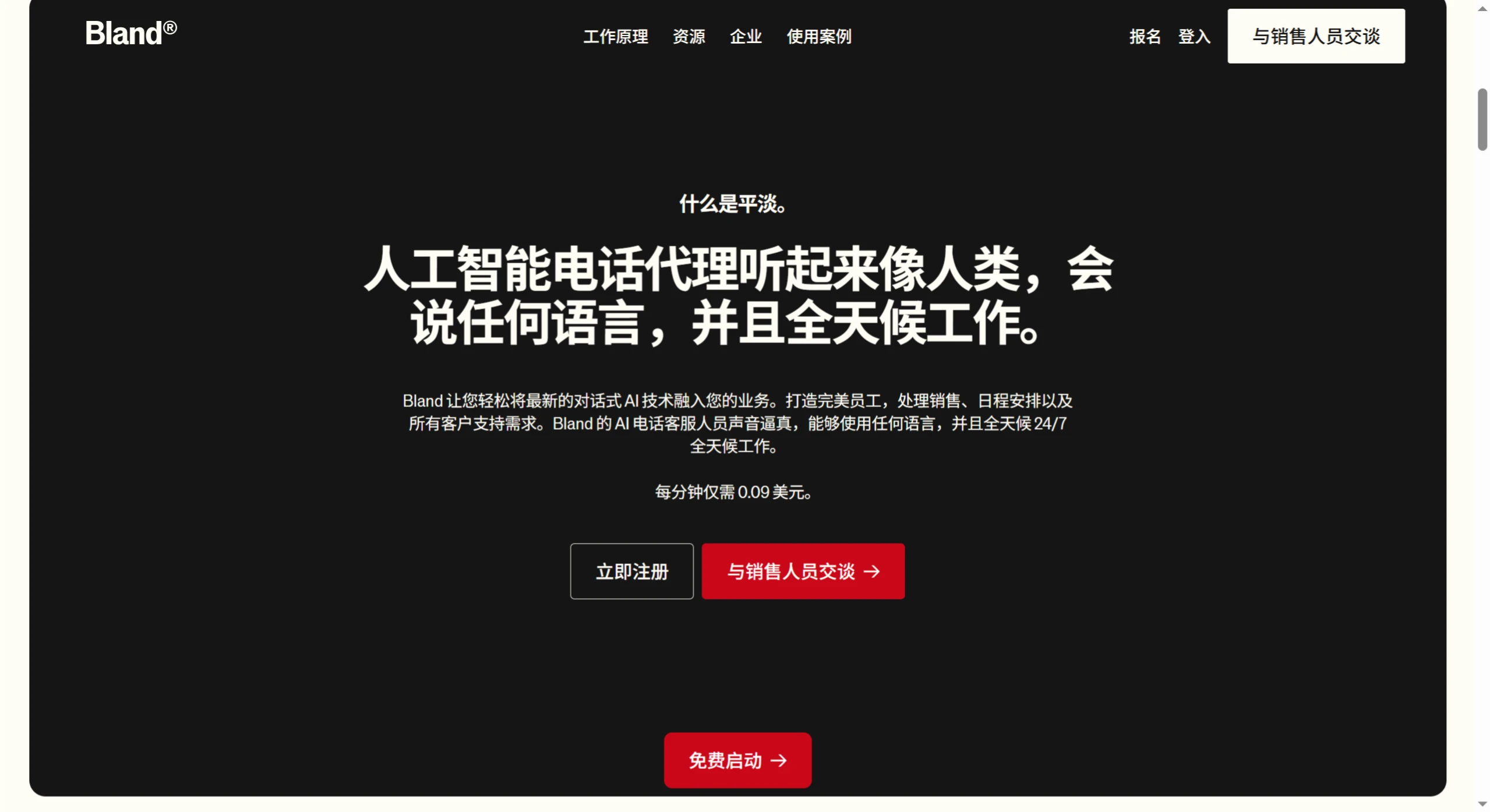
Bland TTS is a new-generation text-to-speech engine launched by Bland ai, which has attracted significant attention in the AI voice field. It can accurately clone any voice from a short MP3 file, and also allows AI to mimic sound effects such as a dog barking or a car horn. In addition, it can automatically adjust emotional expression based on the text content, achieving tones such as excitement, sadness, tenderness, and anger.
Bland TTS Feature Highlights
Voice Style Control
Contextual learning: The model can automatically recognize tones such as "excited" or "calm."
Tag control: You can manually add tags such as or to precisely control the tone.
Low-sample learning: With only 3–6 voice samples, it can perfectly replicate a speaking style. For example, to have AI read major news in an "excited tone," just add a tag before the text, and it will immediately express it with the appropriate intonation, speed, and emotional variation.
Sound Effect Generation
Generate various sound effects: It can generate dog barking, laughter, and many other sounds.
Custom sounds: Provide annotated samples and it will remember and reproduce them.
Mixed applications: Intersperse various sound effects in conversations to enhance expressiveness.
Voice Blending
Voice fusion: Provide multiple voice samples and the system will automatically blend them into a new voice.
Feature preservation: It preserves the characteristics of the original voices while ensuring the output is coherent and natural.
Application scenarios: It can be used for brand-exclusive voice design, unified multilingual voice persona, and custom character timbre for virtual personas, etc.
Voice Emotion Understanding
Context awareness: Rather than mechanically "reading word by word," it understands the emotion of the text.
Adaptive expression: Technical content is delivered in a more professional and calm manner, emotional content is conveyed with more warmth and empathy, and Q&A interactions feel more natural and fluid.
Bland TTS Technical Advantages
Traditional TTS technology is like assembling a puzzle, piecing together pre-recorded voice fragments, which sounds mechanical and incoherent. Bland TTS, by contrast, is more like a voice artist who understands the emotion of the text. It can directly predict audio from text, achieving true "understanding-based vocalization." It uses a large language model to directly predict sound: once the text is input, the model directly outputs "audio tokens," which are then restored into real sound. This is equivalent to letting AI first understand the content, and then speak naturally like a human, rather than mechanically piecing things together.
Bland TTS Application Scenarios
Creators
Content creation: Convert text into human-level voice for podcasts, audiobooks, and video dubbing.
Performing arts: Create unique character voices with fine-grained emotional control.
Film and video production: Quickly generate temporary voiceovers, even serving as the final deliverable. For example, an independent podcast host used it to create an audio version of a 100,000-word novel — by providing only a 5-minute sample of his own voice, the AI perfectly replicated his distinctive narration style, including signature pauses and tonal shifts.
Developers
Develop applications: Integrate into your own apps through simple API calls.
Custom solutions: Build voice-interactive products such as voice assistants and educational apps.
Automation services: Develop automated services such as news broadcasting and content reading.
Enterprise Users
Customer service: Build AI customer service systems to achieve seamless 24-hour service.
Phone assistants: Develop voice sales or service systems that make customers feel like they're talking to a real person.
Brand voice: Create a unique brand-exclusive voice to enhance brand recognition. For example, after a financial institution adopted it, customer satisfaction increased by 30%, and many users even saved the Ai assistant as a contact.
How to Use Bland TTS
Different groups use Bland TTS in different ways:
Creators
Creators who want to convert text into human-level voice for podcasts, audiobooks, video dubbing, create unique character voices, or engage in film/video production can do the following:
Visit the Bland official website.
If you need voice cloning, follow the website's instructions to upload a short MP3 file (3–6 voice samples) to accurately clone the voice. If you want to use features such as style control, add the appropriate tags based on your needs when inputting text — for example, (excited) or (calm) — to precisely control the voice's tone, speed, and emotional variation. For instance, if you want AI to read news excitedly, just add the tag before the text, and AI will immediately express it with appropriate intonation, speed, and emotional variation.
Wait for the system to process, and once done you can obtain the generated voice file.
Developers
Developers who want to integrate via API into their own apps, build custom solutions, or develop automation services can do the following:
Visit the Bland official website to obtain API-related information and call instructions.
Develop according to the API documentation and integrate Bland TTS into your application. For example, to build a voice assistant, call the appropriate interface as required by the documentation and pass in the text and other information to enable speech synthesis.
Enterprise Users
Enterprise users who want to build AI customer service systems, develop phone assistants, or create brand-exclusive voices can do the following:
Visit the Bland official website and choose the appropriate service package or solution based on your enterprise's needs.
Follow the website's guidance for system configuration and deployment. For example, when building an AI customer service system, you need to set up the relevant conversation flows and knowledge base; when developing a phone assistant, you need to configure speech recognition, speech synthesis, and other related settings.
Once configuration and deployment are complete, perform testing and optimization to ensure the system runs properly.
Related Information:














