
 Script Planner Assistant▸
 AI Apps
 AI News

WaifuXL: AI Image Upscaler for Anime-Style Images and GIFs
WaifuXL: AI Image Upscaler for Anime-Style Images and GIFsIntroduction
What is WaifuXL?
WaifuXL is an AI image upscaling tool focused on anime-style images and GIFs. It uses the latest super-resolution models (such as Real-ESRGAN) and is capable of increasing the resolution of images and GIFs by up to 16x while preserving the original style and details.
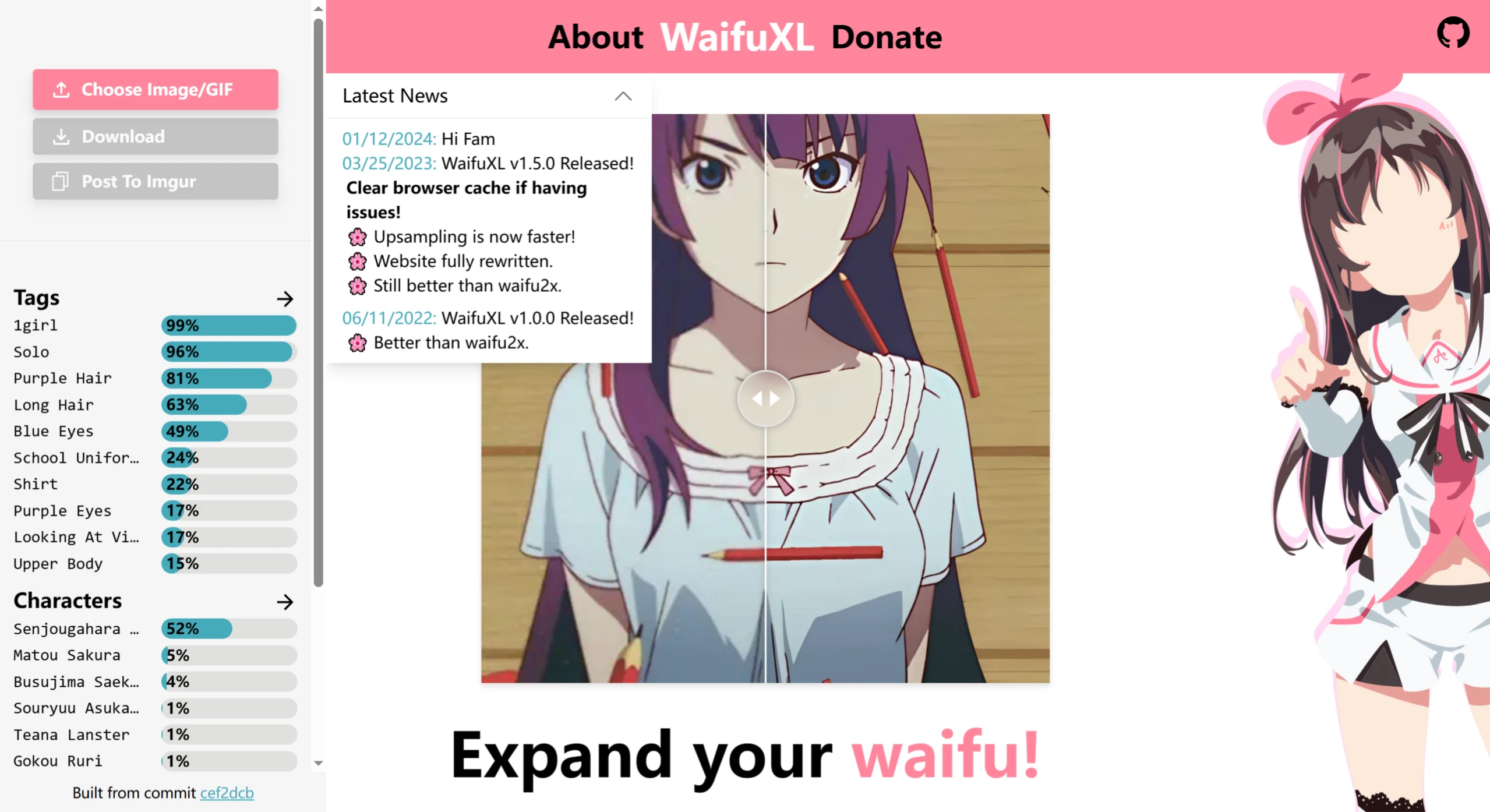
WaifuXL Technology
It adopts Real-ESRGAN (a state-of-the-art super-resolution model trained on anime-style images) and an image tagging network based on MobilenetV3. Powered by Onnx Runtime, the model weights are executed directly on the user's device in the form of WebAssembly, requiring no backend support, ensuring data privacy—their image data always stays securely on the local device.
WaifuXL Features
Super-Resolution Processing: Leveraging deep learning technology, it can convert low-resolution anime images into high resolution without losing detail and clarity, upscaling images up to 16x.
Local Processing & Privacy Protection: All processing is completed in the user's browser; images are not uploaded to servers, ensuring user privacy.
Support for Multiple Formats: Supports various image formats such as JPEG, PNG, and GIF, and handles GIF animations well, maintaining smooth animation. The maximum file size is 100MB.
Automatic Detection & Classification: It can automatically detect and tag various elements in images, such as solo characters, purple hair, long hair, blue eyes, school uniforms, etc., and categorize images and GIFs into safe, suspicious, and explicit categories.
Batch Processing: Allows users to process multiple images or GIFs at the same time, improving work efficiency.
Adjustable Upscaling Levels: Users can choose different resolution outputs based on their needs, striking a balance between image quality and file size.
WaifuXL Use Cases
Personal Collection Enhancement: Ideal for anime enthusiasts to improve the quality of their collected anime images or screenshots, making them more suitable as wallpapers, for sharing on social media, or for personal appreciation.
Fan Creation Assistance: Helps fan creators enhance the presentation quality of their work, making their creations more attractive when published and shared, whether for online display or for printing into merchandise.
Asset Extraction Optimization: Convenient for artists extracting materials from classic anime to obtain higher-quality images, providing a better starting point for derivative works or other related tasks.
WaifuXL Advantages
Efficient & Convenient: Runs directly in the browser with no need to download or install additional software—just visit the website to operate. Processing is fast, and the latest optimized version is even quicker.
Outstanding Quality: Compared to traditional waifu2x, it delivers noticeably higher-quality upscaling results, better preserving the style and details of anime artwork, reducing noise, and making images clearer and more expressive.
Free & Open Source: It is an open-source project that is completely free to use. Developers appreciate donations to support the project's ongoing development and improvement.
WaifuXL Limitations
Image Type Restrictions: Primarily optimized for anime-style images and GIFs; it may not achieve equally outstanding results for other types of images.
Single-Function Focus: Mainly focuses on image super-resolution processing and lacks other advanced image editing and processing functions, such as compositing, color grading, adding special effects, etc.
How to Use WaifuXL
Online Use: Visit the WaifuXL official website, upload an image or GIF, and click the "Upscale" button.
Local Deployment: You can clone the GitHub repository and follow the instructions to run the project:
git clone https://github.com/TheFutureGadgetsLab/WaifuXL
cd WaifuXL
git checkout de_spaghetti
npm i
npm run dev
github address:https://github.com/TheFutureGadgetsLab/WaifuXL
Related Information:














