
 Script Planner Assistant▸
 AI Apps
 AI News

Simular AI: A Local AI Assistant Designed for Mac Users
Simular AI: A Local AI Assistant Designed for Mac UsersIntroduction
What is Simular ai?
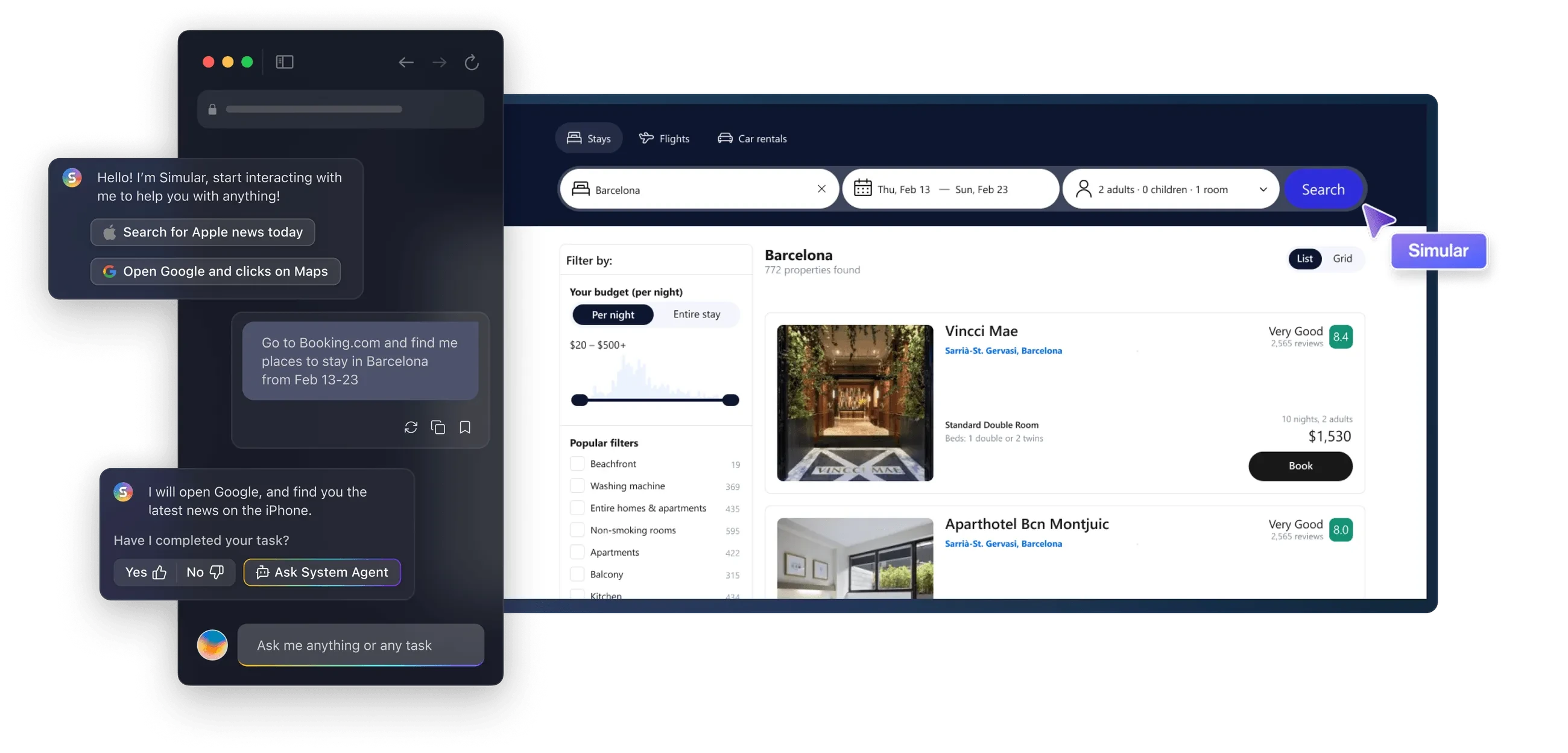
Simular AI is a local AI intelligent assistant designed specifically for Mac users, currently in open beta. It can perform a variety of tasks through natural language processing, such as searching for news, booking accommodations, and looking up lyrics. It also features capabilities for automating repetitive tasks and integrating Mac applications.
Simular AI Features
Natural Language Interaction: Users can interact with Simular through simple English commands. It can understand and execute various operations, such as opening documents, managing files, or running complex shortcuts.
Task Automation: Simular supports preset automation workflows and custom scripts, which can simplify repetitive tasks, save time, and reduce errors.
Multi-tasking: It can easily switch between applications, files, and commands, improving multi-tasking efficiency.
Powerful Language Model: Simular uses advanced large language models (such as Deepseek) to accurately understand and execute complex instructions.
Security and Privacy: Simular runs locally, with all data processing completed on the user's Mac. There's no need to trust the cloud, ensuring data security.
Deep Integration with macOS: It integrates with macOS's native features and shortcuts, providing a browser experience similar to Safari, allowing users to take over operations whenever they want.
Cross-application Collaboration: Simular can connect multiple applications to achieve seamless collaborative work, reducing application switching.
Team Collaboration: Users can share workflows with team members and automate team tasks, thereby improving overall team efficiency.
Browser Agent Functionality: Simular's browser agent can help users complete complex multi-step tasks, such as online shopping and information retrieval.
Simular AI Advantages
Native macOS Experience: Simular's design matches the look and feel of macOS, making it convenient and natural to use.
Real-time Feedback and Control: Users can intervene at any time while Simular is working—clicking links, editing forms, or interrupting operations—without having to wait.
Efficient Workflows: By automating daily tasks, users can focus on more challenging work.
Simular AI Technical Advantages
Language Model: Uses advanced large language models similar to ChatGPT (such as the Deepseek language model) to accurately understand and execute detailed instructions.
Security Assurance: Employs multiple security measures to protect data, including encrypted storage and transmission, strong encryption and password protection, coordination with the Mac firewall and access controls, real-time threat detection, data backup and recovery, and strict compliance with privacy regulations.
Simular AI Use Cases
Personal Assistant: Helps users complete daily tasks such as scheduling and email management.
Business Operations: Used in business environments to automate office processes, such as data entry and report generation.
Education and Research: Serves as a teaching tool to help students learn how to use computer software
Frequently Asked Questions
How does Simular AI ensure user data security?
Simular AI ensures data security in multiple ways: encrypting data during storage and transmission; using strong encryption and password protection to store data; leveraging the Mac's built-in firewall and permission settings to block unauthorized access; monitoring security threats in real time and blocking harmful activities; automatically backing up data for quick recovery when needed; and strictly following industry rules and standards.
Can users without programming skills use Simular AI to create automation scripts?
Yes. Simular AI supports natural language commands, so even users without programming skills can easily build useful automation scripts by issuing simple English commands to automate tasks.
What specific feature updates are planned for Simular AI in the future?
Simular AI plans to adopt GPT-4 in the future to enhance natural language processing capabilities, providing more accurate and context-aware responses; develop new plugins to expand functionality within macOS; simplify the application interface to improve ease of use; optimize subscription services to offer more updates and exclusive content; integrate third-party tools to enhance automation and workflows; and add more customization options to meet personalized needs.















