
 Script Planner Assistant▸
 AI Apps
 AI News

Giblify AI: Convert Photos and Videos to Ghibli Style
Giblify AI: Convert Photos and Videos to Ghibli StyleIntroduction
What is Giblify AI?
Giblify AI is an online tool that can convert photos and videos into Ghibli style. It accurately reproduces the aesthetic of Ghibli animation, including the dreamy atmosphere, distinctive characters, and magical environments, allowing users to easily obtain Ghibli-style photos or videos without professional skills.
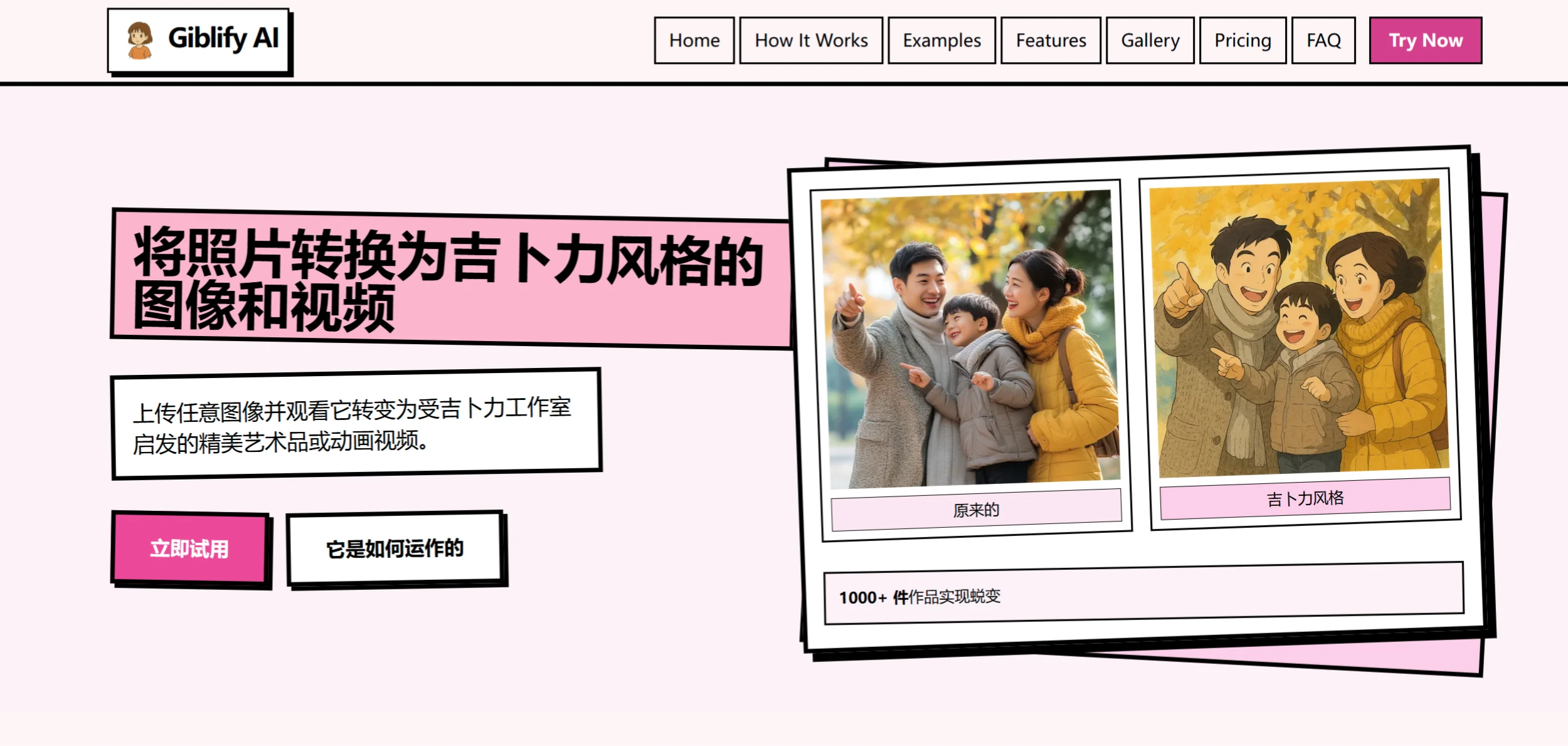
Features of Giblify AI
Accurate Style Reproduction: Deeply reproduces the color palette, brushstrokes, and artistic elements of Ghibli, producing works with a strong Ghibli style.
Supports Images and Videos: Not only converts photos into artwork, but also generates animated videos, enriching the forms of artistic output.
Efficient Processing: The AI quickly analyzes and transforms images, with processing times typically 15-30 minutes (up to 2-4 hours during peak periods), and video animation processing times of 3-6 minutes (up to 15 minutes during peak periods).
High-Resolution Output: After processing is complete, users can download the work in high resolution to meet the needs of online sharing or offline printing.
Giblify AI Application Scenarios
Social Media Sharing: Share Ghibli-style works on social media to attract attention and showcase personality.
Creative Design: Provides inspiration and materials for designers and artists, which can be used in graphic design, illustration, and animation production, enhancing the artistic feel of works.
Personal Keepsakes: Convert personal photos or videos into Ghibli-style works as unique mementos or collectibles to record wonderful moments.
Giblify AI Tutorial
Visit the Website: Open the ghiblistudioai.com platform.
Upload Image: Upload photos in JPG, PNG, or WEBP format (maximum 10MB). Choosing clear, well-lit photos yields better results.
Wait for Processing: The AI algorithm will convert the image into a Ghibli-style work, with a processing time of 15-30 minutes (up to 2-4 hours during peak periods).
Download the Work: Once processing is complete, download the Ghibli-style work in high resolution.
Optional: Create Video Animation: Advanced users can choose to convert photos into Ghibli-style animated videos, with a processing time of 3-6 minutes (up to 15 minutes during peak periods).
Download the Work: Download and save the work.
Related Information:
5 Recommended Ghibli-Style AI Image Generators
Ghibli-Diffusion: An AI Image Generation Model in Studio Ghibli Style














