
 Script Planner Assistant▸
 AI Apps
 AI News

Docmost: A Fully Open-Source Wiki Collaboration & Documentation Platform
Docmost: A Fully Open-Source Wiki Collaboration & Documentation PlatformIntroduction
What is Docmost?
Docmost is an open-source collaborative wiki and documentation management software designed to provide teams and individuals with a powerful and easy-to-use documentation collaboration platform. It is similar to commercial products like Notion and Lark (Feishu), but it is fully open-source, allowing users to freely deploy and use it, while also customizing and extending it according to their own needs.
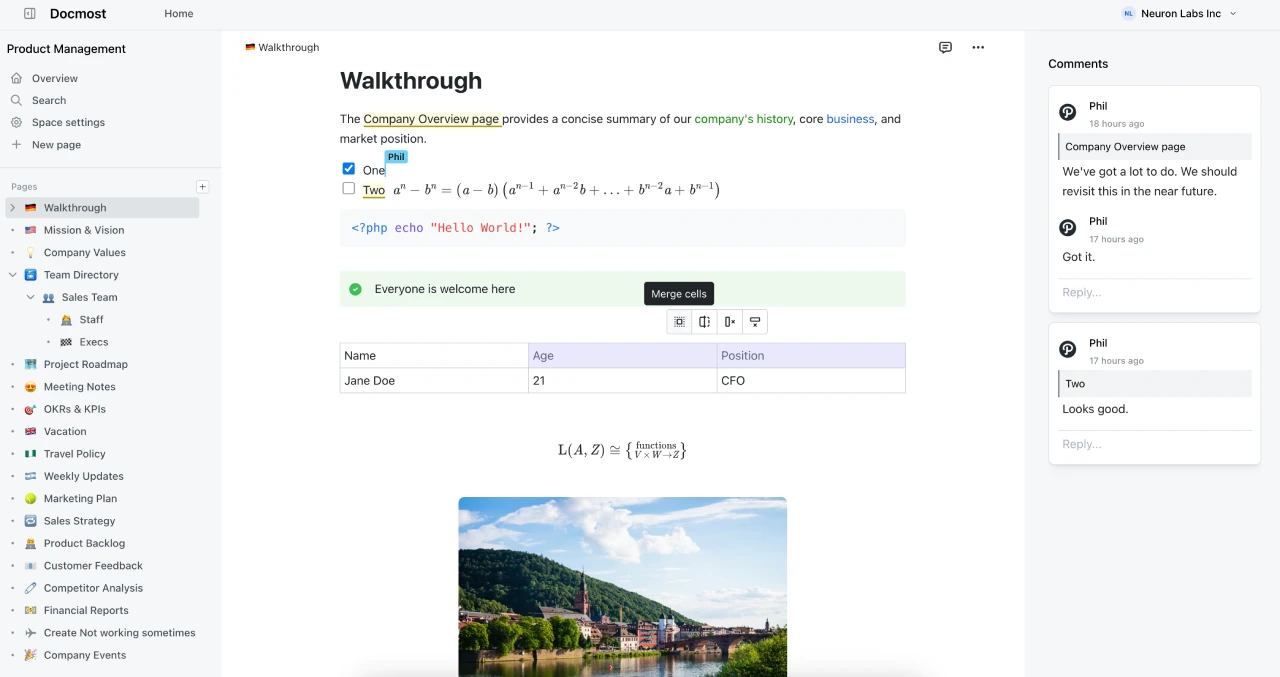
Docmost Core Features
Real-time collaborative editing: Docmost provides a rich-text editor that supports multiple users editing pages online simultaneously. Users can see other people's modifications in real time, facilitating team collaboration.
Diagram support: Built-in support for drawing tools such as Mermaid, Draw.io, and Excalidraw, allowing users to directly draw and insert diagrams within documents.
Space management: Users can create different "spaces" to categorize content by team, project, or department, with independent permission settings for each space.
Permission management: Through a powerful permission system, users can control who can view, edit, and manage content. User groups can also be created and assigned unified permissions.
Comment feature: Pages support inline comments, allowing users to discuss directly on the page.
Page history: View the modification history of a page, track the content of each edit, and restore previous versions when necessary.
Search feature: Through the Postgres full-text search system, users can quickly find the information they need in any page.
Nested pages: Supports unlimited levels of page nesting, allowing users to manage page structure with simple drag-and-drop operations.
Attachment support: Easily attach images and files to pages, with support for local storage and S3 storage.
Docmost Advantages
Open-source and self-hosted: Docmost is open-source software, allowing users to freely obtain the source code and modify it. At the same time, it supports self-hosting, so users can deploy it on their own servers, ensuring data security and privacy.
Lightweight and easy to use: The interface is clean, the operation is simple, and it is easy to get started. For users who don't need complex features, Docmost is a great choice.
Feature-rich: Although it is open-source software, Docmost's features are no less than those of some commercial software. It integrates a variety of practical features, such as diagram drawing and page nesting, to meet the documentation management needs of most teams.
Docmost Applications
Technical team knowledge base: Suitable for internal team knowledge management, such as project documentation and technical manuals. Team members can collaboratively edit and share knowledge on the same platform.
Personal knowledge management: Individual users can also use Docmost to manage their own knowledge base, such as study notes and life records.
Enterprise internal Wiki: Share meeting notes, training materials, and process policies.
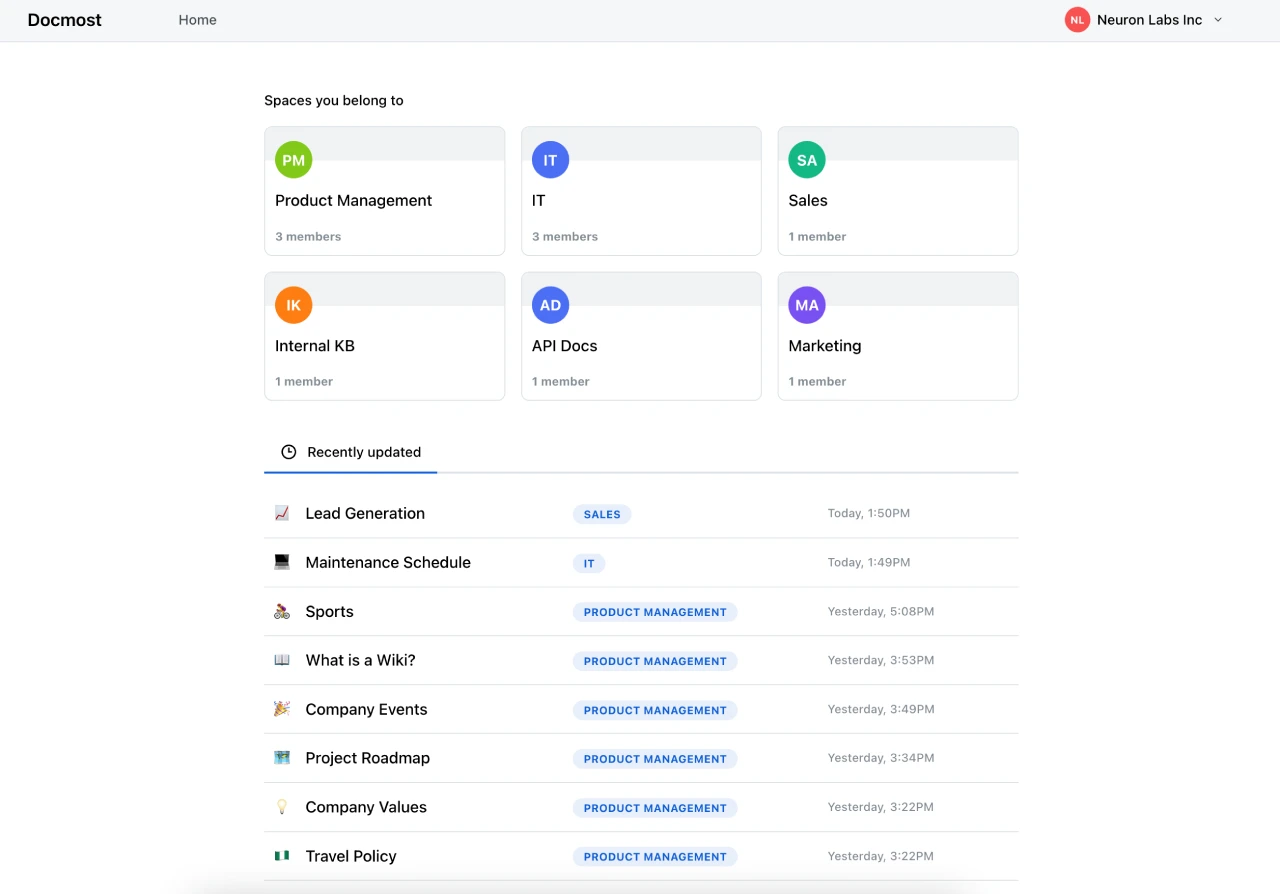
How to Use Docmost
Installation and Deployment
1. Docker Deployment
Prepare a Docker environment.
Configure using the official Docker Compose file.
After starting the service, visit the specified address to use it.
2. Manual Deployment
Clone the project code from GitHub.
Install dependencies and configure environment variables.
Start the service.
Usage Steps
1. Create a Space
After logging into the system, create different spaces to categorize and manage content.
Set permissions for each space.
2. Create a Page
Create a page within a space, entering the title and content.
Use the rich-text editor for formatting.
Add diagrams, attachments, etc.
3. Collaborative Editing
Invite other users to join the space.
Multiple users edit the page simultaneously, viewing modifications in real time.
4. Comments and Discussions
Use the inline comment feature on the page for discussions.
5. Version Management
View the modification history of a page.
Restore previous versions when needed.
6. Search and Find
Use the search feature to find the pages you need.
Price & Features
Price: $5/user/month, billed annually.
Features:
Real-time collaboration
Unlimited spaces
Diagram support (e.g., Mermaid, Draw.io, etc.)
Comment feature
User groups and permission management
Google SSO (Single Sign-On)
90-day page history
Email support
Docmost supports self-hosting, allowing users to deploy it on their own servers for free, with no payment required.
Related Links:
Official website: https://docmost.com/
Official documentation: https://docmost.com/docs
GitHub repository: https://github.com/docmost/docmost















