Script Planner Assistant▸
 AI Apps
 AI News

YiZimu: Free Video Subtitle Plugin for Language Learning
YiZimu: Free Video Subtitle Plugin for Language LearningIntroduction
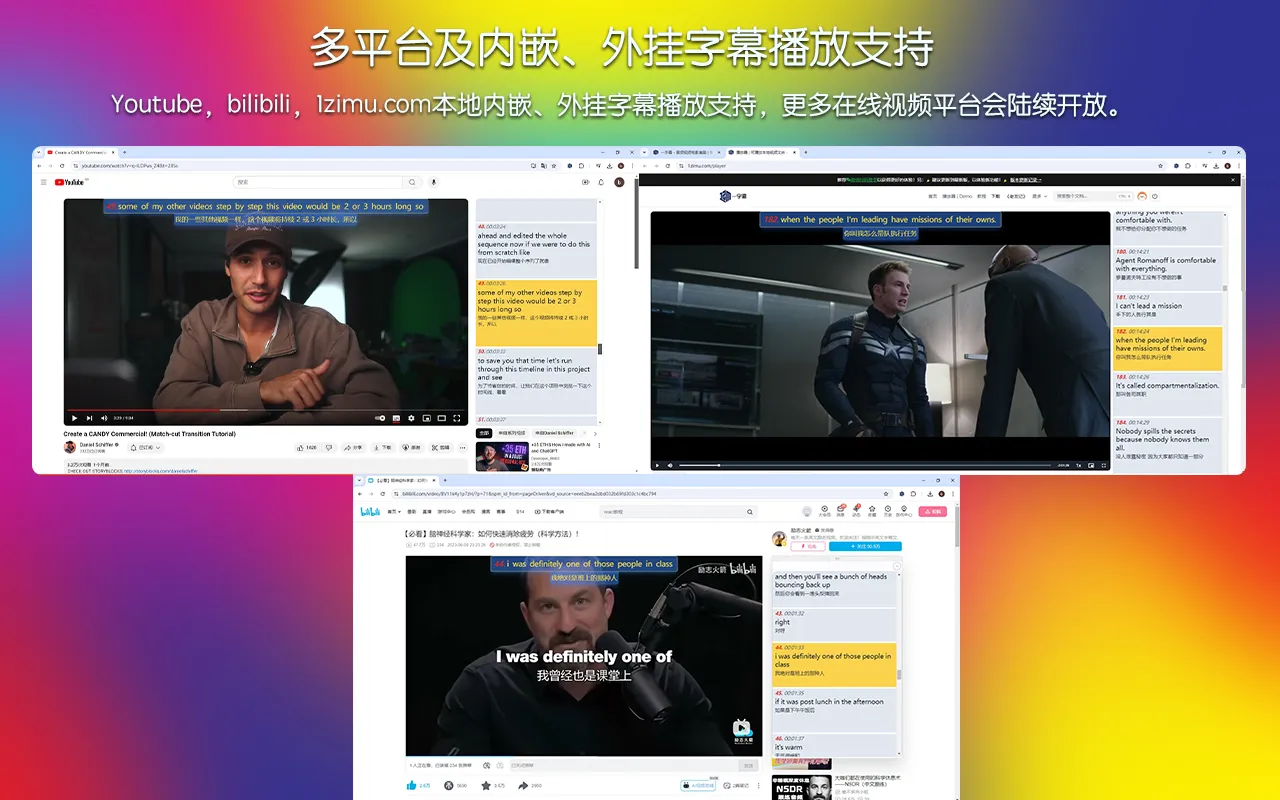
Yizimu (一字幕) is a free bilingual audio and video subtitle browser extension. It can translate by word, phrase, or entire sentence; it supports video platforms like YouTube and Bilibili, as well as local external subtitles and embedded subtitles. With adjustable playback speed, repeat playback, shadowing, and screen masking, Yizimu supports subtitle text translation in 135 languages.

Yizimu Features:
Bilingual subtitle support: Yizimu supports bilingual subtitle display, allowing users to see both the original text and the translation while watching videos, helping with comprehension and learning.
Multi-platform compatibility: This tool can be used on multiple video platforms, such as YouTube and Bilibili, where users can take advantage of Yizimu's features while watching videos.
Local subtitle support: In addition to online content, Yizimu also supports local external subtitles and embedded subtitles, allowing users to import their own subtitle files for study.
Word and phrase translation: Users can translate by word, phrase, or entire sentence, making it easy for learners to gradually master new vocabulary and sentence patterns.
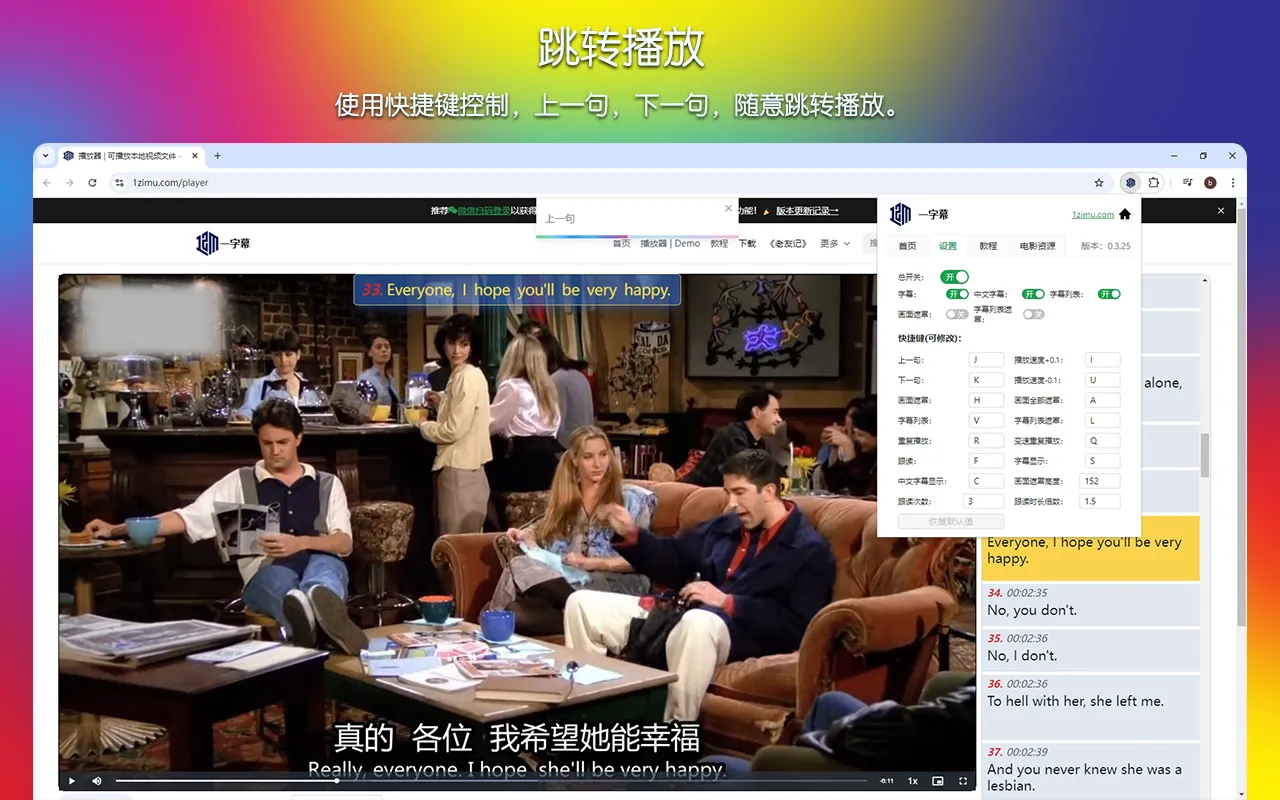
Sentence-by-sentence playback and navigation: Users can play the video sentence by sentence, making it easier to focus on specific sentences for in-depth study. With customizable hotkeys, users can quickly locate and play specified sentences, avoiding the hassle of manually dragging the progress bar.
Repeat and variable speed playback: Users can repeatedly play difficult sentences like using a repeater, and even adjust playback speed, gradually adapting from slow to fast to improve listening comprehension.
Shadowing function: Yizimu offers a shadowing function that allows users to repeatedly shadow sentences after understanding them, helping to improve spoken fluency.
Subtitle masking training: Users can choose to mask the screen and dialogue to train extensive listening and blind listening abilities, further deepening familiarity with the material.
Yizimu Highlights:
Sentence-by-sentence playback and navigation: Customize hotkeys to play the previous or next sentence; you can also quickly find and play specified sentences from the subtitle list, eliminating the need to drag the progress bar back and forth. Furthermore, you can focus playback on difficult subtitles and quickly skip over familiar ones.
Repeat and variable speed playback: Just like a repeater, play repeatedly to deepen familiarity with sentences. For long or difficult sentences you can't hear clearly, variable speed allows you to play the same sentence repeatedly from slow to fast, stimulating brain neurons; from then on, difficult, long, and fast sentences become easy and simple.
Shadowing: After understanding the sentences, you can repeatedly shadow the current sentence. Truly achieve fluent listening and speaking. A good foreign language proficiency requires long-term persistent repeated listening and speaking practice.
Word, phrase, and sentence translation: For words, phrases, and sentences you don't understand, we provide you with query options. Nowhere for new words to hide.
Subtitle and screen masking: In addition to doing intensive listening on audio-visual materials, you can also mask the visuals and dialogue to train our extensive listening and blind listening skills. This further deepens familiarity with the material. If you stick with it long term, I believe you'll be amazed at your own progress.
Embedded subtitles: Supports playback of video resources with already embedded subtitle data
- External subtitles: You can also add your own srt subtitle files and video resource files for playback
How to Use Yizimu
Install the extension: Users need to install the Yizimu browser extension. Yizimu supports extensions for multiple browsers, including Chrome, Firefox, Edge, and Safari. Users can choose the appropriate browser to install and use based on their habits.
Select a video: Open a supported video platform and choose the video you want to watch.
Enable subtitles: In the video playback interface, enable the Yizimu feature and select your desired language and subtitle settings.
Watch and learn: While watching the video, use the bilingual subtitles for learning, check translations and explanations at any time, and enhance comprehension.
Use the knowledge base: Users can access Yizimu's knowledge base to find related learning materials and tools, further improving learning effectiveness.
How to add your own subtitle files in Yizimu?
Download and install: Download and install the Yizimu extension.
Open Yizimu: Open Yizimu and enter the main interface.
Import video file: In the main interface, select the "Add Video" or "Import Video" option, find and select the video file you want to add subtitles to.
Add subtitle file: After the video is loaded, select the "Add Subtitle" or "Import Subtitle File" option. You can choose a locally stored subtitle file (such as .srt format).
Adjust subtitle settings: After importing the subtitles, you can adjust subtitle timing, style, font, and color as needed to ensure the subtitles are synchronized with the video content and visually appealing.
Export: After finishing subtitle adjustments, select the "Save" or "Export" option to merge the video and subtitles and generate the final video file.
Yizimu, a free tool to boost your foreign language listening and speaking skills. Say goodbye to costly and inefficient foreign tutors and various courses. Make use of all authentic foreign language audio-visual resources and easily learn a foreign language like a native speaker.
Related News:
Voice-Pro: A Multilingual Audio Processing Tool Integrating Subtitles, Translation, and TTS