Script Planner Assistant▸
 AI Apps
 AI News

HamHub Player: Your Personal Media Expert
HamHub Player: Your Personal Media ExpertIntroduction
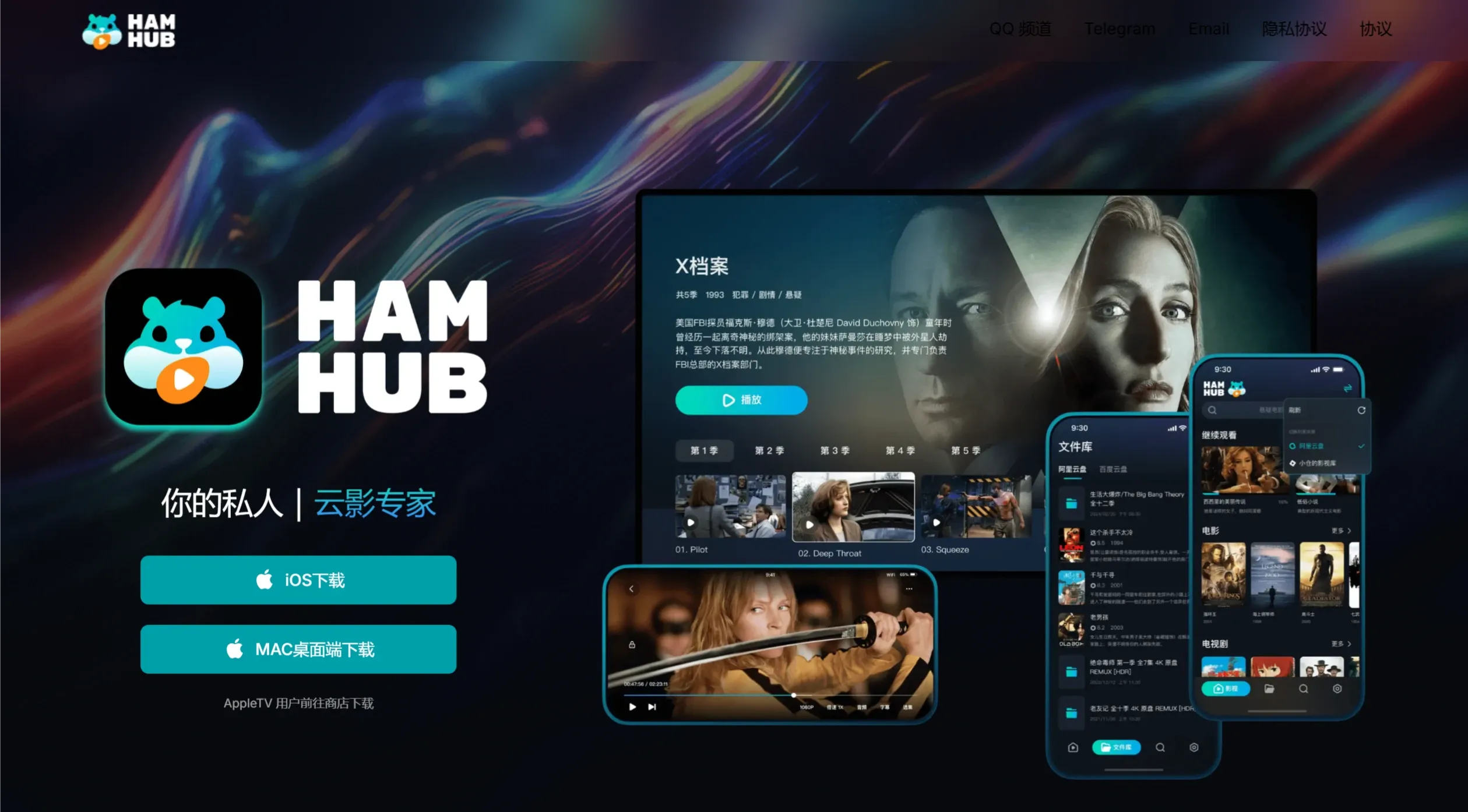
HamHub is a versatile cloud drive player created by independent developers in China. HamHub supports multiple storage and media services, including Alibaba Cloud Drive, Baidu Cloud Drive, Emby, and WebDAV, offering personalized media collections, AI-powered intelligent show organization, and diverse file source support to meet the media integration needs from various sources.
HamHub Features and Advantages
Intelligent Show Tracking: Leverages AI technology to automatically organize shows and track your viewing progress in real time.
Multi-Source File Access: Supports multiple storage and media services such as Alibaba Cloud Drive and Baidu Cloud Drive.
AI-Powered Smart Search: Quickly and accurately find the video content you want to watch.
Cloud Data Sync: Synchronizes your collections and viewing history in real time, enabling a seamless viewing experience across multiple devices.
Personal Cloud Media Storage: HamHub allows users to store media content in personal cloud spaces, supporting mainstream cloud storage services such as Alibaba Cloud Drive and Baidu Cloud Drive, ensuring secure and convenient access to content.
Cross-Platform Player: Specifically optimized for iPhone and iPad, but its services may extend to other devices, supporting playback of videos stored on cloud drives or media servers (such as Emby, Jellyfin).
Comprehensive Video Format Support: Compatible with multiple video formats including MP4, AVI, MKV, WMV, FLV, etc. Regardless of the video format, HamHub can play it without requiring format conversion.
Media Management and Sync: Provides personalized media collection features, allowing users to organize and categorize their media works. All collections and playback progress are synchronized via the cloud for seamless switching between devices.
Auto Scraping and Show Tracking: Automatically retrieves metadata for movies and TV shows, including posters and synopses, while tracking users' viewing progress for continuous viewing.
HamHub Functions and Usage
1. Download and Install
Users can search for "HamHub" in the App Store and download the application.
2. Bind Cloud Storage Accounts
Within the app, users need to add their cloud storage accounts, such as Alibaba Cloud Drive or Baidu Cloud Drive. By entering account information, HamHub will be able to access the videos stored on these platforms.
3. Play Videos
After binding the account, users can browse video files in cloud storage, select the video they want to play, and HamHub will play it directly.
4. Manage Video Library
Users can manage their video library through the HamHub interface, adding favorites, deleting unwanted videos, and more.
Add media works to personal favorites for easy viewing at any time.
Utilize the AI smart search feature to quickly find the content you want to watch.
Real-time synchronization of favorites and viewing progress, allowing you to continue watching anytime, anywhere.
HamHub can play on multiple Apple devices, including but not limited to Apple TV, Mac, iPad, etc., and automatically syncs playback history. An Apple TV version will be launched in the future to deliver a more comprehensive cross-platform viewing experience.
Whether it's popular movies, the latest TV shows, or captivating documentaries, HamHub is your indispensable video player and media platform. Download HamHub now to start your personalized media journey and enjoy unlimited viewing pleasure!