
 Script Planner Assistant▸
 AI Apps
 AI News

Omnivore: An Open-Source Read-Later App
Omnivore: An Open-Source Read-Later AppIntroduction
Omnivore is an open-source "read later" app that allows users to save, tag, and share articles, and also supports adding articles via PDF files and email. Omnivore provides cross-platform apps and browser extensions, making it convenient for users to use on different devices. Users can access saved content offline and integrate Omnivore into their workflow through Logseq and Obsidian plugins. The project is fully open-source, and users are free to extend and deploy it.
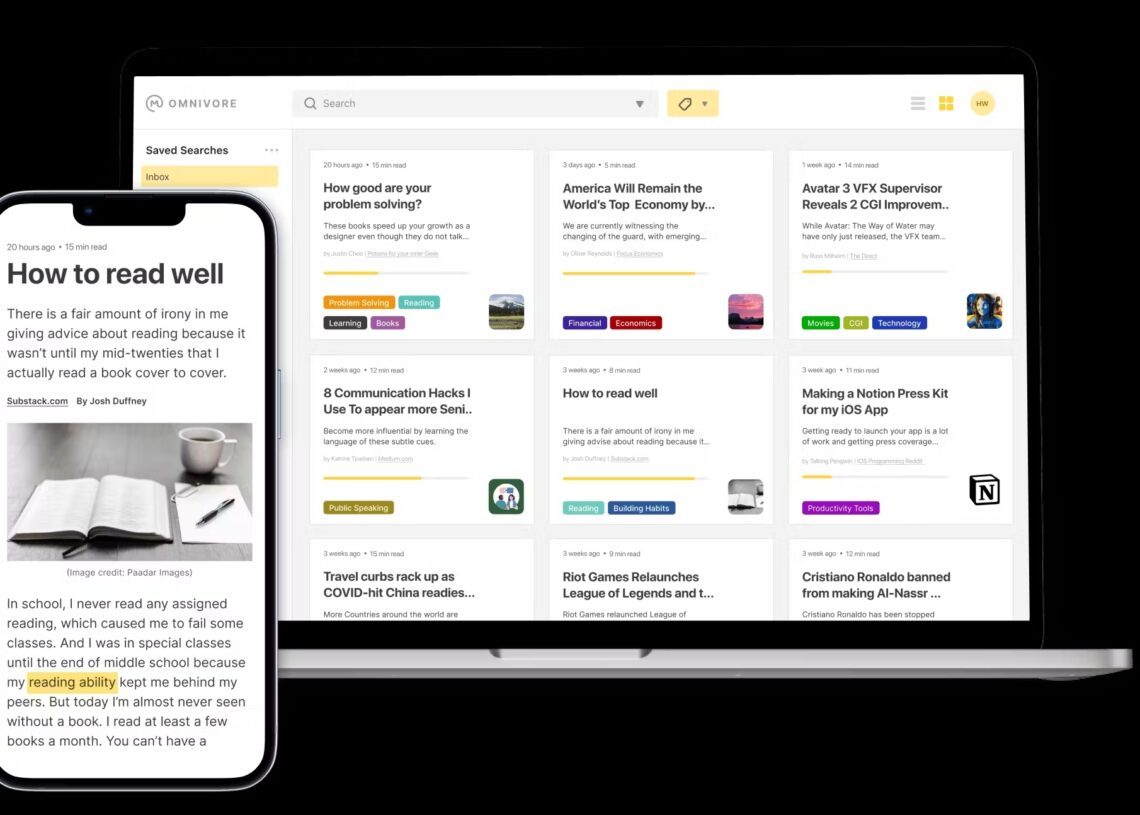
Omnivore Main Features:
Save articles and PDFs: Use the Omnivore mobile app and browser extension to save articles and PDF files, and read them later in a distraction-free reader.
Centrally manage RSS subscriptions and newsletters: Send newsletters directly to your Omnivore library to avoid the distraction of being scattered across multiple inboxes.
Organize your reading list: Use tags, filters, rules, and full-text search to organize and manage your reading list, building a system that works for you.
Add highlights and notes: Highlight key parts and add notes while reading. These annotations are permanently saved with the article and can be accessed anytime.
Sync with knowledge management systems: Omnivore syncs with personal knowledge management systems such as Logseq, Obsidian, and Notion, consolidating all saved reading content, highlights, and notes in one place.
Text-to-speech: Use the text-to-speech feature in the iOS app to read saved articles with lifelike ai voices, reducing eye strain.
Omnivore All Features:
Tagging and notes: Users can highlight important content in articles and add notes for future reference.
Full-text search: Supports full-text search across saved articles to quickly find the information you need.
Sharing: Users can easily share the content they have saved and tagged.
Keyboard navigation: Full keyboard navigation for an enhanced experience.
Automatic progress saving: Automatically saves your reading position in long articles so you can pick up where you left off.
Add articles via email: Add newsletter articles through email (Substack is supported).
PDF support: Supports saving and reading PDF files.
Cross-platform apps: Provides a Node.js and TypeScript-based web app, native iOS and Android apps, a Progressive Web App (PWA), and browser extensions (Chrome, Safari, Firefox, and Edge).
Tagging: Supports tagging and categorizing articles.
Offline support: Access saved content even without a network connection.
Text-to-speech: Supports converting articles to speech on the iOS platform.
Plugin support: Supports Logseq and Obsidian plugins, making it convenient to use Omnivore features on those platforms.
Platforms and Extensions Supported by Omnivore:
iOS
macOS
Android (Preview)
Chrome Extension
Firefox Extension
Safari Extension
Edge Extension
Omnivore Tech Stack:
The backend and frontend are primarily built with TypeScript.
The frontend uses Next.js and is hosted on Vercel.
Data fetching uses SWR, component styling uses Stitches, and page readability is enhanced using Mozilla Readability.
The iOS app uses Swift GraphQL to generate GraphQL queries, while the Android app uses Apollo GraphQL.
Docker support: Provides a Docker Compose configuration for convenient local development and self-hosted deployment.
Deployment guide: Provides detailed guides for local development and self-hosted deployment, including configuration for the Postgres database, API service, and content scraping microservice.
GitHub: https://github.com/omnivore-app/omnivore
Try it online: https://omnivore.app/














