
 Script Planner Assistant▸
 AI Apps
 AI News

Photoscissors: Automatically Remove Image Backgrounds for Free
Photoscissors: Automatically Remove Image Backgrounds for FreeIntroduction
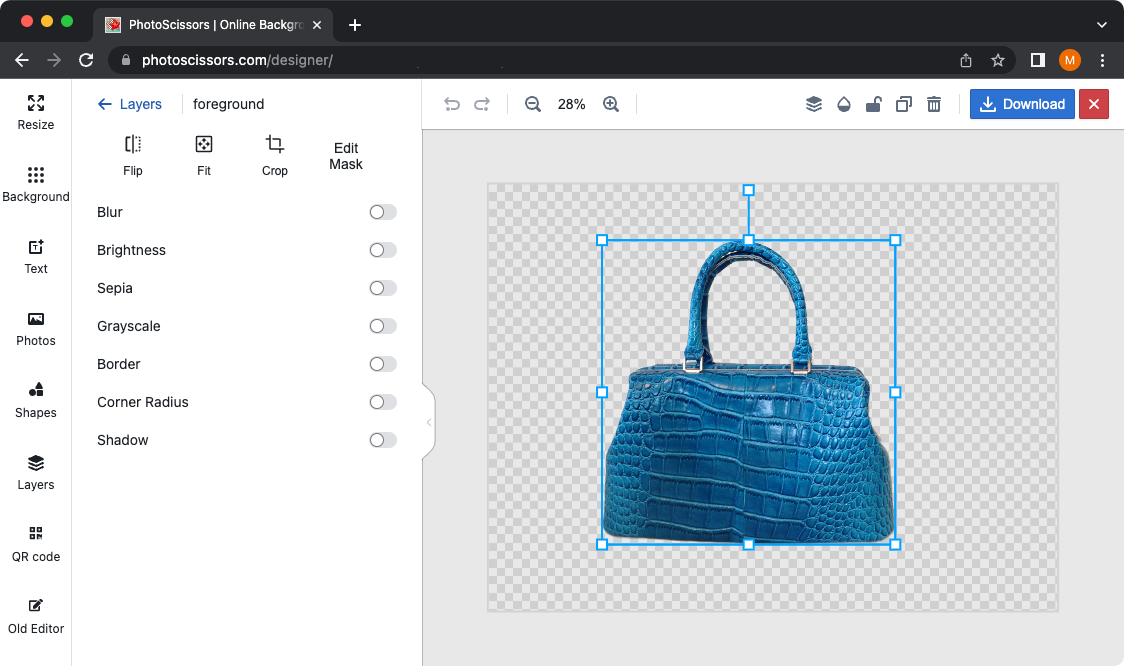
Photoscissors, automatically and freely removes image backgrounds with just a few clicks—remove the background and replace it with a transparent, solid color, or background image!
Photoscissors Features:
Effortlessly separate the foreground from the background.
Seamlessly swap backgrounds.
Create stunning collages.
Skillfully remove backgrounds around hair.
Remove backgrounds from transparent objects.
Precisely cut out objects.
Generate standalone images with colored or transparent backgrounds.
Remove backgrounds for eBay, Etsy, or Amazon listings.
Set the background to any desired color, including transparency.
User-friendly interface for easy navigation and quick start.
Prepare product images for online stores.
Support popular graphics formats such as PNG and JPG.
Achieve intended results without any technical or design skills.
How to remove photo backgrounds online with Photoscissors?
1. Select the local image from which you want to remove the background and upload it to PhotoScissors.
2. Our tool automatically removes the background from the image. You can then choose a new background color or image. Although white and transparent backgrounds are the most commonly used options, feel free to choose any color that suits your preference.
3. Once done, click the "Download" button and save the result as a PNG file. It's that easy, isn't it?
PhotoScissors not only removes unwanted backgrounds extremely effectively, but also prioritizes user-friendliness. Unlike complex graphics programs, PhotoScissors offers simple and intuitive cutout tools. Even with basic image editing skills, you can achieve outstanding results comparable to professional software. Experience PhotoScissors's effortless and superior background removal capabilities today.















