
 Script Planner Assistant▸
 AI Apps
 AI News

AiComicFactory.Art: AI Comic Generator
AiComicFactory.Art: AI Comic GeneratorIntroduction
Bring characters and stories to life with our AI-based digital comic creation tool, aiComicFactory.Art, allowing you to easily create stunning comic books and graphic novels without any drawing skills.
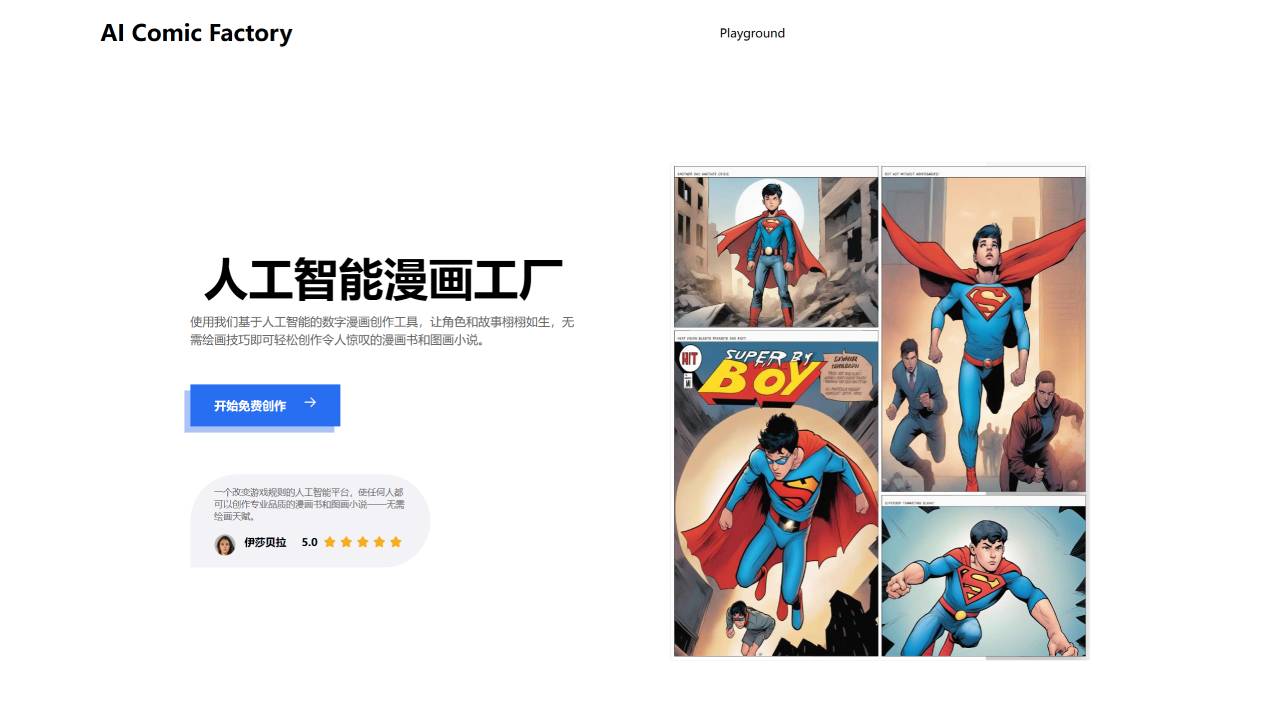
How to Use AiComicFactory.Art:
Create an AI comic in just 4 steps
Choose Your Comic Art Style
Select from a variety of art styles to create the look and feel of your comic.
Options may include classic comic, manga, modern digital, and more.
Choose a Comic Layout Template
Choose from pre-designed panel arrangements and page structures.
This provides a framework for organizing your story and visual effects.
Enter Your Story Narrative
Enter the text, dialogue, or captions for your comic storyline.
The AI will use this written content to generate the visuals.
Click "Start" to Generate Your AI Comic
The AI system will analyze the story you entered and automatically create the corresponding comic panels and artwork.
Your final comic book or graphic novel can be generated in just minutes, with no manual drawing required.
AiComicFactory.Art FAQ
Unlock the full potential of comic creation with the comprehensive FAQ from AiComicFactor.Art, guiding you through the seamless generation, customization, and refinement of visual storytelling.
Can I use AiComicFactory.Art to create comics even if I can't draw?
Yes, absolutely! AI Comic Factory is designed for users with limited drawing ability. You can easily generate original comics by simply describing your characters, plot ideas, and settings. No artistic skills are required.
What comic art styles does AiComicFactory.Art offer?
AI Comic Factory offers a variety of comic styles, including American comics, manga, watercolor, and more. You can choose the visual aesthetic that best suits your narrative and personal preferences.
Can I control the layout and panel configuration of my comic?
Yes, you can. AI Comic Factory offers flexible layout options and a variety of panel configurations. You can experiment with different arrangements and compositions to enhance the storytelling of your comic.
Can I add titles and descriptive text to my comic?
Absolutely! You can add engaging titles and descriptive text to each panel of your comic. These captions provide context, convey emotion, and drive the narrative forward.
What if I'm not satisfied with the initial results? Can I refine and optimize my comic?
Yes, you can. AI Comic Factory offers the ability to quickly refresh the generated comic into a new version. In addition, the flexible prompt editor allows you to fine-tune and adjust details to match your artistic vision.
Is AiComicFactory.Art suitable for experienced creators and beginners?
Yes. AI Comic Factory meets the needs of a wide range of users. Experienced creators can streamline their workflow and explore new ideas, while beginners can dive into the world of comics without requiring extensive drawing skills.
Can I share and publish the comics I create with AI Comic Factory?
Absolutely! AiComicFactory.Art offers options to share and publish comics globally, allowing you to reach a wider audience. The platform also provides analytics and optimization features to help you track the performance of your comics.
How to make a comic book?
Develop your story and characters
Sketch out the overall layout and panel structure
Write the dialogue and captions
Create the final artwork either manually or using AI tools
Compile the pages into a cohesive book format
With AiComicFactory.Art, you can unleash your creativity to design vivid characters, write compelling dialogue, and seamlessly blend visual elements to create visually appealing comic panels. This user-friendly tool ensures that every beginner can quickly master the essentials, allowing them to unleash endless creativity and turn comic creation into a fun and enjoyable process.















