
 Script Planner Assistant▸
 AI Apps
 AI News

Artbreeder: Online AI Image Synthesis Tool
Artbreeder: Online AI Image Synthesis ToolIntroduction
Artbreeder is a collaborative art website based on machine learning that allows users to generate and modify images in categories such as faces, landscapes, and paintings. It leverages models like StyleGAN and BigGAN, enabling users to create new images with minimal effort by merging fragments of various existing images.
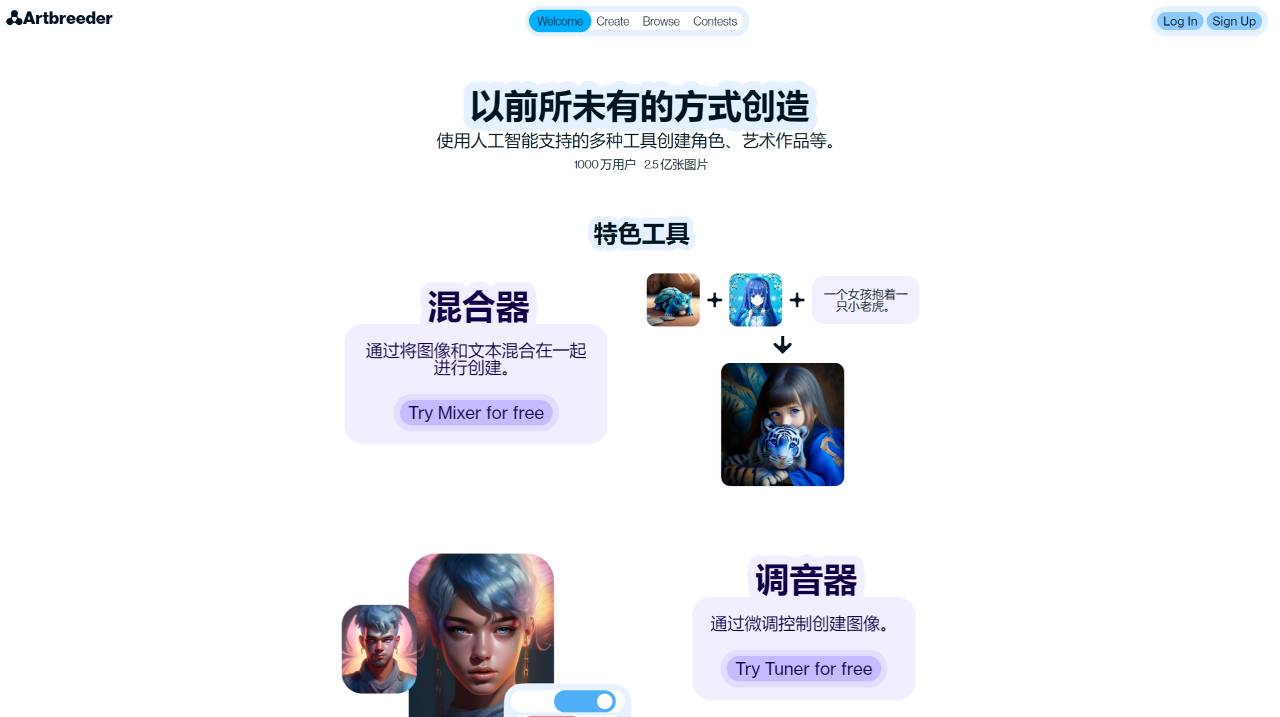
The main goal of Artbreeder is to enable users to combine a large number of images to create new images without requiring significant effort. Users primarily interact by re-mixing (called "breeding") images from other users found in the publicly accessible image database. Artbreeder also offers features such as SD-XL integration and ControlNet functionality, allowing users to create images based on specific poses.
Key Features of Artbreeder:
Image Blending and Mutation: Users can upload multiple images and use the website's ai algorithm to blend them, generating entirely new images. By adjusting different parameters, users can control the blending effect and the degree of mutation.
Image Editing and Fine-Tuning: Edit and adjust the generated images, such as changing age, gender, skin tone, hairstyle, expression, and other features. Users can achieve these fine-tunings through simple slider operations.
Image Community Sharing: Users can publish their own creations and share them with other users. They can also browse others' works in the community and create new works based on them.
Multi-Domain Image Generation: Supports image generation and editing across multiple domains such as portraits, animals, landscapes, and architecture. Each domain has a large library of materials for users to choose from.
High-Definition Image Export: Provides a high-definition image export function, allowing users to download their satisfactory creations to their local device in high resolution.
Collaborative Creation: Allows multiple people to collaboratively edit the same image, promoting the collision of ideas and the spark of inspiration.
Educational and Commercial Use: Can be used for art creation teaching or commercial design purposes, providing auxiliary tools for related fields.
Artbreeder Applications:
Artbreeder has had a significant impact on the creative industry, providing a platform for graphic designers, digital artists, business owners, marketers, and individuals to create unique and compelling images for various purposes. The platform's integration with artificial intelligence facilitates the rapid and easy generation of high-quality images, opening up new creative avenues and pushing the boundaries of traditional image creation tools.
How to Use Artbreeder?
To use Artbreeder, you can register or log in to your account. Once logged in, you can explore a variety of tools, such as Mixer, Collager, Splicer, and Outpainter. The Mixer allows you to create images by blending different images and text. The Collager helps you create images using simple shapes, images, and text. The Splicer enables you to blend images and edit their genes, allowing you to create portraits, landscapes, and more. The Outpainter helps you expand any Artbreeder image.
Artbreeder is a free-to-use platform, with the free version limited to only 10 credits per month for various operations such as uploading images and generating new images.
As a versatile and user-friendly platform, Artbreeder emphasizes security by automatically keeping all images private until the user makes another choice, and typically processes photos within a few minutes. Artbreeder's AI-driven features make it an ideal tool for creating portraits, landscapes, and other types of artworks that require attention to detail.















