Script Planner Assistant▸
 AI Apps
 AI News

Product Studio: AI Product Photography Tool by Google
Product Studio: AI Product Photography Tool by GoogleIntroduction
Product Studio is a free suite of ai-driven tools that can help you save time and resources while helping to enhance and create high-quality product images.Hosted on Merchant Center, Product Studio helps businesses create product images using generative AI.It can help you generate scenes, increase image resolution, and edit backgrounds. When you scale new images across your marketing channels, they can help you attract more customers.
Product Studio is free and helps reduce the time, resources, and budget required for product photography and post-production editing.
Product Studio Features:
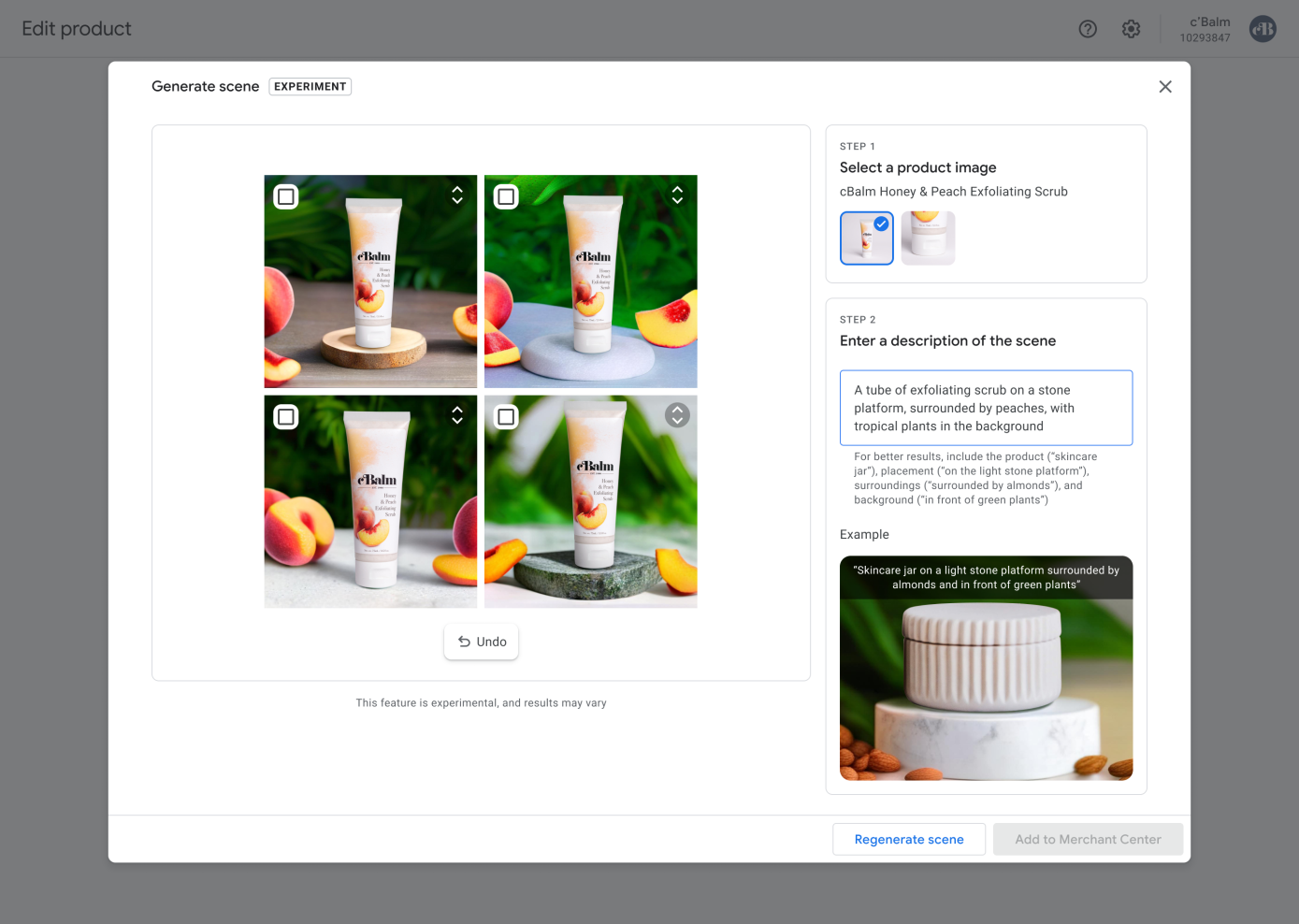
1. Add custom product scenes: Scene generation is designed to provide a quick and cost-effective solution for generating high-quality product images that showcase products in natural, lifestyle-like environments. You can generate custom images with the help of AI. Create new images based on evolving marketing needs (whether seasonal, campaign-based, or simply experimental) without incurring the cost of additional photo shoots. For example, a skincare company can highlight a special seasonal version of a product by requesting a product image "surrounded by peaches, with tropical plants in the background."
3. Remove distracting product backgrounds: Want a pure white background for your product images? Businesses can quickly remove complex backgrounds in Product Studio.
4. Quickly increase resolution: Improve the quality of small or low-resolution images without having to re-shoot the product.
How to use Product Studio?
1. Go to the "Products" page in the "Your Business" section in Merchant Center.
Click the Product Studio tab at the top.
Click "Get Started," and you will be taken to the "Generate Scene" tab.
Select the product image you want to use.
2. Enter a product description.
Describe the scene in which you want the product to be placed.
For best results, be sure to include detailed descriptions of the product you want to generate, the display position, surrounding environment, and background.
3. Click Generate Scene. Loading the image may take some time.
If you are happy with the image, click Add to Merchant Center. If you want to generate a new background, you can add a new description and then click Regenerate Scene.
4. Click Save.
The launch of Product Studio is undoubtedly an important milestone that closely integrates artificial intelligence with the e-commerce field, providing merchants with a powerful tool to create and manage product images more easily. This will help small and medium-sized businesses better showcase their products and enhance their brand image, thereby standing out in the fierce market competition.
Google Merchant Center, abbreviated as GMC, is a platform that must be activated for independent sites. GMC is a platform that stores your independent site's product information, and to a certain extent, it plays a similar role to Google's webmaster tool (Google Search Console).