
 Script Planner Assistant▸
 AI Apps
 AI News

Baidu Wenku AI Assistant: All-in-One Smart Document Helper
Baidu Wenku AI Assistant: All-in-One Smart Document HelperIntroduction
Wenku AI assistant is a document assistant tool based on artificial intelligence technology. It is a one-stop intelligent document assistant rebuilt by Baidu on top of Wenxin Yiyan, designed to provide users with intelligent document processing and writing support. It can help users efficiently answer questions, assist in content creation, content summarization, PPT editing, and more, while also sparking inspiration and imagination. Wenku AI Assistant supports multiple languages and can recognize document formats from various fields, such as academic papers, business reports, and literary works.
Main Features of Wenku AI Assistant:
Intelligent PPT Generation: Users only need to input a topic and key points, and Wenku AI Assistant will automatically generate a PPT document that meets the requirements.
Intelligent Content Creation: Users can input keywords or topics, and Wenku AI Assistant will automatically generate articles, paragraphs, or sentences that meet the requirements.
Intelligent Translation: Wenku AI Assistant supports translation between multiple languages and can automatically detect the language direction, enabling fast and accurate translation.
Intelligent Format Adjustment: Users can input text or documents, and Wenku AI Assistant will automatically adjust the format to meet the required layout and formatting standards.
Intelligent Data Analysis: Wenku AI Assistant can automatically process and analyze large amounts of data, helping users quickly obtain the data results they need.
As a powerful document assistant tool, Wenku AI Assistant can help users quickly and efficiently complete document processing and writing tasks, improving work efficiency and quality.
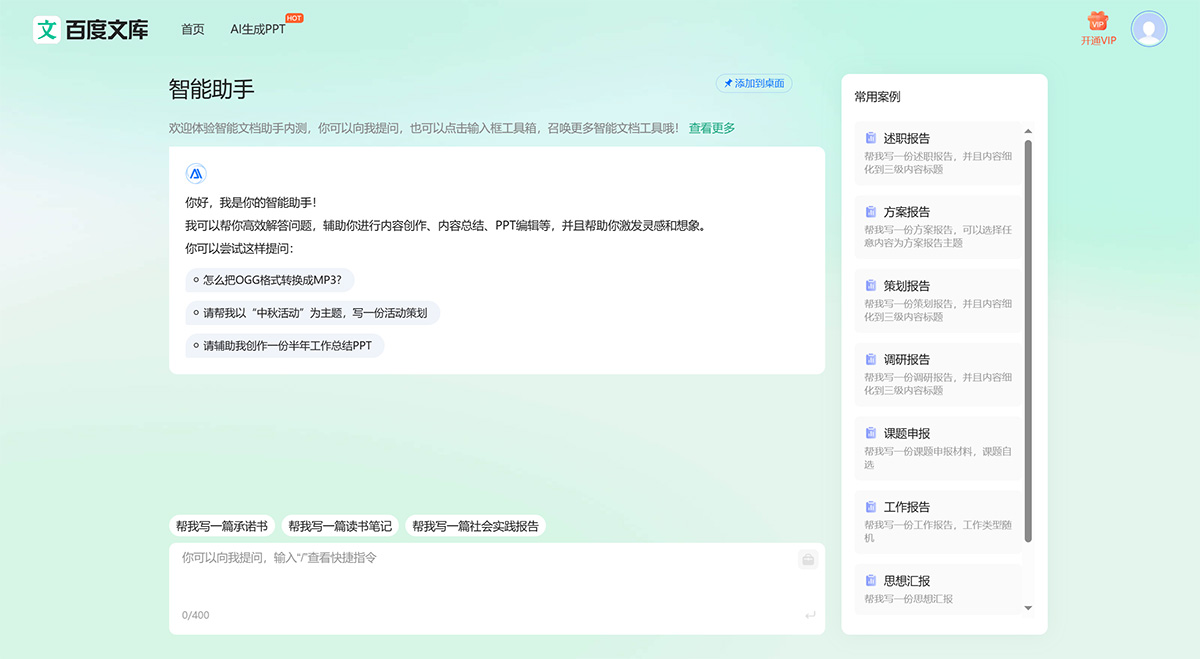
How to Use Wenku AI Assistant?
1. Open the official website of Baidu Wenku and log in to your account.
2. After logging in, click the "AI Writing" option at the top of the page to enter the AI writing interface.
3. On the AI writing interface, you can select different writing types, such as academic papers, blog posts, press releases, and more. Pick the type that fits your needs.
4. After selecting a writing type, you can input some keywords or related topics to help the AI better understand your requirements.
5. After entering the keywords, click the "Generate" button and wait for the AI to generate the article content. This process may take some time, depending on the keywords you input and the length of the article.
6. Once generation is complete, you can preview the generated article content and edit and revise it. You can add, delete, or adjust paragraphs, modify sentence structures, and perform other editing tasks.
7. After finishing the editing, you can save the generated article content to your Baidu Wenku account, or export it as an HTML file or other common document formats.















