
 Script Planner Assistant▸
 AI Apps
 AI News
Procreate: A Drawing App Designed for Mobile Devices
Procreate: A Drawing App Designed for Mobile DevicesIntroduction
Procreate is the pinnacle of high-end drawing application software designed specifically for mobile devices. Created to achieve perfect harmony with iPad Pro and Apple Pencil, Procreate lets you experience a real-world creative feel in digital art.
Procreate APP download address:https://apps.apple.com/us/app/procreate/id425073498
Procreate is designed to give users the smoothest creative experience. The minimalist user interface keeps your creative focus, paired with intuitive multi-touch gesture controls, allowing you to unleash unparalleled creativity with minimal effort.
Beloved by professional creatives, Procreate meets all your needs, letting you create vivid sketches, colorful paintings, moving illustrations, and beautiful animations. Equipped with unique features and intuitive creative tools, Procreate is an all-around art studio that follows you like a shadow.
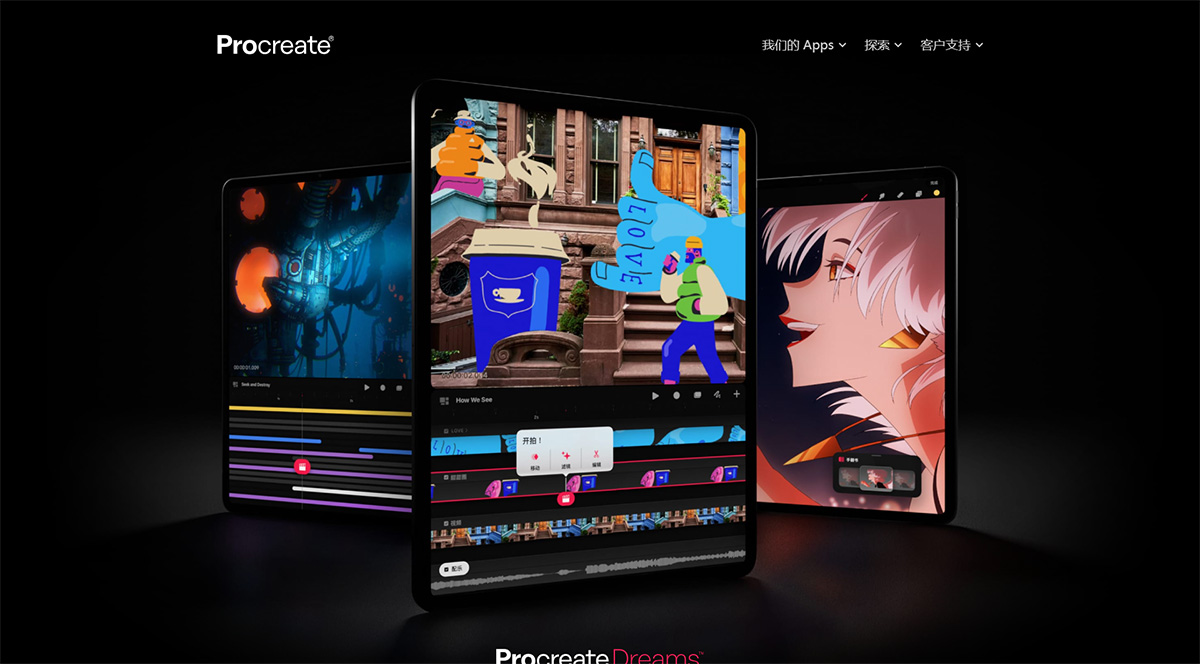
Procreate Advantages:
1. Paint your grand vision with over 200 meticulously crafted brushes
Procreate comes equipped with a comprehensive brush library, from pencils, ink pens, and charcoal to artistic brushes with beautifully poetic strokes. Each brush can be customized through the Brush Studio, and you can also download thousands of brushes to match the various styles of your creative vision. If that's not enough, you can personally craft your own unique custom brushes.
2. Complete control over brilliant colors
Color your creations with any color you can imagine. Color dynamics, color mixing, and color history give you unprecedented color control and selection. You can long-press the canvas anytime to pick the perfect color, or use the color companion to smoothly navigate through menus and immerse yourself in the creative flow.
3. The whole world in your hand
Procreate is tailor-made to integrate touch operations. The beloved two-finger tap to undo and other multi-touch gestures have become the intuitive operation for countless creative professionals. These incredibly intuitive gesture shortcuts minimize the interface and maximize the creative workflow.
Open up a whole new creative world through 3D model drawing, page assist, hover, and more
4. Built specifically for performance
Procreate draws fast—really fast. With the incredible power of the Valkyrie graphics engine, Procreate brushes dance with the speed of your strokes, designed to match the pace of your creation.
5. Artistic superpowers
Procreate's industry-leading features give you extraordinary superpowers, such as QuickShape, streamline, drawing guides, color drop fill, and more—all designed to fully unleash the potential of iPad, Apple Pencil, and most importantly—you.
6. Tons of stunning special effects
Add the finishing touch to your work with these amazing digital effects. Multi-touch and Apple Pencil filters lead professional creatives to greater breakthroughs—paint the filters directly onto your canvas, then adjust the effects and enjoy complete control.
7. Capture every spark of inspiration
Break free from your desk and follow your inspiration wherever it goes. Always by your side, Procreate on iPad ensures you never miss a moment of creative explosion.
Procreate Features:
- Ultra HD canvas: up to 16k x 8k on compatible iPad Pro
- Beautiful, intuitive interface for iPad and Apple Pencil
- Revolutionary QuickShape feature for perfect shapes
- Smooth and responsive smudge sampling
- 3D painting using Lighting Studio and animation export
- Powered by Valkyrie: the fastest 64-bit painting engine for iPad
- Connect a keyboard to use shortcuts
- Create artwork in stunning 64-bit color
- Continuous auto-save — never lose your work again
• Groundbreaking brushes:
- Hundreds of exquisitely crafted brushes included
- Brush sets for organizing painting, sketching, and drawing brushes
- Over 100 customizable settings for every brush
- Add metallic and roughness for 3D painting
- Brush Studio – design your own custom Procreate brushes
- Import and export custom Procreate brushes
- Import Adobe® Photoshop brushes that run faster than Photoshop®
• Full-featured layering system:
- Layer your artwork for precise control over details and composition
- Create layer masks and clipping masks for non-destructive editing
- Stay organized by grouping layers
- Select multiple layers to move or transform objects simultaneously
- Access over 25 layer blend modes for professional compositing
• Uncompromising color:
- Fill your linework with ColorDrop and SwatchDrop
- Disc, Classic, Harmony, Value, and Palette color panels
- Import color profiles for color matching
- Assign color dynamics to any brush
• The design tools you need:
- Add vector text to your illustrations
- Easily import all your favorite fonts
- Crop and resize the canvas for the perfect composition
- Perspective, isometric, 2D, and symmetry visual guides
- Drawing assist refines your strokes in real time
- Streamline and stabilization smooth strokes for beautiful calligraphy and professional inking
- Use Scribble to name layers, change settings, and create text
• Accessibility:
- Advanced stroke stabilization
- Dynamic type, voiceover, and feedback sounds
- Assignable single-finger gestures
- Color naming
• Animation and Page Assist
- Easily create frame-by-frame animations with customizable onion skinning
- Create storyboards, GIFs, animations, and simple animations
- Sketch concepts page by page or start a comic with Page Assist
- Import, edit, and share PDFs
• Dramatic finishing effects:
- Image adjustments and effects with Apple Pencil brushes while retaining the ability to fine-tune their results
- Glitch, chromatic aberration, bloom, noise, and halftone add new dimensions to your work
- Gaussian, motion, and perspective blur filters create depth and movement
- Powerful image adjustments including color balance, curves, HSB, and gradient map
- Bring your art to life with the mind-bending power of Warp, Symmetry, and Liquify Dynamics
• Time-lapse replay
- Relive your creative journey with Procreate's famous time-lapse replay">AI video production
- Share shorter 30-second time-lapse videos on your social networks
Procreate lets you produce high-quality artwork at remarkable speed using a powerful layering system, stunning filters, and thousands of importable brushes. In addition, Savage Interactive's highly intuitive app supports pressure sensitivity and Apple Pencil, along with iCloud Drive and seamless video recording of every stroke, making it effortless to share your work.















