Script Planner Assistant▸
 AI Apps
 AI News

Wonder Journey: Generate Coherent 3D Scenes from Text or Images
Wonder Journey: Generate Coherent 3D Scenes from Text or ImagesIntroduction
Wonder Journey only requires 1 image or a paragraph of text description to create a 3D scene animation. It is a modular framework for perpetual scene generation, jointly developed by Stanford University and Google, and represents a groundbreaking project.
Wonder Journey website access:https://kovenyu.com/wonderjourney
Unlike previous view generation work that focused on a single type of scene, we start from any location provided by the user (via text description or image), and generate a journey through a long series of different yet coherently connected 3D scenes. We leverage LLMs to generate text descriptions of the scenes along this journey, a text-driven point cloud generation pipeline for crafting engaging and coherent 3D scenes, each filled with diversity and tightly connected, as well as a large VLM to validate the generated scenes. We present striking, diverse visual effects across various scene types and styles, forming an imagined "wonder journey."
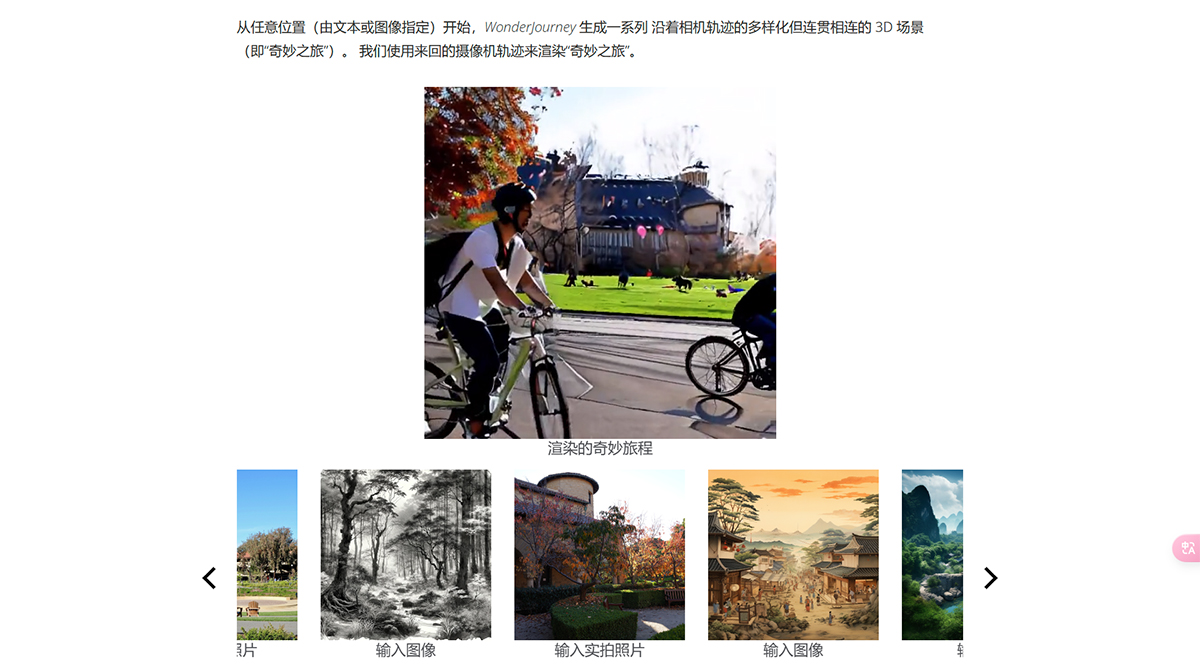
What makes Wonder Journey unique is its flexibility to start from any location, whether it's an image or a text description. This opens up a "wonder journey" — a series of 3D scenes along a camera trajectory, showcasing diverse yet interconnected landscapes.
Starting from any location (specified by text or image), Wonder Journey generates a series of diverse yet coherently connected 3D scenes along a camera trajectory (i.e., a "wonder journey"). We use back-and-forth camera trajectories to render the "wonder journey."
Wonder Journey can compose long-form "wonder journeys." Hover over the video to pause auto-scrolling.
Starting from the same location, Wonder Journey can generate a series of diverse "wonder journeys" that end at different destinations. We use the path of camera poses to render each of the videos below. Hover over the video to pause auto-scrolling.
Wonder Journey can also generate controlled wonder journeys given a series of text descriptions, such as poetry, haikus, and story summaries. Hover over the video to pause auto-scrolling.This feature allows users to influence the thematic direction and progression of the journey, making it not just a tool for exploration, but also a tool for storytelling and artistic expression.