
 Script Planner Assistant▸
 AI Apps
 AI News

imgak: AI Old Photo Restoration
imgak: AI Old Photo RestorationIntroduction
Imgak Old Photo Lossless Restoration tool is a comprehensive and easy-to-use AI photo editing tool. It offers features such as coloring old photos, restoration, lossless enlargement, and user privacy protection, meeting all kinds of photo editing needs.
Whether you are an ordinary user or a professional photo restorer, you can easily restore and improve old photos through imgak, letting precious memories shine for good.
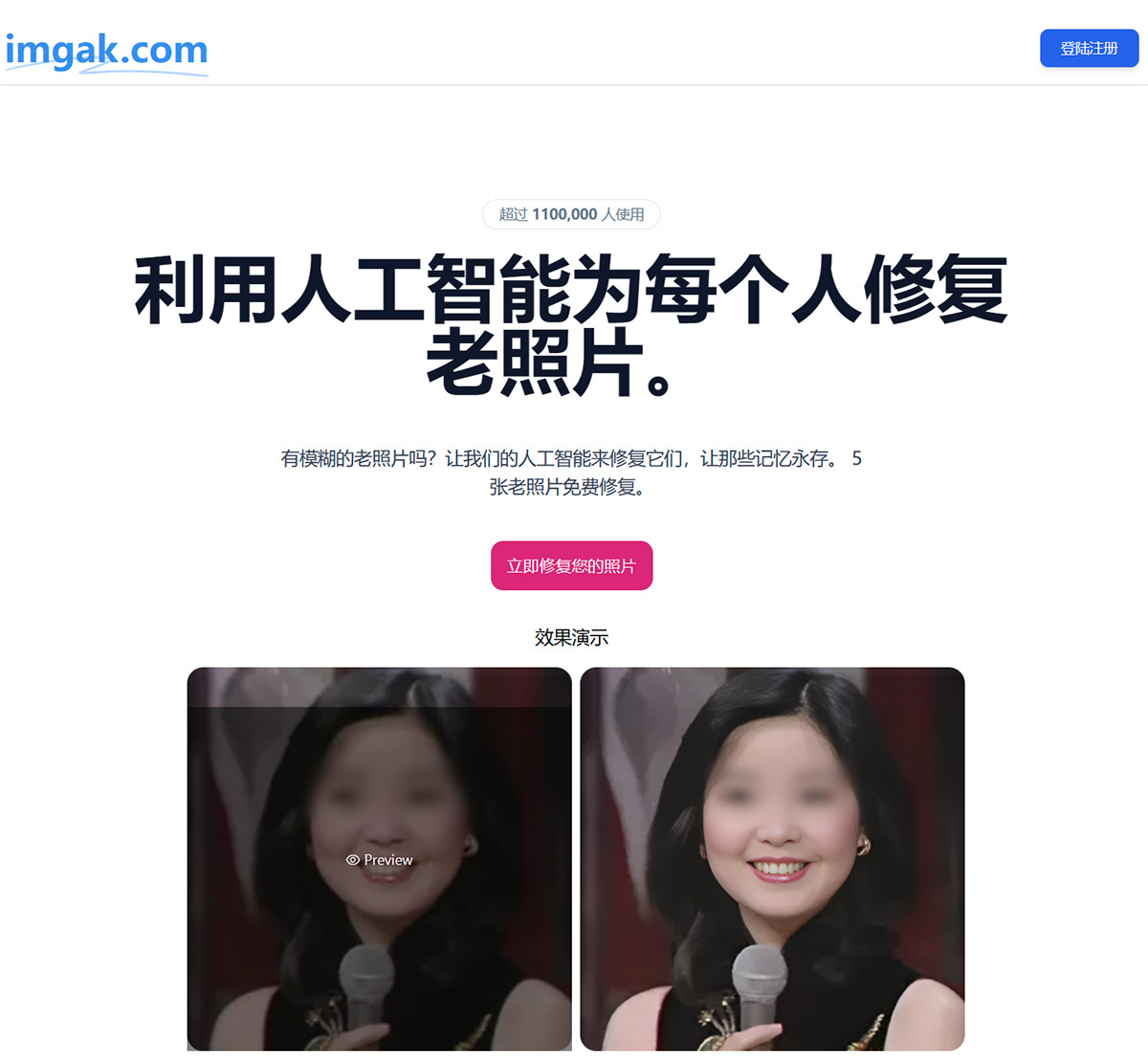
Imgak Features:
Crease, Scratch, and Damage Repair: It can detect and fix various defects in photos, such as creases, scratches, and stains. Through intelligent repair algorithms, imgak preserves the original appearance of the photo while removing flaws, bringing it back to a better state. The restoration process is lossless, maintaining the photo's details and quality.
Coloring: Using advanced artificial intelligence algorithms, imgak can automatically recognize objects, scenes, and skin tones in black-and-white photos, and apply realistic colors to the image. This way, users can easily add vivid colors to black-and-white photos, making them look more lifelike and warm.
Lossless Enlargement: imgak uses advanced image enlargement algorithms to upscale photos by 2x without losing clarity or detail. This is extremely useful for users who want to print or display old photos. Whether restoring facial features in old photos or enlarging fine details, imgak delivers outstanding results.
Image Clarity Enhancement: For blurry photos, imgAK can significantly improve clarity, using AI algorithms to optimize image details and bring them close to high-definition quality.
Artistic Style Transfer: Users can convert photos into different artistic styles, including 3D effects, cartoon style, line art, and anime style, adding creative elements to photo creation.
Image Upscaling and Clarification: imgAK can losslessly enlarge images, enhancing detail and clarity—perfect for users who need high-resolution images.
Cutout Function: Users can precisely extract objects from images, with support for fine details down to individual strands of hair, making post-editing easier.
Dynamic Photo Creation: imgAK also offers the ability to turn static photos into dynamic videos, bringing old photos to life and adding fun.
Real Person Photo to Cartoon: Users can convert their own photos into cartoon characters—ideal for social media sharing and personal customization.
Focus on User Privacy and Data Security: Uploaded images are encrypted and automatically deleted once restoration is complete. imgak ensures that users' personal information and photo data are fully protected.
Imgak Reviews:
"Increase image size, enhance actual image resolution and real details, upscale by 200%, retouch, de-blur, and enhance all facial details; intelligent image denoising to remove noise from photos taken with phones or digital cameras, improving image quality; Imgak uses the best AI to create perfect portraits, making them clearer and cleaner."
- Xu Zhonghua, Image Restorer
"Higher resolution images provide premium print quality. Enlarge images for printing, presentations, or use on other devices."
- Zhang Wei, Photo Printing Professional
"Enhance photos or 3D render frames up to 4K for higher resolution images and better detail in posters or wallpapers."
- Liu Fang, Cartoon/Anime Creator
"Imgak effortlessly enhances low-quality images to save time for more creative pursuits. From logos to product images, everything can be upgraded."
- Xiao Ye, App/Website Graphic Designer
"Imgak elevates your image to attract attention, beat competitors, and influence conversion rates. Boost sales with amazing product photos. Improve image quality for POD products. Suitable for the POD industry."
- Ma Yu, E-commerce Store Owner
"AI image upscaler—save more time on your professional tasks with a single click. Automatically increase image size and quality so you can focus on artistic creation."
- Cui Desen, Photographer
The imgak old photo lossless restoration tool is very easy to use. There is no need to install an app or plugin—users simply upload a photo on the website, select the appropriate restoration option, and complete the process with one click. No complex steps or professional skills are required to achieve high-quality restoration results.















