
 Script Planner Assistant▸
 AI Apps
 AI News

Colossyan_云技派,专注ai人工智能!
Colossyan_云技派,专注ai人工智能!Introduction
Colossyan is an AI virtual human on-camera video generation software developed based on AI technology. It can automatically convert text into realistic presentation videos. Users only need to provide text to generate virtual human on-camera videos with lip-sync, facial expressions, voice, and gestures, featuring avatars that sound very natural. Users can choose different actors, languages, subtitles, scenes, and media for customization, and can also add music and custom backgrounds to videos, making video production simple and effortless.
Features of Colossyan:
Perfect actors — choose from our curated selection of commercial synthetic AI presenters to connect with your audience.
Add subtitles to your AI videos; use our custom subtitle feature to create clear subtitles in seconds and boost engagement by up to 40%.
Fully customize your AI videos. With a wide range of customization options from adding media to selecting different accents, you can easily personalize videos to connect with your audience.
Create AI videos in more than 60 languages. Messages delivered in your native language are better received — you can now create multilingual AI videos in minutes.
Advantages of Colossyan:
1. AI Marketing Videos: Enhance business messaging, engagement, and sales through AI-generated videos;
2. AI Presenter Videos: Create professional presenter videos with realistic presenters;
3. Versatility: Generate libraries of training and learning content, and create videos in more than 70 languages;
4. Extensive Features: Brand toolkit, collaboration, PPT and PDF-to-video, text-to-video, screen recording, and more;
5. Easy to Use: Professional-grade video creation without the need for advanced skills or training.
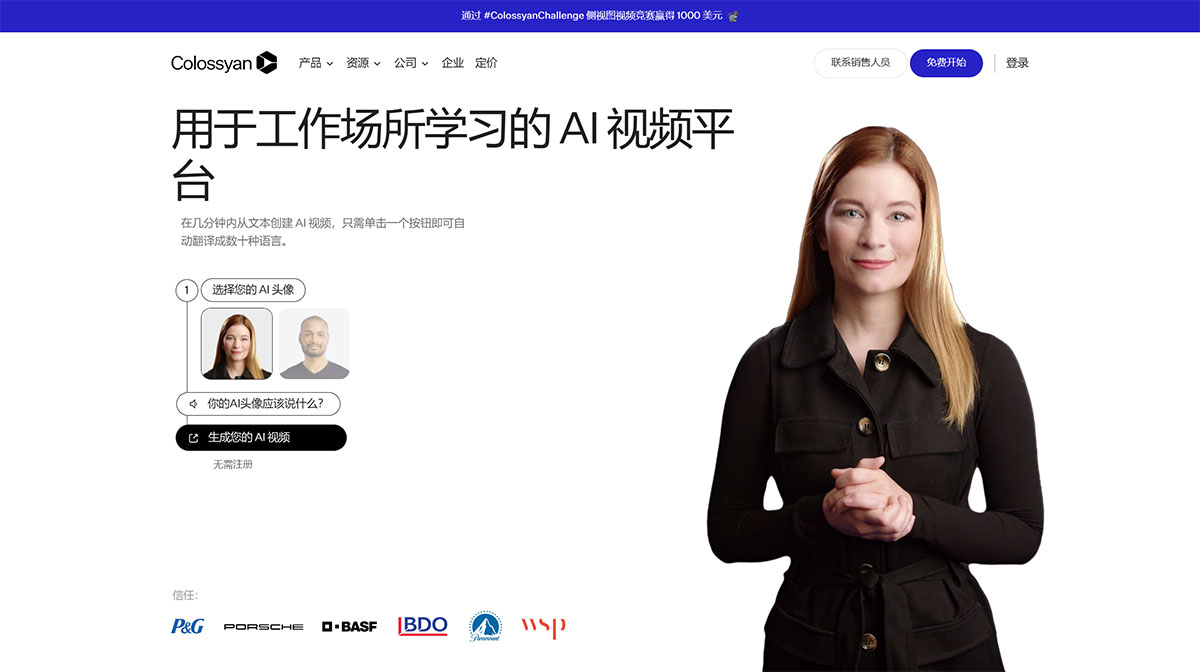
How to Use Colossyan?
Register: Visit the Colossyan website and sign up for a free 14-day trial.
Choose a digital human avatar: Select from over 150 diverse digital humans to serve as the presenter in your video.
Enter the script: Type the text you want the AI digital human to say, or import content from a PDF or PowerPoint file.
Customize the video: Add images, videos, animations, and other media to enhance your presentation. You can also adjust the digital human's voice, language, and appearance.
Apply brand elements: Use the brand kit feature to add your company's colors, fonts, and logo for consistency.
Translate: If needed, you can automatically translate your video into more than 70 languages with a single click.
Preview and adjust: Preview the video and make fine visual adjustments as needed.
Generate the video: Click the generate button to produce your video.
Download and share: Once generated, download your video or share it directly to other platforms.












