
 Script Planner Assistant▸
 AI Apps
 AI News

Wanneng Xiao'in: AI Smart Writing System
Wanneng Xiao'in: AI Smart Writing SystemIntroduction
Writing, PPT, homework reports — no more staying up late to write! Just one click, and Universal Xiao-in can help you get it done effortlessly. You can also create magical avatars with one click, AI Q&A, resumes, marketing copy, work summaries, research reports, and reading notes.
Universal Xiao-in covers AI roles for every scenario: expert consultation, academic study, workplace and office, social emotions, chatting with celebrities, copywriting, fun life, and more. Each role is your closest AI friend — a thoughtful assistant on standby 24/7.
If the AI assistant features above still can't meet your personalized needs? We also offer private customization: tailored roles for specific scenarios and customization based on proprietary knowledge bases, so Universal Xiao-in can answer more accurately and understand you better.
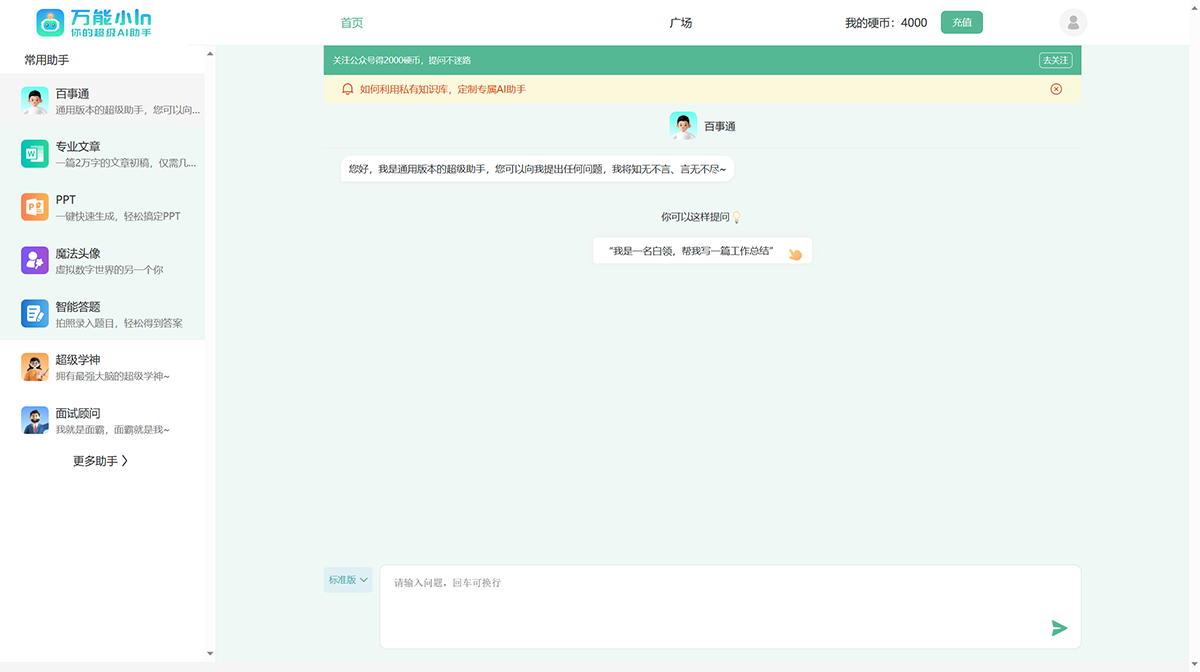
Universal Xiao-in Feature Updates:
Major homepage upgrade: a redesigned page with newly added categories, featured picks, and search;
Creation upgrade: multiple apps upgraded for long-form creation with optional word count and length;
One-click save to desktop: super convenient!
1. Newly added features on the homepage that double your creation efficiency
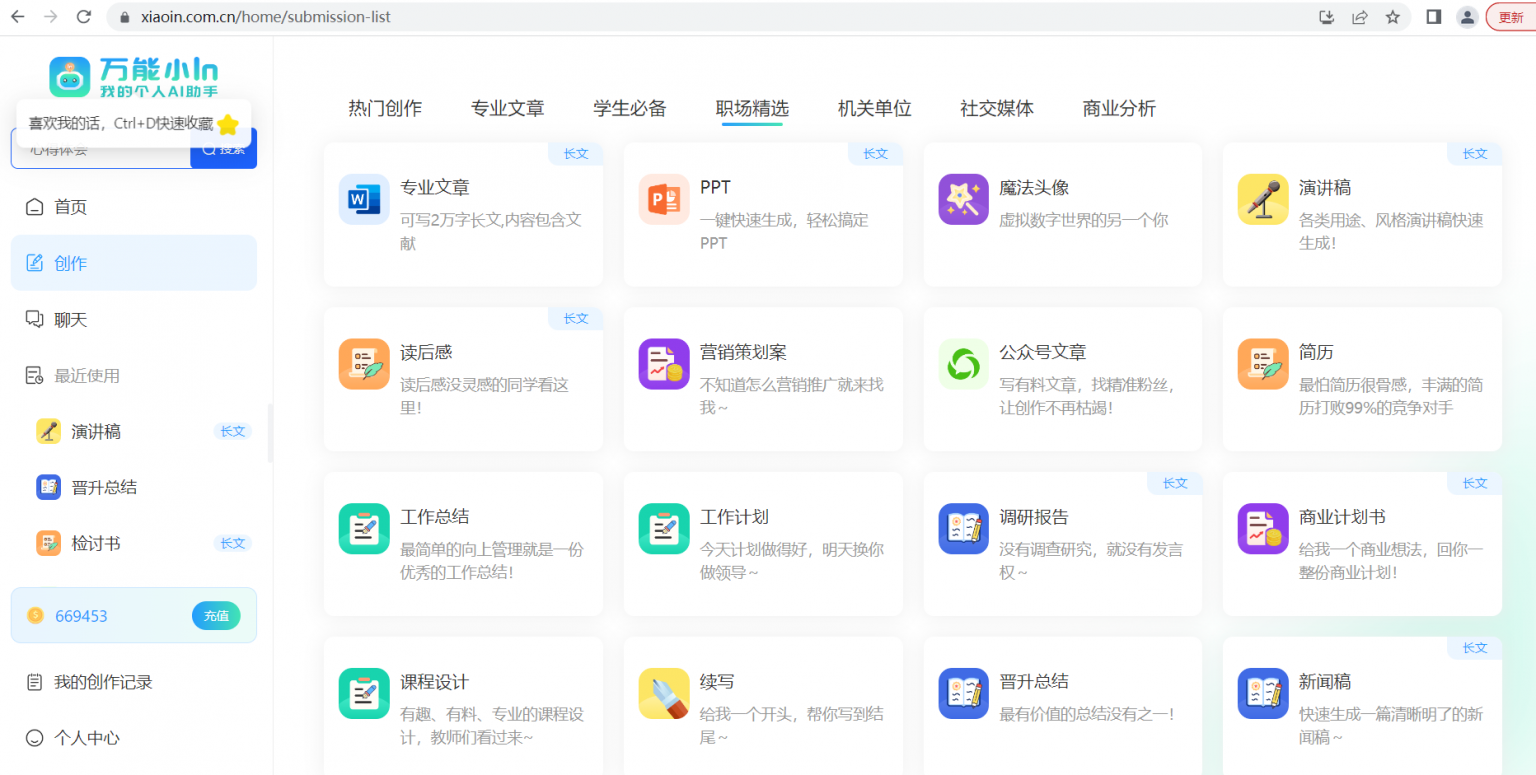
Let's shift our attention to the navigation bar in the red box of the image below — let the picture tell the story:
Newly added search function: too many features and feeling overwhelmed? Not anymore! Just one-click search!
Improved homepage functions: not sure what the featured capabilities are? Not anymore! "Must-haves", "Editor's Picks", and "Explore More" give you the most convenient curated guidance!
Real-time recent usage updates: created something just a second ago and already forgot which feature you used? Not anymore! Your last 10 uses are all displayed under "Recent Use"!
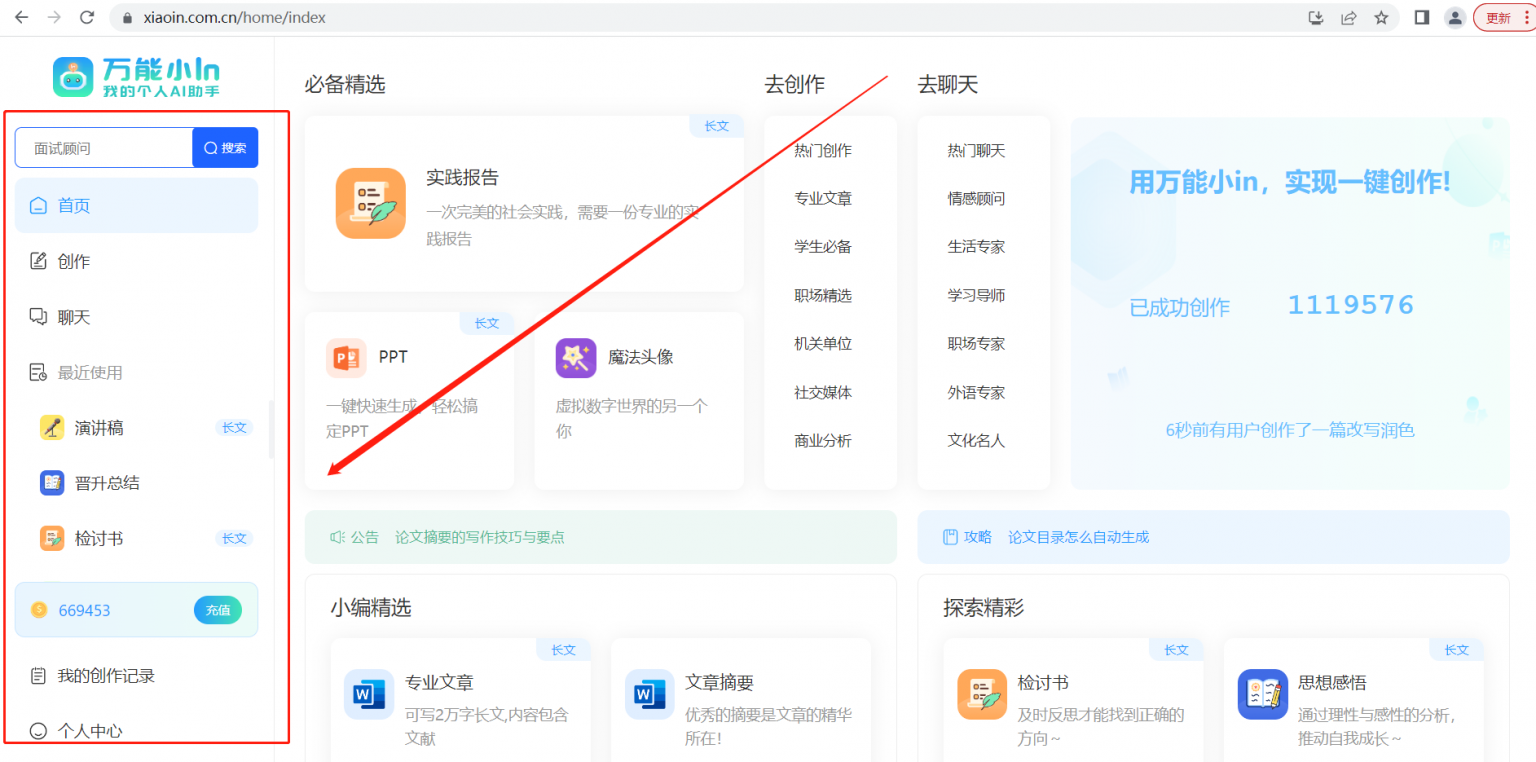
Where to check your creation history: need to find a creation record but can't locate it? Not anymore! All historical records from the "Creation" apps can be queried and found under "My Creation History"!
My Personal Center: now the editor no longer has to worry about anyone failing to find the personal center!
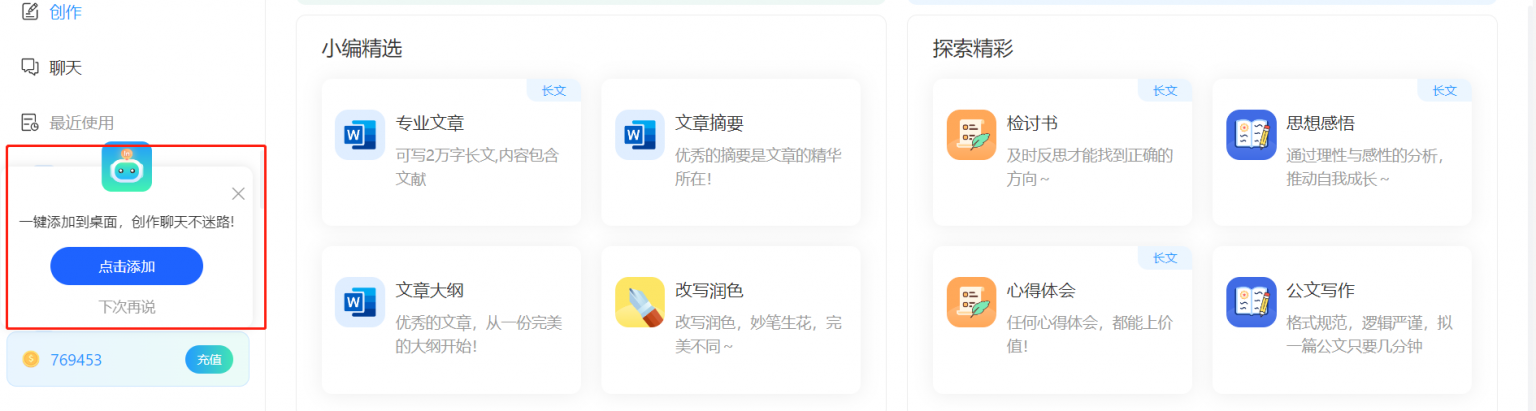
Super convenient! One-click install to desktop: on your computer, copy the URL http://xiaoin.com.cn/ to your Chrome browser, and follow the steps shown in the red box in the image below to add it to your desktop for quick access anytime, anywhere.
2. Familiarize yourself with creation features to double your creation quality
Each creation app has a clear and diverse "mission": writing work summaries, speeches, business plans... Universal Xiao-in's professional sections answer your professional questions — more precise and more "understanding" of you.
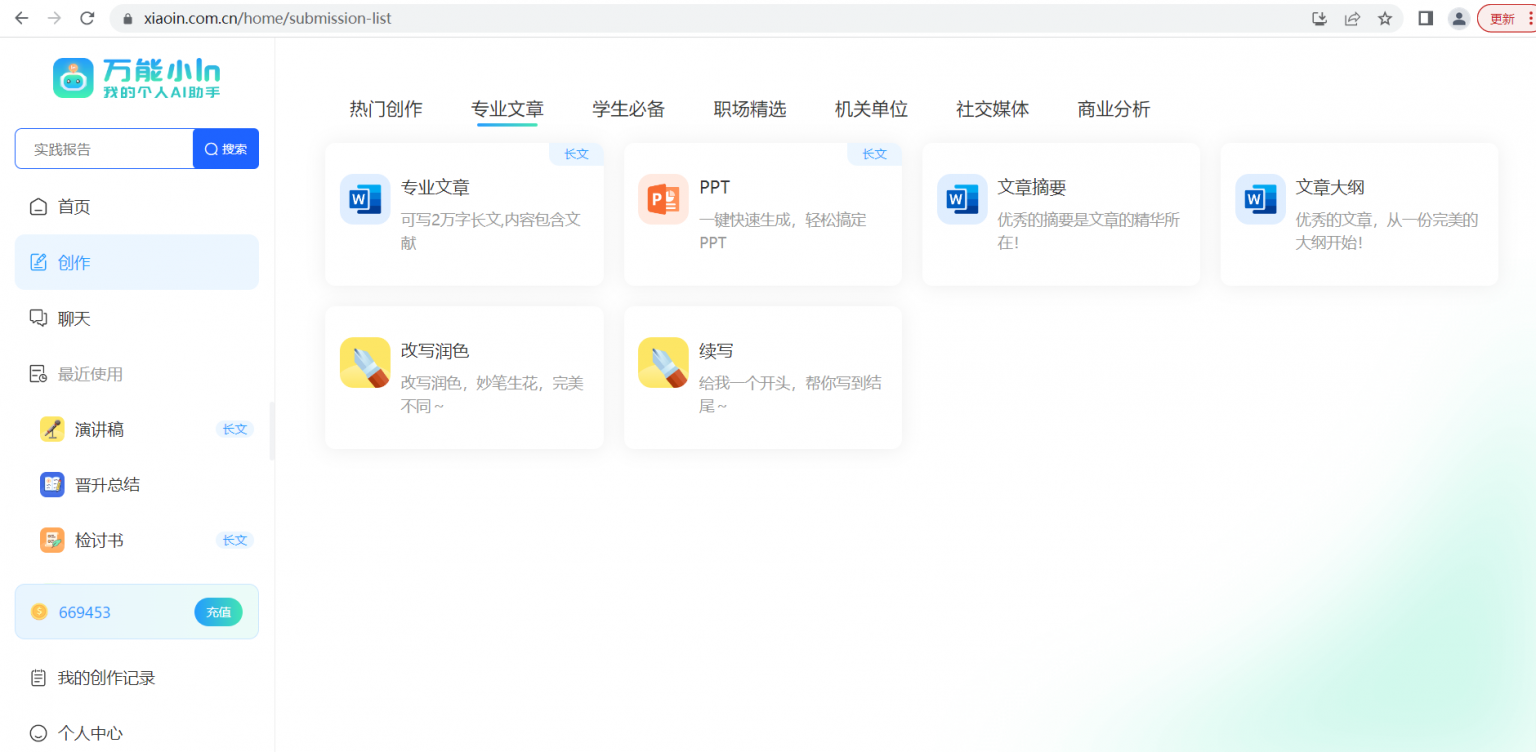
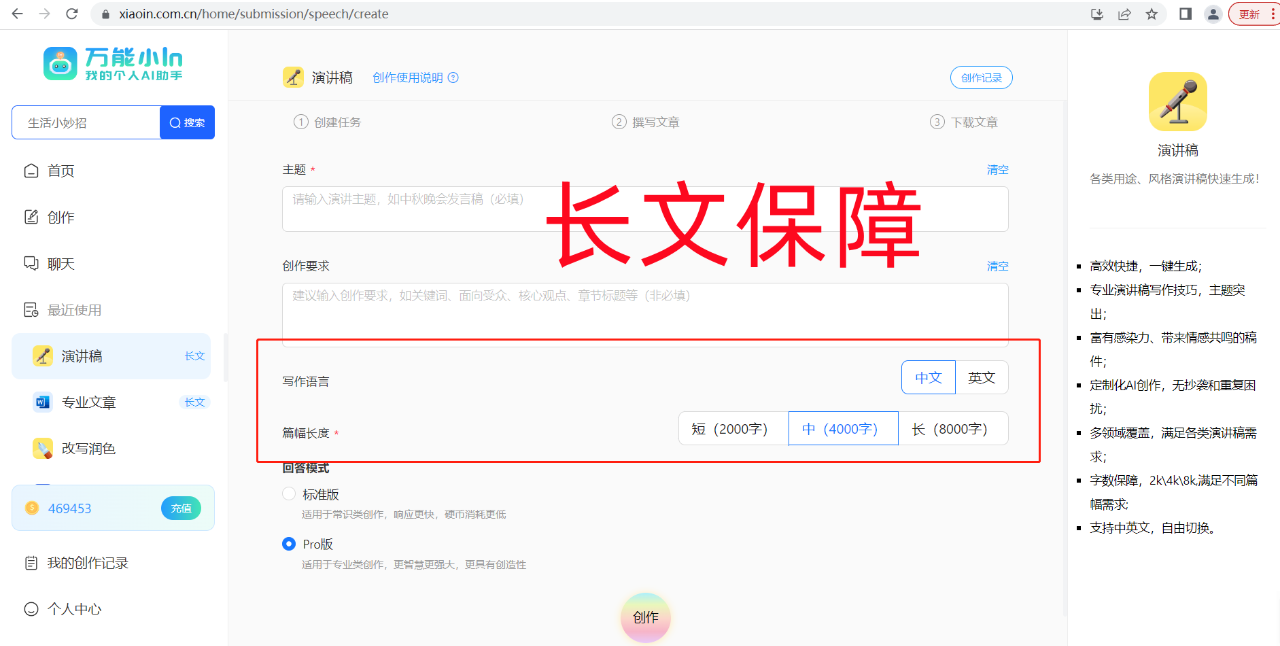
Optional word count and language: most of Universal Xiao-in's creation apps support word count and language selection; with a guaranteed word count, you can choose up to a 20,000-word tier.
"Edit" and "New Creation" available: if you're not satisfied with the result or want to generate a new version, simply click "Edit" or "New Creation".















