Script Planner Assistant▸
 AI Apps
 AI News
WearView: A Professional Fashion Photography AI Platform with Virtual Models
WearView: A Professional Fashion Photography AI Platform with Virtual ModelsIntroduction
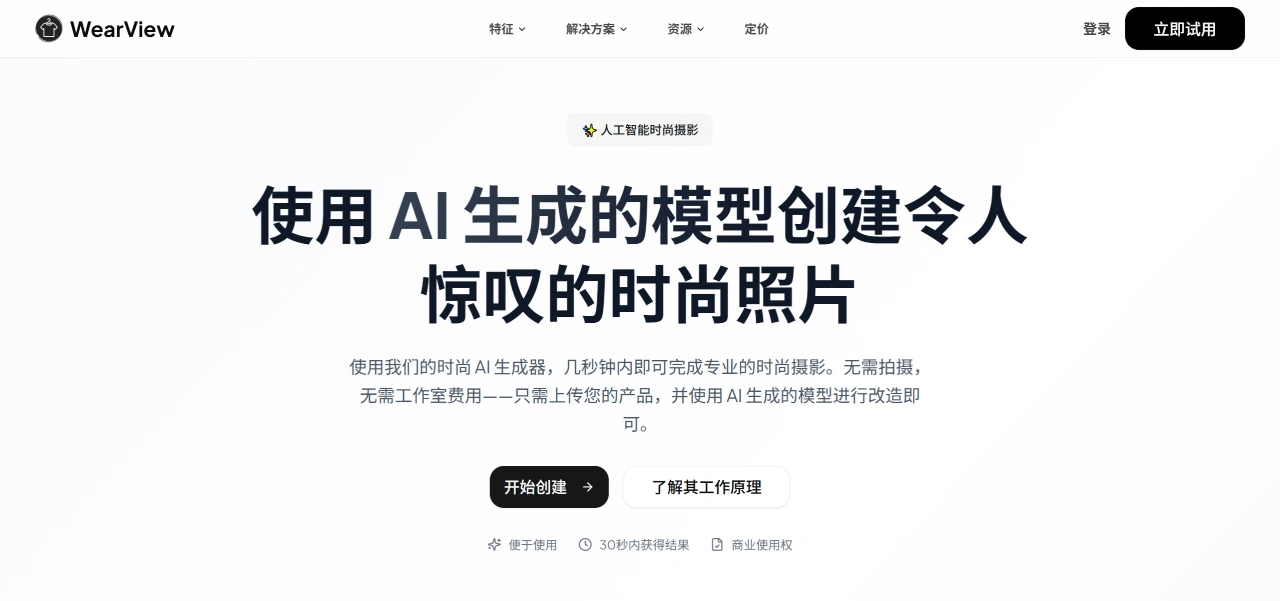
WearView is an AI fashion photography platform that mainly solves the problems of high cost and complex processes associated with traditional fashion photography. It eliminates the need for on-location shoots, studios, and professional models, quickly generating professional fashion images through AI to provide low-cost, high-efficiency visual solutions for designers, e-commerce brands, and other content creators. It is currently used by thousands of professional platforms and brands such as Amazon, Shopify, and eBay.
WearView Core Features
Virtual Try-On: After uploading a clothing photo, WearView can immediately "dress" the garment on a model, generating an on-body effect close to a real shoot and quickly completing the display.
AI Model Creation: Generate AI models with different appearances and styles through text descriptions. Users have full control over how the model looks, creating exclusive images for brand campaigns.
Product to Model: Transform basic photos such as flat-lay clothing or hanger shots into lifestyle images of models wearing the garments, making e-commerce images more appealing.
Model Consistency: Ensure that the AI model looks the same across different campaigns or scenes for the same brand, helping to establish a unified brand image.
Pose Control: Customize the AI model's pose and shooting angle through simple operation tools, generating images that meet product catalog standards with great creative freedom.
WearView Pricing
Creator Plan: $15 per month, suitable for creators and small store sellers, featuring HD images, no watermark, and a virtual try-on studio.
Growing Brand Plan: $40 per month, suitable for fashion brands that need to produce images quickly, featuring 2K resolution images, priority support, and early access to new features.
Agency and Studio Plan: $82 per month, suitable for teams serving multiple clients, featuring 4K resolution images and VIP support.
WearView Usage Steps
Upload Clothing Photos. Photograph the garment in any state—on a hanger, flat-lay, or worn by a person. No professional equipment is needed; just upload directly to the WearView platform.
Choose Model and Style. Select a suitable model from the platform's model library, then choose the matching pose and background, adjusting the overall effect to match the brand style.
Get the Images. Professional images can be generated in 15 seconds and downloaded for use on official websites, Instagram, e-commerce detail pages, and more.
WearView FAQs
Q: Compared with traditional photography, what are WearView's advantages?
A: WearView's advantages are mainly reflected in "cost savings, faster speed, and added value." First, cost savings: no need to rent studios, hire models, or engage photography teams, directly cutting image production costs by 90%, with no subsequent fees for using the images. Second, faster speed: no need to schedule or wait for post-production; professional images can be produced in as little as 15 seconds, generally under 30 seconds, accelerating product launch speed by up to 10 times. Third, added value: diverse AI models (different races, ages, styles) make the brand more inclusive, and can also improve conversion rate (+10%), average order value (+12%), and ad click-through rate (+30%). Additionally, the consistent appearance of models across scenes helps strengthen the brand image.
Q: What steps does an ordinary e-commerce seller need to follow to create images with WearView? Is any professional background required?
A: No professional background is needed; just three steps. First, upload clothing photos: photograph the garment in any state (on a hanger, flat-lay, or worn by a person); no professional equipment is required—just upload directly. Second, choose parameters: pick an AI model from the platform's library, select the matching pose and background, and adjust the effect to match the store's style. Third, get the images: after waiting 15 seconds for generation, download them directly for use on e-commerce detail pages, social media (such as Instagram), and more.
Q: How can AI model images generated by WearView be used commercially? Can they be used for other product categories?
A: First, commercial rights: the images come with full commercial usage rights, no extra fees, and can be used anytime on official websites, e-commerce platforms, advertisements, etc., without worrying about copyright issues. Second, applicable categories: the platform mainly focuses on clothing, but there is no indication that it cannot be used for other categories. It can presumably be tried for fashion-related categories such as jewelry, footwear, and beauty products. For specifics, you can consult the platform's customer service to confirm.
Related Information: