
 Script Planner Assistant▸
 AI Apps
 AI News

VideoCompress AI: Free Online Video Compression Tool
VideoCompress AI: Free Online Video Compression ToolIntroduction
VideoCompress ai is a free online video compression tool that supports files up to 2GB and is compatible with formats such as mp4, webm, mov, wmv, mkv, and avi. It outputs compressed files in mp4 format. VideoCompress AI uses H.265/HEVC encoding technology and can compress files by up to 80%, significantly reducing file size while maintaining image quality. It also offers features such as secure encrypted transmission, format conversion, and preset scenario solutions.
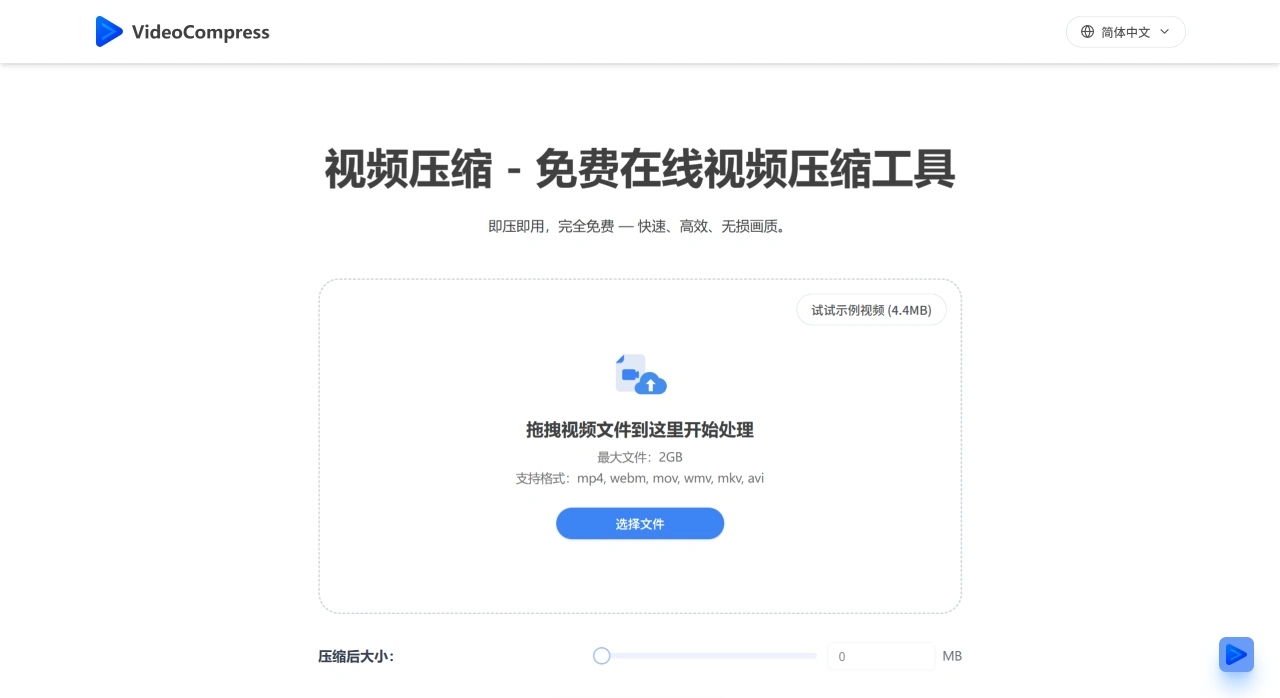
Main Features of VideoCompress AI
Efficient Compression: Significantly reduces video file size by up to 80% without sacrificing image quality.
Intelligent Analysis and Enhancement: The AI-powered video compression tool first performs scene classification and analysis on the video to understand content type, scene complexity, and visual characteristics, then conducts a quality assessment, followed by targeted operations such as color enhancement, noise reduction, and blocky artifact removal to improve visual quality and compression efficiency.
Region of Interest Detection: VideoCompress AI can identify important areas within the video, such as faces, player jersey numbers, text, and graphics, and allocate more bits to these regions during encoding for more intelligent bit allocation.
Content-Adaptive Encoding: Based on the preceding analysis and assessment, the encoder uses optimal compression parameters, such as ROI-based rate control, frame-level adaptation, and block-level quality maps, to achieve more efficient compression while ensuring quality.
Highlights of VideoCompress AI
Advanced Compression Algorithm: Uses the latest H.265/HEVC encoding technology to deliver high-efficiency compression while maintaining image clarity and significantly reducing file size.
Security: All video files are protected with end-to-end encryption throughout the entire process of upload, processing, and storage, ensuring content privacy and security.
Format Conversion Capability: Supports conversion between popular video formats such as MP4, AVI, MOV, and WMV.
Preset Scenario Solutions: Offers multiple compression quality presets for scenarios such as web sharing, storage optimization, and HD archiving. Users can apply the optimal configuration with one click, eliminating the need to manually adjust complex parameters.
Real-Time Preview: Allows real-time comparison of video quality before and after compression, enabling users to visually verify the compression results and ensure the output meets expected quality standards.
Cloud Processing Advantage: Leverages powerful cloud server processing capabilities that do not consume local device resources, enabling rapid compression even of 4K ultra-high-definition videos.
VideoCompress AI Application Scenarios
Online Video Sharing: Helps users compress videos to sizes suitable for sharing on different platforms (such as YouTube, Facebook, etc.) while maintaining good visual quality.
Video Storage: Reduces the storage space occupied by video files, making it easier for users to store more videos on local devices.
Video Email Sending: Compresses videos to sizes suitable for sending via email, since email clients typically have attachment size limits (such as 20MB - 25MB).
How to Use VideoCompress AI
Upload Video: Select the video file to be compressed (multiple formats supported). You can either drag it directly onto the page or click to select and upload a local file.
Choose Compression Method: Two options are available: compress by setting a target file size, or customize parameters through advanced settings to find a balance between quality and size.
Download Video: Once compression is complete, immediately download the optimized video in mp4 format. The compressed video is significantly smaller in size, making it easy to share, upload, and store.
Key Questions
Question: While ensuring compression efficiency, how does VideoCompress AI guarantee video content security and image quality?
Answer: In terms of security, the tool uses end-to-end encryption technology, ensuring that all video files are protected by encryption throughout the entire process of upload, processing, and storage, keeping content private and preventing leaks. In terms of quality assurance, the core is the use of advanced H.265/HEVC encoding technology, which maintains image clarity while achieving up to 80% compression. Additionally, a real-time preview feature allows users to visually confirm whether the quality meets expectations, avoiding blind compression that would degrade quality.
Question: For users who need to process videos in different scenarios, what convenient operations does VideoCompress AI provide to meet their needs?
Answer: The tool offers multiple convenience-oriented designs tailored to different scenario needs: First, it provides preset scenario solutions such as "Web Sharing," "Storage Optimization," and "HD Archiving," allowing users to apply optimal compression configurations with one click without manually adjusting parameters. Second, it supports conversion between popular formats including MP4, AVI, and MOV to meet the format requirements of different platforms (such as Instagram, email, and cloud storage). Third, it leverages cloud processing capabilities that do not consume local resources, enabling rapid compression even of 4K ultra-high-definition videos, balancing HD archiving needs with processing efficiency to meet the diverse use cases of both enterprises and individuals.
Question: From the perspective of actual user experience, how does VideoCompress AI perform specifically in improving efficiency and reducing costs?
Answer: In terms of efficiency improvement, user feedback shows: processing 4K videos improves team efficiency by 60%, social media video upload speed increases by 50%, training videos that previously took hours to upload now take only minutes, and global product demo distribution no longer suffers from slow downloads, significantly optimizing operational workflows. In terms of cost reduction, after adoption by a startup, video storage requirements dropped by 80%, and enterprises substantially reduced cloud storage costs and bandwidth usage by compressing videos, while also reducing the additional resource consumption caused by oversized files—achieving dual optimization of efficiency and cost.















