
 Script Planner Assistant▸
 AI Apps
 AI News
VEOAIFree: Free AI Video Generator Powered by Google VEO
VEOAIFree: Free AI Video Generator Powered by Google VEOIntroduction
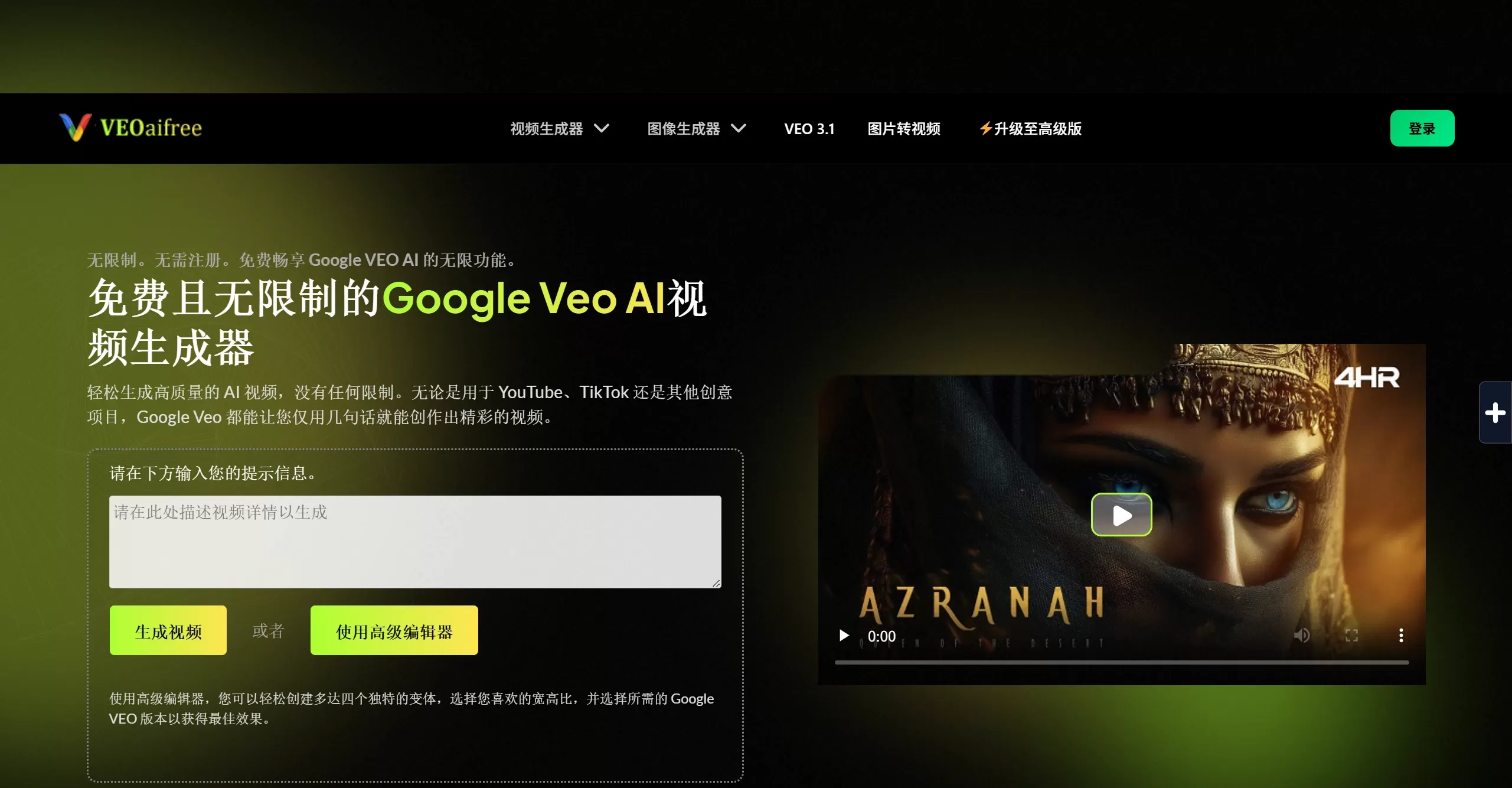
VEOaiFree is a free online video generation tool built on Google VEO AI. It exposes Google's VEO 3.0 and 2.0 models, requires no sign-up, and has no generation limits. Just enter a text description or upload an image, and you can generate a video right in your browser — no watermark, ready to download. The only downside is that there are quite a few ads.
VEOAIFree Key Features
Text-to-video / Image-to-video: Write a description or upload an image, and the AI automatically generates dynamic visuals.
Prompt optimization: A built-in Prompt Enhancer rewrites your simple description into more professional prompts to improve generation results.
Supports both landscape and portrait: Works for landscape (YouTube) as well as portrait (TikTok, Reels) — no post-production cropping needed.
Fast generation: An optimized inference engine typically produces results in seconds to tens of seconds.
Completely free: No monthly fees, no credits, no hidden charges.
VEOAIFree Use Cases
Social media: Batch-produce short videos for TikTok, YouTube Shorts, and Instagram Reels to quickly test content ideas.
E-commerce: Turn product images into dynamic showcase videos for product pages or ad campaigns.
Personal creation: Zero-cost trial and error for Vlog intros, channel trailers, and concept proofs for short films.
Educational materials: Turn abstract concepts into dynamic videos for teaching resources.
Ad prototypes: Use AI to create previews before formal shoots, reducing communication costs.
VEOAIFree Advantages
The biggest reason is that it's free and works well. Mainstream AI video tools on the market charge monthly fees ranging from $7 to $20, with limits on free usage. VEOAIFree charges nothing, has no usage limits, and adds no watermark — and the underlying model is Google VEO, putting its visual quality and motion coherence in the top tier. No sign-up required, just use it and go, which is also friendly to personal privacy.
How to Use VEOAIFree
Go to veoaifree.com and type the scene you want to generate in the input box, for example "an orange cat stretching lazily on a windowsill at sunset." You can also upload a reference image first. Click the generate button, wait a few seconds for the video preview, and once satisfied, download the MP4 file directly — ready to post on YouTube, TikTok, or Instagram.
How Does VEOAIFree Compare to Similar Products?
| Dimension | VEOAIFree | Runway Gen-4 | Pika Labs | Kling AI | Sora 2 |
|---|---|---|---|---|---|
| Price | Completely free | From $12/month | From $8/month | From $6.99/month | From $20/month |
| Free quota | Unlimited | 125 credits (one-time) | 80 credits/month | 66 credits/day | No free tier |
| Watermark | None | Remove with paid plan | Watermark on free tier | Watermark on free tier | None |
| Sign-up required | Not required | Required | Required | Required | Required |
| Video length | ~8 seconds (extendable) | Up to 16 seconds | Up to 10 seconds | Up to 3 minutes | Up to 25 seconds |
| Resolution | HD | Up to 4K | Up to 1080p | Up to 1080p/4K | Up to 1080p |
| Core model | Google VEO 3.0/2.0 | Runway Gen-4 | Pika 2.5 | Kling 3.0 | Sora 2 |
| Editing features | None | Professional post-production suite | Basic effects | Limited | None |
| Best for | Zero-budget creators, quick trial and error | Professional film & video teams | Social media creators | Cinematic content production | High-end creative projects |
If you're just getting started with AI video, or don't want to pay for a subscription, VEOAIFree is a great starting point. Unlimited trial and error at zero cost — once you've found visuals that work, you can then decide whether to upgrade to a more professional paid tool.
VEOAIFree FAQ
Q: Is it really completely free?
A: Yes, there's no charge and no sign-up required, but there are quite a few ads.
Q: Can the generated videos be used commercially?
A: Yes. The platform states that all videos are watermark-free and royalty-free, and can be used for YouTube, ads, and other commercial scenarios.
Q: Can I access it directly in China?
A: Because it's based on Google VEO technology, accessing it from China may require a network proxy.
Q: How long is each generated video?
A: About 8 seconds per clip, but you can stitch longer segments together using the extension feature.
Q: Does it support Chinese prompts?
A: It has some understanding, but English prompts produce more consistent results. The platform's built-in optimizer can help rewrite your prompts.
Q: Is this an official Google product?
A: No, it's a third-party platform that leverages Google VEO's underlying model capabilities.
Q: How fast is the generation?
A: Usually seconds to tens of seconds, depending on server load and video complexity.
Q: How does the video quality compare to paid tools?
A: Google VEO 3.0 is at the top of the industry in terms of visual realism and motion coherence, on par with Runway, Kling, and others.












