Script Planner Assistant▸
 AI Apps
 AI News

UPlog Xiaohongshu Assistant: Layout & Cover Design Tool for RedNote
UPlog Xiaohongshu Assistant: Layout & Cover Design Tool for RedNoteIntroduction
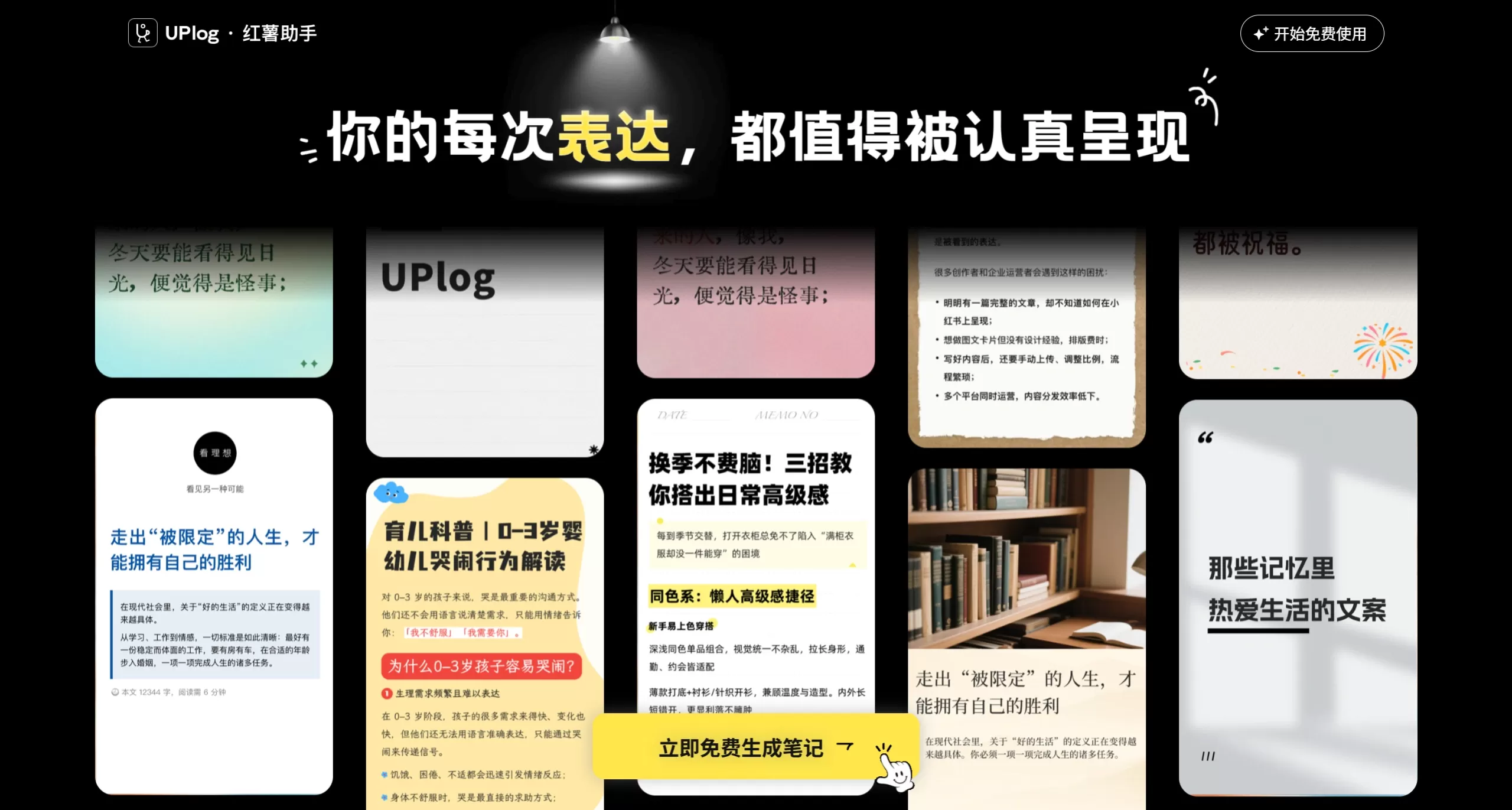
UPlog Sweet Potato Assistant is an efficiency tool built specifically for Xiaohongshu (Little Red Book) image-and-text content creation. It supports one-click importing of documents from platforms like WeChat Official Accounts, Notion, and Feishu, and combined with AI-powered smart formatting and 360+ trending templates, it can connect directly to the backend for one-click publishing. For creators, it dramatically compresses the production time of a single post from 2 hours down to 15 minutes.
Feature Modules
Cross-platform one-click import: Supports direct importing from WeChat Official Account articles, Notion, Feishu docs, Word, Markdown, and local files. The system intelligently parses the original document's heading hierarchy, paragraph spacing, and list structure, achieving a format restoration rate of over 95%, completely solving the formatting chaos that comes with copy-pasting.
AI smart formatting: Automatically analyzes content logic, breaks long-form text into short paragraphs optimized for mobile reading, and matches emojis, dividers, and highlights automatically. It maintains an overall 3:5 full-screen display ratio with a consistent visual style, boosting average reading completion rate by 35%.
Massive trending template library: Covers 360+ niche industry templates spanning beauty, fashion, workplace, food, travel, and more. Supports one-click style switching between Instagram-fresh, dark-classic, Morandi, and other color palettes. Even with zero design skills, users can produce high-quality image-and-text cards.
AI writing assistance: Integrated with large models like DeepSeek, it supports inputting keywords to generate trending titles and body copy. It offers a "rewrite/continue selected text" feature that generates 3+ logically coherent continuation paths based on context.
Violation detection and warning: A built-in sensitive word scanning engine automatically identifies ad-banned terms and platform-restricted language before publishing, highlighting flagged sections and providing modification suggestions to effectively reduce the risk of traffic throttling caused by violations.
One-click sync publishing: After editing, it connects directly to the Xiaohongshu backend, compressing the traditional multi-step process of "copy-paste-adjust format-upload" into just 2 steps. Multi-device preview before publishing is supported to avoid format discrepancies after going live.
Dual-platform collaboration: The web version is ideal for immersive deep editing, while the browser extension version can be called directly within Xiaohongshu's "Create New Post" page. Data syncs in real time across both ends, meeting the different needs of on-the-go revisions and office formatting.
Use Cases
Daily publishing for individual creators: Fashion, reading, and workplace bloggers producing 1-3 posts per day can quickly transform fragmented inspiration into finished drafts using the import and template features.
Cross-platform content migration: WeChat Official Account, Zhihu, and Toutiao writers can batch-rewrite their archived articles into Xiaohongshu image-and-text format, achieving one-content-multi-use.
Brand content teams: Brand accounts needing consistent visual identity can use a fixed template library to ensure uniform layout, color scheme, and typography across every post.
MCN agency operations: When managing multiple accounts simultaneously, the violation detection and batch formatting features help reduce repetitive work and lower operational error rates.
How to Use UPlog
Visit the official website uplog.cc to register. One-click WeChat login is supported.
Install the Chrome/Edge browser extension, or use the web-based editor directly.
Click "One-Click Import" and paste a WeChat Official Account/Notion/Feishu link, or upload a local Word/Markdown file.
Choose an image-and-text card style matching your industry from the template library, and use AI formatting to automatically optimize the structure.
To optimize the copy, select the text and invoke AI rewrite/continue, or use violation detection to scan for sensitive words.
After previewing and confirming the result, click "Publish" to sync to the Xiaohongshu backend draft box, then finalize publishing through the official Xiaohongshu backend.
Advantages and Limitations
Advantages
Solid import and parsing capabilities—highly accurate in recognizing the format of Chinese long-form text, unlike some tools that turn everything into garbled mess after importing.
Quality template aesthetics—not the cheap, obviously "tool-generated" templates; posts can be published directly without looking rough.
A relatively complete pipeline from import to publishing, eliminating the need to jump between multiple tools.
The violation detection understands Xiaohongshu's community guidelines in fine detail, going beyond simply blocking a few sensitive words.
Limitations
Over-reliance on templates can easily lead to visual homogenization among accounts in the same niche. Established creators are advised to do secondary customization on top of the templates.
AI-generated titles and body copy sometimes carry a noticeable "AI flavor" and require human polishing to adjust the tone—they cannot be published directly.
Some advanced templates and in-depth AI features may require a paid subscription. The free version has limits on export counts or template quantity (please refer to the latest pricing on the official website).
Currently focused primarily on image-and-text posts, with weaker support for video post covers and scripts.
UPlog vs. Competitors
| Product | Core Positioning | Content Import | Smart Formatting | Template Resources | AI Writing | Violation Detection | One-Click Publish | Key Differentiator |
|---|---|---|---|---|---|---|---|---|
| UPlog Sweet Potato Assistant | Xiaohongshu image-and-text creation hub | One-click import from WeChat Official Account/Notion/Feishu/Word/Markdown, format restoration rate 95%+ | AI auto-splits paragraphs, matches emojis and dividers, maintains 3:5 full-screen ratio | 360+ niche industry templates, Instagram/dark/Morandi styles and more | Integrated with DeepSeek, supports rewrite/continue/title generation | Built-in sensitive word scanning with highlights and modification suggestions | Direct connection to Xiaohongshu backend, 2-step publishing | Most complete import→format→publish closed loop, highest long-form migration efficiency |
| Gaoding Design | Online graphic design tool | Supports some document import, but mainly designed for starting from scratch | Manual drag-and-drop formatting, no AI auto-reconstruction of long-form text | Massive poster/cover templates with strong design sense | Basic copy generation, focused on titles and short phrases | No dedicated violation detection | Requires manual image download then upload to Xiaohongshu | Higher design freedom, suitable for creating covers and single images from scratch, but low efficiency for long-form post production |
| Chuangkit | Lightweight online design | Supports simple text pasting, formatting easily lost | Manual adjustments within templates, no smart paragraph adaptation | Large template selection, leaning toward marketing-poster style | AI copy assistance available, but features are basic | No dedicated violation detection | Requires exporting images then manually uploading | Low entry barrier, suitable for quickly making cover images, but lacks long-form content migration and one-click publishing capabilities |
| Sweet Potato Editor | Xiaohongshu formatting helper | Supports Markdown/Word import | Provides basic formatting styles (emojis, dividers) | A small selection of formatting skins | No AI writing | None | Requires manual copying to Xiaohongshu | Single-feature, positioned as lightweight formatting; no AI smart reconstruction or one-click publishing loop |
Related Information: