
 Script Planner Assistant▸
 AI Apps
 AI News

Toki AI: Turn Static Photos into Talking Digital Humans
Toki AI: Turn Static Photos into Talking Digital HumansIntroduction
Toki AI Introduction
Toki AI is a tool that can turn static photos into realistic talking digital humans. You only need to upload a photo along with text or audio, and it will generate a video with matching expressions and lip sync.
Toki AI is lightweight to use, requiring no expensive equipment or professional video production skills. Individual creators, small businesses, and marketing teams can all use it to quickly produce videos.
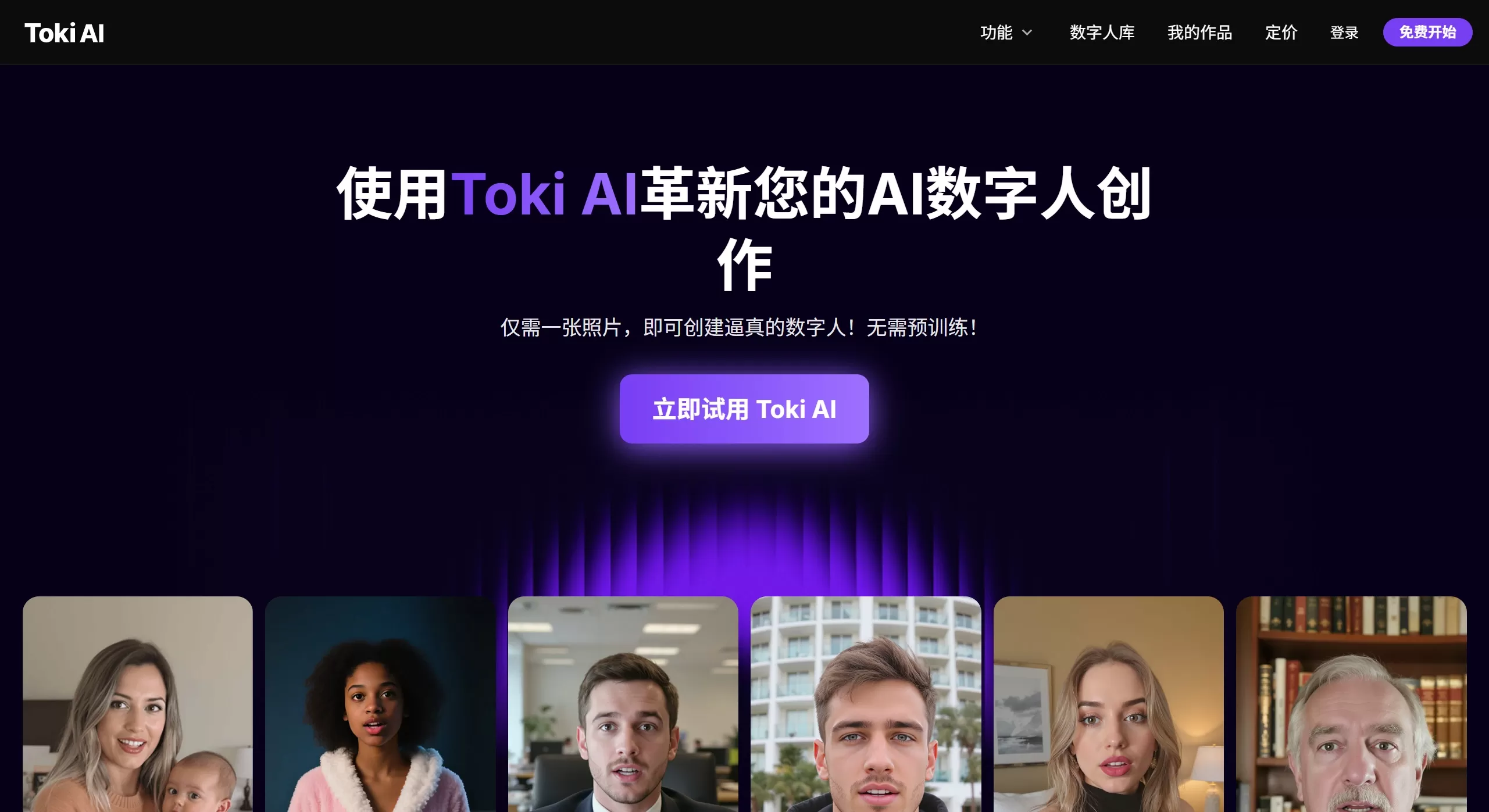
Toki AI Features
Generate an AI digital human from a single photo: no prior training needed, just provide a high-quality headshot
Text or audio driven: use text-to-speech, or upload your own recording for lip sync
Supports longer videos: the paid plan can generate up to 2 minutes
Micro-expressions: simulates natural facial expressions and small movements for a more realistic look
Multi-language: supports speech synthesis in several languages
Optional voice library: voices with different genders, tones, and accents
Toki AI Use Cases
Marketing and advertising: product demos, promotional videos, social media content
Online education: teaching videos, online courses, employee training materials
Corporate training: internal announcements, leadership messages, company updates
Social media: create personalized videos for TikTok, Instagram, and YouTube
Real estate: virtual property tours and listings
Customer service: tutorial videos and FAQ responses
Personal projects: bring old photos to life, make fun videos
Review
Toki AI ranks as an entry-to-mid level tool among digital human platforms. Based on user reviews and professional evaluations:
Easy to get started: clean, uncomplicated interface, and you can produce videos quickly
Decent video quality: good lip sync and natural micro-expressions, sufficient for most business scenarios
Good value for money: significantly cheaper than enterprise-level tools like Synthesia and HeyGen
Focused functionality: dedicated to "photo to talking video" without piling on flashy extras
Toki AI Pros and Cons
| ✅ Pros | ❌ Cons |
|---|---|
| Easy to use, generates quickly without pre-training | Free version is limited and includes a watermark |
| High video quality, accurate lip sync, natural micro-expressions | Limited creative control, lacks full timeline editing |
| Paid plan supports videos up to 2 minutes long | Relatively narrow feature set, not an all-in-one video solution |
| Supports uploading custom audio to maintain brand consistency | As a new platform, feature set is less rich than enterprise tools like Synthesia |
| Affordable pricing, suitable for individuals and small teams | No desktop app, web-only |
How to Use Toki AI
Prepare your script: decide what the digital human will say
Choose a photo: pick a high-quality front-facing photo with good lighting
Upload and configure: upload the photo in the Toki AI interface and set the parameters
Add script and select voice: input text or upload audio, then choose an AI voice
Generate and adjust: generate the video, make small tweaks if you're not satisfied
Toki AI Pricing
| Features/Benefits | Free Plan | Lite Plan | Pro Plan |
|---|---|---|---|
| 💰 Price | 0/month | $79/month | $114/month |
| 📊 Monthly Credits | Basic credits | 300 credits | 800~50K credits (multiple tiers available) |
| 🎬 Video Length | Limited ⚠️ Page display error | Up to 75 sec/month | Up to 200 sec/month |
| ⚙️ Parallel Tasks | 1 | 2 | 3 |
| ✨ Core Features | |||
| 🗣️ Talking Digital Human | ✅ | ✅ | ✅ |
| 🎤 Singing Digital Human | ✅ | ✅ | ✅ |
| 📁 100k+ Templates | ✅ | ✅ | ✅ |
| 🎨 Output Quality | |||
| 🚫 Watermark-Free Output | ❌ | ✅ | ✅ |
| ⚡ Generation Speed | Standard | Faster | Faster |
| 🤝 Support | |||
| 📞 Customer Support | Standard Support | Priority Support | Priority Support |
FAQ
Q: Is Toki AI free?
A: There is a free version, but it has limited features and a watermark. You'll need to pay to access all features.
Q: Can I use my own voice?
A: Yes, you can upload custom audio, or use the built-in AI voice library.
Q: Can the generated videos be used commercially?
A: Paid plans generally include a commercial license. Refer to the specific terms of service for details.
Q: How does it compare to Synthesia and HeyGen?
A: Toki AI is simpler and more affordable, ideal for quick video production; the latter two offer more comprehensive features for complex enterprise-level needs.
Q: Which languages are supported?
A: Multiple languages, including major ones such as English and Chinese.
Q: How long does it take to generate a video?
A: Typically a few minutes, depending on video length and server load.












