
 Script Planner Assistant▸
 AI Apps
 AI News
Tight Studio: Screen Recording and Demo Creation Tool
Tight Studio: Screen Recording and Demo Creation ToolIntroduction
Tight Studio is a tool that quickly turns screen recordings into product demos. You don't need any video editing skills to use it, making it ideal for product showcases, software tutorials, and similar content.
Main Features of Tight Studio
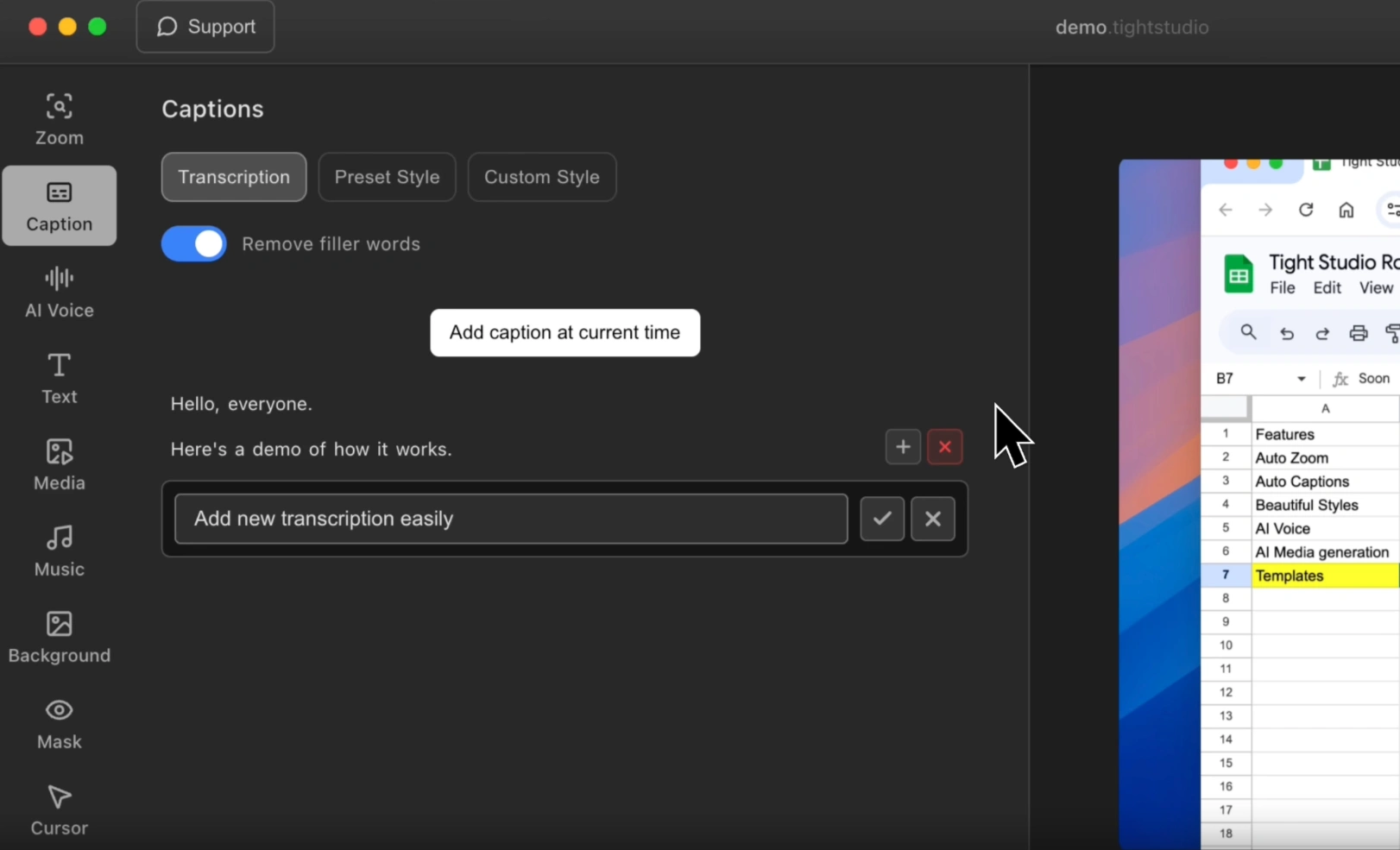
Smart Zoom: Automatically captures key actions during your operations and zooms in on important parts, keeping viewers focused on what matters.
Professional Captions: Tight Studio offers a variety of caption styles, allowing you to quickly add subtitles that match your brand style.
AI Voiceover: Generates clear, natural-sounding narration without worrying about background noise, recording equipment, or accents.
Background Music: Tight Studio comes with built-in optional background music, and you can also upload your own audio.
Dynamic Text: Use dynamic text and animation effects to make your videos more engaging.
Material Import and Generation: Import videos and images, or use AI to generate the visuals you need.
Video Cropping: Easily trim away unwanted parts of your footage.
How to Use Tight Studio
Download and install the desktop software.
Open the software and start recording your screen.
After recording, use Smart Zoom to highlight key actions.
Add AI voiceover or auto-generated captions.
Choose suitable music and dynamic text to enhance your video.
Trim away any unnecessary parts.
Export your video using the Free, Professional, or Custom plan based on your needs.
Use Cases for Tight Studio
Create product demos and how-to guides to help customers get up to speed quickly.
Make software tutorials to train employees or teach them how to use the software.
Prepare work reports to keep teammates aligned on project progress.
Showcase product features to attract new users.
Turn recorded videos into step-by-step guides to reduce repetitive communication.
Tight Studio Pricing
Free Plan: Basic features, exported videos come with a watermark.
Professional Plan ($15/month): Access to all features, 1,000 AI generation credits included, watermark-free video exports.
Custom Plan: The team handles your raw footage directly and provides personalized service.
Frequently Asked Questions
Question: Compared to other screen recording software, what makes Tight Studio different?
Answer: Regular screen recording tools can only record your screen, and you'll need other software for editing, which is a hassle. With Tight Studio, you can directly add Smart Zoom, AI voiceover, professional captions, and more right after recording—no other tools needed. Even without editing experience, you can create high-quality demos, saving a lot of steps.
Question: I want watermark-free demos with AI features. Which plan should I choose, and what benefits do I get?
Answer: Choose the Professional Plan ($15/month). The features you get include: all editing tools (such as Smart Zoom, captions, AI voiceover), 1,000 AI generation credits (e.g., to generate visuals with AI), and watermark-free video exports—perfect for professional use.















