
 Script Planner Assistant▸
 AI Apps
 AI News

SoundWise AI: Completely Free AI Audio & Video Transcription Tool
SoundWise AI: Completely Free AI Audio & Video Transcription ToolIntroduction
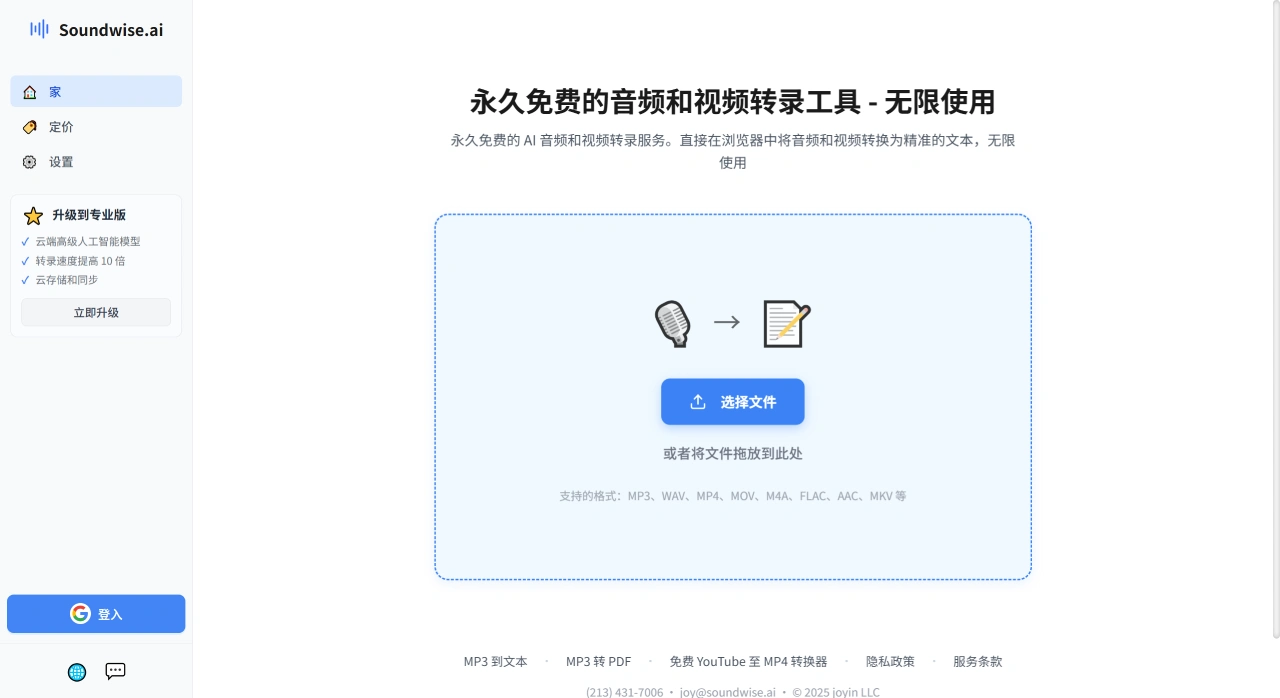
Soundwise ai is a completely free AI audio and video transcription tool that converts audio and video directly into text in the browser. It supports common formats such as MP3, WAV, MP4, MOV, M4A, FLAC, AAC, and MKV, with no limits on the number of uses or file size.
Main Features of Soundwise ai
Completely free: Soundwise costs nothing, and you can use it as many times as you want.
Highly accurate: The transcription accuracy reaches 99.8%, reproducing the vast majority of the content.
Multi-language support: It can process audio/video in over 90 languages.
Speaker differentiation: It automatically distinguishes between different speakers' voices—for example, who said what in a meeting.
Wide format support: All common audio (WAV, MP3, FLAC, AAC, M4A) and video (MP4, MOV, MKV) formats can be transcribed.
Privacy and security: The transcription process runs locally on your device—no files are uploaded to the internet, so you don't need to worry about information leakage.
Easy proofreading: The transcribed text is synchronized with the audio; click on any part of the text to instantly hear the corresponding audio segment.
How to Use Soundwise ai
Go to the Soundwise.ai website and click "Start Transcribing for Free".
Record new audio/video using the website's built-in recording feature, or upload an existing file directly.
Transcription begins immediately once the file is uploaded. While it transcribes, you can listen to the original audio and read the text at the same time.
When transcription is complete, you can export it as a TXT file for editing, copy the text directly, or generate a PDF with one click for easy sharing or archiving.
What Can Soundwise ai Be Used For?
Meeting notes: Convert meeting recordings into text and quickly organize meeting minutes.
Interviews/podcasts: Automatically generate transcripts of interviews, making post-production editing or adding subtitles easier.
Watching online courses: Convert instructional videos into text for easy review or adding subtitles.
Self-media content creation: Automatically generate subtitles or scripts for YouTube videos, podcasts, and similar content.
FAQ about Soundwise ai
Q1: What makes Soundwise better than other transcription tools?
A1: Mainly two points: first, it is completely free, with no limits on the number of uses or duration, and no payment required; second, it works right in the browser with no software download needed—simple to operate with a low barrier to entry.
Q2: What common audio and video formats does Soundwise support? Can it transcribe the ones I usually use?
A2: For audio, it supports MP3, WAV, M4A, FLAC, AAC; for video, it supports MP4, MOV, MKV. Other common formats not listed are also generally supported. These cover the audio (such as MP3) and video (such as MP4) most people use daily, so everyday needs are essentially covered.
Q3: Do I need to install software to transcribe with Soundwise? How accurate is the resulting text?
A3: No installation needed—operate directly in your browser. According to the official site, it can "convert to accurate text," and the output has a certain level of accuracy that meets basic everyday requirements for content precision.














