
 Script Planner Assistant▸
 AI Apps
 AI News

Somake AI: All-in-One AI Creation Platform for Images & Videos
Somake AI: All-in-One AI Creation Platform for Images & VideosIntroduction
What is Somake ai
Somake AI is a one-stop AI creation platform that brings together the world's leading generative AI models, offering over 300 tools. It covers scenarios such as text-to-image, image-to-video, AI writing, interior design, and virtual try-on, with the goal of enabling users with no design experience to quickly create professional-grade visual content.
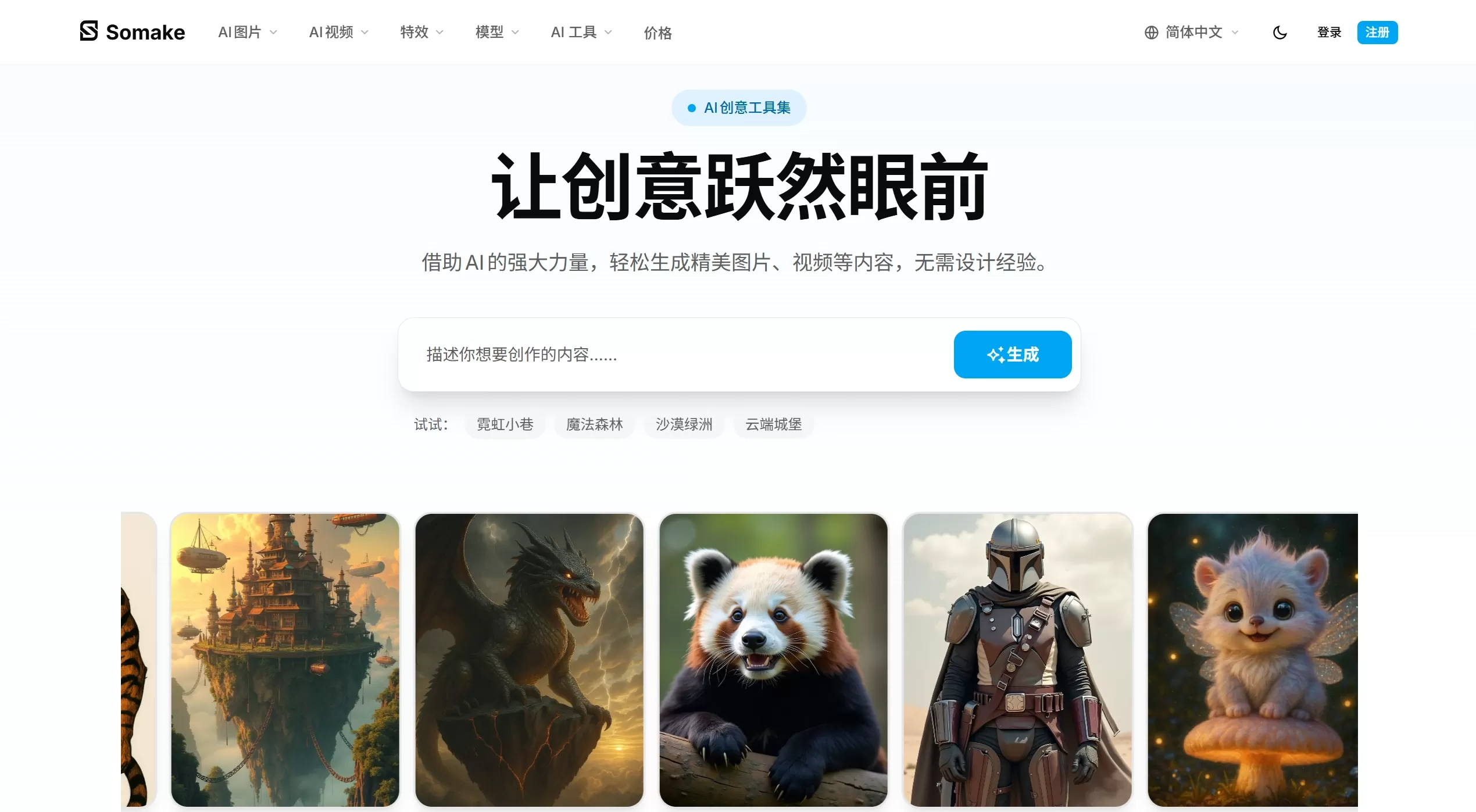
Somake AI Features
Text-to-image and image-to-video: Enter a text description to generate images, or turn static images into dynamic videos, with one-click product ad video generation.
Multi-model aggregation: Integrates Flux.1 Dev, Imagen 4, Seedream 4/4K, ChatGPT Image 1, Ideogram V3, Recraft V3, Wan V2.2, Runway Gen4, Nano Banana, Grok Imagine, PixVerse V5.5, and more, allowing users to choose different models based on their needs.
AI image editing: Provides background removal, magic eraser, image upscaling (up to 4x), illustration filters, video-to-watercolor or ink-wash style conversion, and more.
Vertical scenario tools:
AI interior design: Upload a photo of a room, choose a style, and generate decoration renderings, with support for fine-tuning via text prompts.
AI pet talking video: Upload a front-facing photo of your pet and enter a script to generate a lip-synced talking video, supporting 7 personality tones and 4K export.
AI car design: Generate high-resolution car renderings from text descriptions, suitable for concept prototypes and marketing materials.
AI font generation: Describe a style or upload a sketch to generate complete, commercially usable font files.
Virtual try-on: Upload a person's photo and choose clothing to let AI simulate realistic wearing effects.
AI writing and text processing: Supports blog posts, social media copy, emails, and product description generation, with built-in SEO optimization and multilingual support, along with a text summarization tool.
Somake AI Use Cases
Social media operations: Batch-generate images and short videos for Instagram, TikTok, and LinkedIn, with auto-adaptation to different platform sizes.
E-commerce and advertising: Create product main images, ad creatives, marketing posters, and virtual try-on displays, reducing shooting and retouching costs.
Content creation and personal IP: Provides bloggers and independent creators with a full production toolchain from copywriting to video covers.
Design prototyping and concept validation: Allows car designers and interior designers to quickly produce mood boards and concept images.
Education and academic research: Generate teaching illustrations, paper figures, course presentation materials, or use text summarization to process long documents.
Somake AI Review: Pros and Cons
Pros:
One-stop integration: No need to switch back and forth between tools like Midjourney, Runway, and ChatGPT, eliminating the hassle of managing multiple accounts.
Low barrier to entry: Web-based operation with no download or installation required; a simple three-step workflow (describe-generate-download) is beginner-friendly.
Rich model selection: Switch between specialized models excelling in photorealism, illustration, fonts, or video based on the task type, ensuring output quality.
Clear commercial licensing: Most generated content supports commercial use, making it suitable for small and medium-sized businesses and freelancers.
Cons:
Limited free tier: Free credits are limited, and advanced features as well as high-definition export require payment.
How to Use Somake AI
Visit the official website: https://www.somake.ai and register an account.
Choose a tool: Select the desired function from over 300 tools (such as text-to-image, interior design, or pet video).
Enter your requirements:
Text-to-image: Fill in a prompt, select a model (e.g., Flux Dev, Imagen 4) and style (photorealistic, anime, oil painting, etc.), set the size and number of generations.
Interior design: Upload a photo of the room, select a preset style or enter a custom description (e.g., "light wood flooring + green plants").
Pet video: Upload a clear front-facing photo (best with the pet's mouth closed), enter a script, and choose a tone to generate.
Generate and download: Preview the results after AI processing, and download the high-definition file of your chosen version.
FAQ
Does it support Chinese? Yes, the official site offers Simplified and Traditional Chinese interfaces, and Chinese input is supported for both AI writing and prompt understanding.
Can I use the free version? Free credits are available, but generation counts and some high-definition/commercial features are limited; purchasing credits or a subscription plan is required.
Can generated content be used commercially? Most tools' generated content comes with full commercial licensing and can be used for ads, products, and client projects. Please refer to the licensing terms on each tool's page for specifics.
Do I need to install software? No, Somake AI runs entirely in the browser and supports both desktop and mobile access.
Are there any limitations for video generation? For example, the video-to-watercolor feature requires uploading a 3-10 second clip with a file size no larger than 20MB.















