
 Script Planner Assistant▸
 AI Apps
 AI News

Screen Translator: Open-Source Real-Time Screen Translation Tool for macOS
Screen Translator: Open-Source Real-Time Screen Translation Tool for macOSIntroduction
Screen Translator Introduction
Screen Translator is an open-source real-time screen translation tool for macOS, developed by Archer-SQ. It combines system screenshots, Apple Vision OCR, and third-party translation APIs. Its core approach is "pixel-level in-place overlay"—the translated text is written directly over the original text, creating a visual experience close to a native localization.
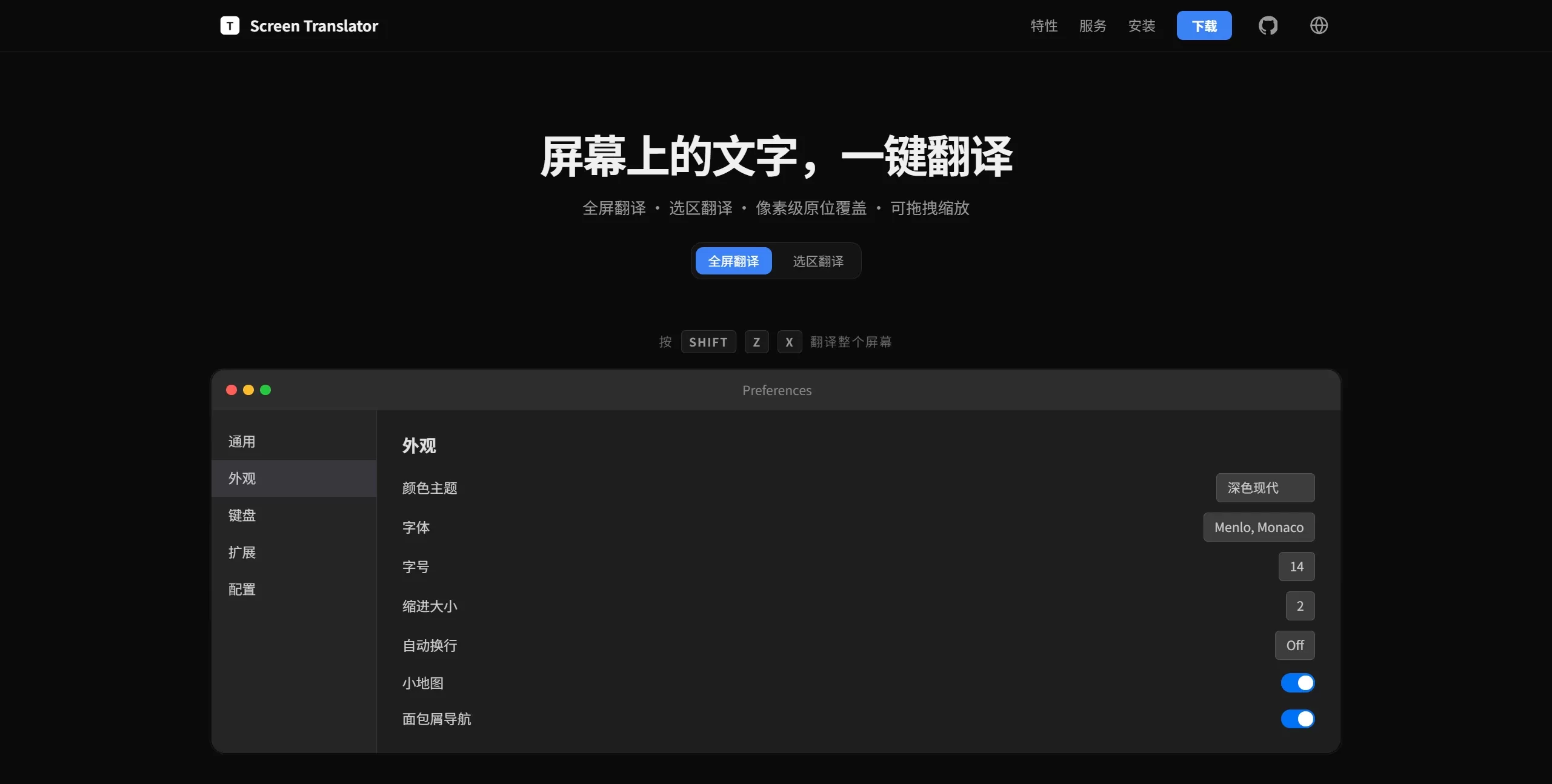
Screen Translator interface screenshot
Features
Full-screen translation with one shortcut: Press Shift + Z + X to translate all UI, menus, and text on the screen.
Selection translation: Press Shift + Z + C to draw a box around any area; the translation is shown in a floating layer that can be dragged and resized in 8 directions.
Frozen screenshot: Pressing the shortcut instantly freezes the screen, making it easy to precisely select text from dynamic video, games, or animations.
Pixel-level overlay: Uses Canvas to directly draw the translated text, automatically matching the original font size and background color.
Multi-display support: Automatically detects the screen where the cursor is located and switches the target display accordingly.
Floating layer interaction: The floating layer can be freely dragged, pinch-to-zoom on the trackpad, and closed with a double-click.
Customizable appearance: Supports dark/light theme switching, customizable fonts (Menlo or Monaco by default).
Use Cases
Seamless localization of foreign-language software interfaces, menu bars, and system settings.
Real-time translation of in-game text and story dialogue.
Recognition and translation of subtitles or bullet comments in videos, live streams, and animations.
Extraction and translation of non-copyable text in design files, PDFs, and images.
Handling foreign-language content across screens in multi-display environments.
Pros and Cons of Screen Translator
Pros
In-place overlay of translations, with a visual experience close to native localization.
The freeze feature solves the challenge of capturing dynamic content.
Automatic multi-display detection, more convenient for multi-monitor users.
Open-source and free, can be further developed based on Electron.
Cons
Only supports macOS; Windows and Linux users cannot use it.
Not signed by Apple; on first install you need to run the xattr -cr command in Terminal.
Depends on Google Translate or a custom API; limited offline capability.
Requires building from source or manually downloading the DMG; no App Store distribution channel.
How to Use Screen Translator
Install: Download the DMG file and drag it into the Applications folder.
Bypass signature verification (first launch): Run xattr -cr /Applications/Screen\ Translator.app in Terminal.
Full-screen translation: Press Shift + Z + X to translate all text on the current screen.
Selection translation: Press Shift + Z + C and draw a box around the target area.
Adjust the result: Drag the floating layer to move it, pinch with two fingers to zoom, double-click to close.
Build from source:
git clone https://github.com/Archer-SQ/screen-translator.git
cd screen-translator
npm install && npm run dev
npx electron-builder --mac --dir
Frequently Asked Questions
Getting a "damaged" prompt and can't open it? The app is not signed by an Apple developer; you need to clear the extended attributes via Terminal using xattr -cr.
Does it support Windows? Currently only a macOS version is available; there is no Windows distribution package.
What translation APIs are supported? The official site indicates support for Google Translate and custom APIs.
Can it be used offline? OCR relies on the Apple Vision framework (which can run locally), but the translation step requires an internet connection to call the API.
How do I close the translation floating layer? Double-click the floating layer to close it.














