Script Planner Assistant▸
 AI Apps
 AI News

SchedPilot: Multi-Platform Social Media Scheduling Tool
SchedPilot: Multi-Platform Social Media Scheduling ToolIntroduction
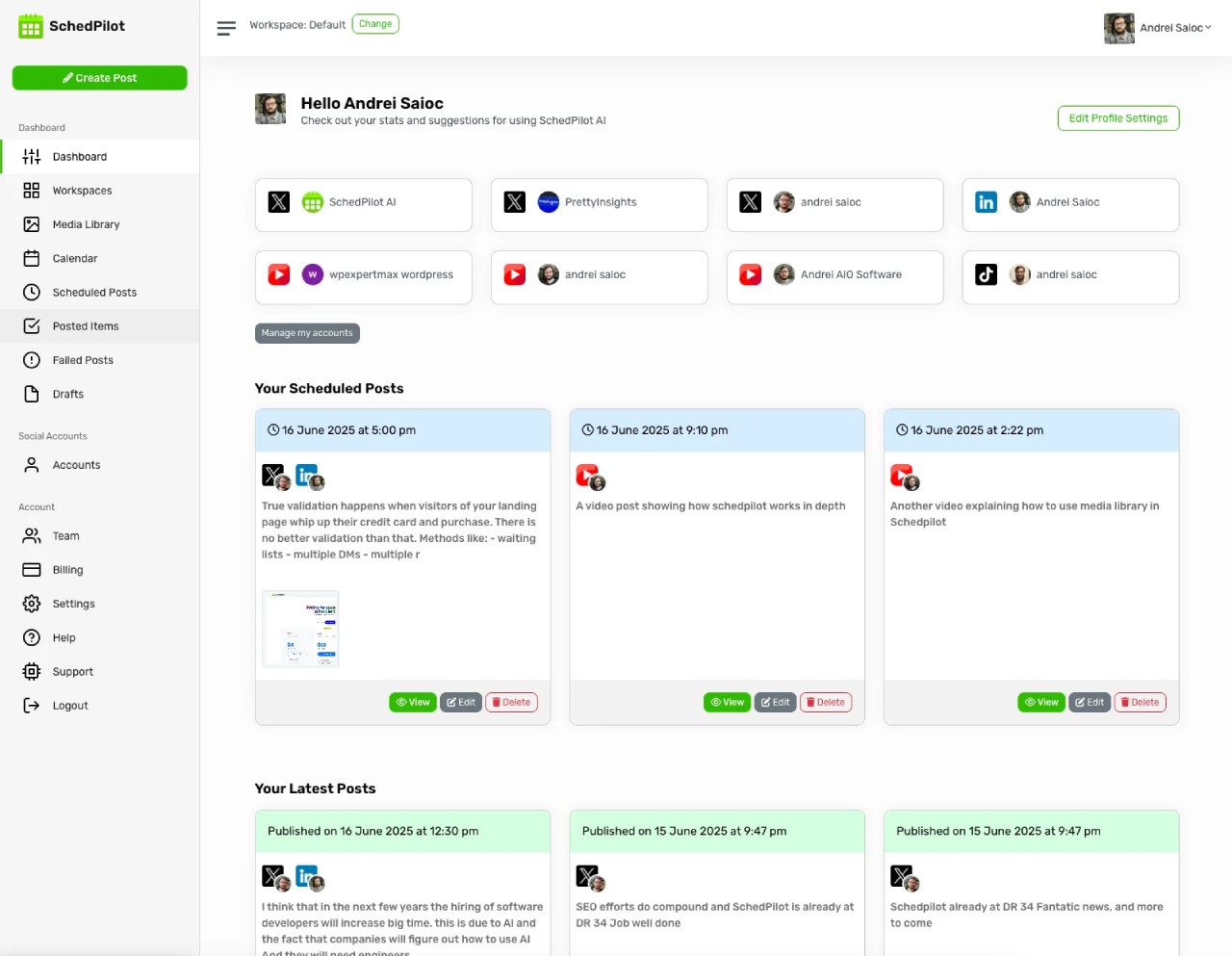
SchedPilot is a tool for social media content scheduling and management designed for individuals and teams. It uses AI technology to publish content across multiple platforms and automatically arrange publishing times, and also allows you to customize your content. It comes with a Chrome extension. It helps improve social media management efficiency and makes accounts more influential. SchedPilot is ideal for creators, marketers, and small businesses that need to publish content on many platforms.

SchedPilot Main Features
Multi-platform publishing: SchedPilot supports common social platforms such as LinkedIn, Instagram, TikTok, Threads, X (Twitter), and YouTube. Create your content once and publish it to all these platforms at the same time.
AI-assisted content creation: Powered by GPT-4, it can help generate content, correct grammar, provide inspiration, create carousel post drafts, and recommend posting times.
Smart scheduling: Automatically arranges posts according to the most suitable posting times on each platform, so that more people see your content and engagement increases.
Manage multiple accounts: SchedPilot lets you connect several social accounts, with customizable content, posting times, and posting styles for different platforms.
Chrome commenting extension: Once installed, this extension lets you quickly write comments and ask questions, increasing engagement on your posts and helping retain followers.
Brand growth tools: Includes content templates, engagement suggestions, and features to optimize posting timelines and titles—great for building a personal brand or growing followers.
LinkedIn-exclusive features: Provides best-time-to-post suggestions, a template generator, content previews, and auto-publishing for LinkedIn. Ideal for people posting professional content on LinkedIn.
Supports multiple content formats: Can publish text, images, videos, and links.
Secure account connections: Connects social accounts via secure OAuth API—no need to provide passwords, ensuring account security.
Comprehensive customer support: Email support, live chat during business hours, and detailed documentation are available to help users get the most out of the tool.
SchedPilot Use Cases
Creators: Publish content across multiple platforms with one click to reach a wider audience and create more efficiently.
Marketing & operations professionals: Use smart scheduling and AI-assisted content creation to keep social accounts more active.
Personal brand builders: Plan posting times and keep your content style consistent.
Users managing multiple accounts: Handle posts for multiple platforms in one place.
Those looking to boost engagement: Use the Chrome extension to encourage more comments and interact more with followers.
SchedPilot Advantages
Saves time: Multi-platform publishing and smart scheduling eliminate repetitive work and save time.
Better content: AI-assisted content creation helps produce higher-quality content.
More engagement: The Chrome commenting extension and smart scheduling system drive more active engagement from users.
More secure: Secure account connection methods protect your accounts.
More support: Multiple customer support channels make the tool easier to use.
SchedPilot Quick Start Steps
Sign up & connect: Register an account on the SchedPilot official website and connect the social platforms and Chrome extension you need.
Plan your content: Create a content calendar, set topics, prepare materials, and choose posting times.
Enable smart scheduling: Turn on automatic scheduling optimization and arrange posts based on your audience's active times and content type.
Team collaboration: Set member permissions, approval workflows, and brand guidelines to keep team-published content stylistically consistent.
Review & optimize: Review platform data and engagement, and regularly adjust what you post, when you post, and how you post.
SchedPilot Pricing Plans
Silver: $5 per month, connect up to 2 accounts, no GPT-4 usage quota. Includes basic post scheduling, image posts and carousel posts, account analytics, and AI posting suggestions. Ideal for creators who are just getting started and want to publish content.
Gold: $13 per month, connect up to 5 accounts, 300 GPT-4 usage credits. Includes all Silver features, plus AI post generation, writing attention-grabbing openings (hooks), comment suggestions, browser extension, and comment replies. Ideal for people publishing content and running operations across multiple platforms.
Platinum: $21 per month, connect up to 10 accounts, 5,100 GPT-4 usage credits. Includes all Gold features, plus priority technical support and more GPT-4 usage credits. Ideal for brand managers or small teams that need to publish a large volume of content and collaborate as a team.