
 Script Planner Assistant▸
 AI Apps
 AI News

Recapo AI: An AI Editing Platform for Film Commentary, Sports Highlights, and Long-Form Video Repurposing
Recapo AI: An AI Editing Platform for Film Commentary, Sports Highlights, and Long-Form Video RepurposingIntroduction
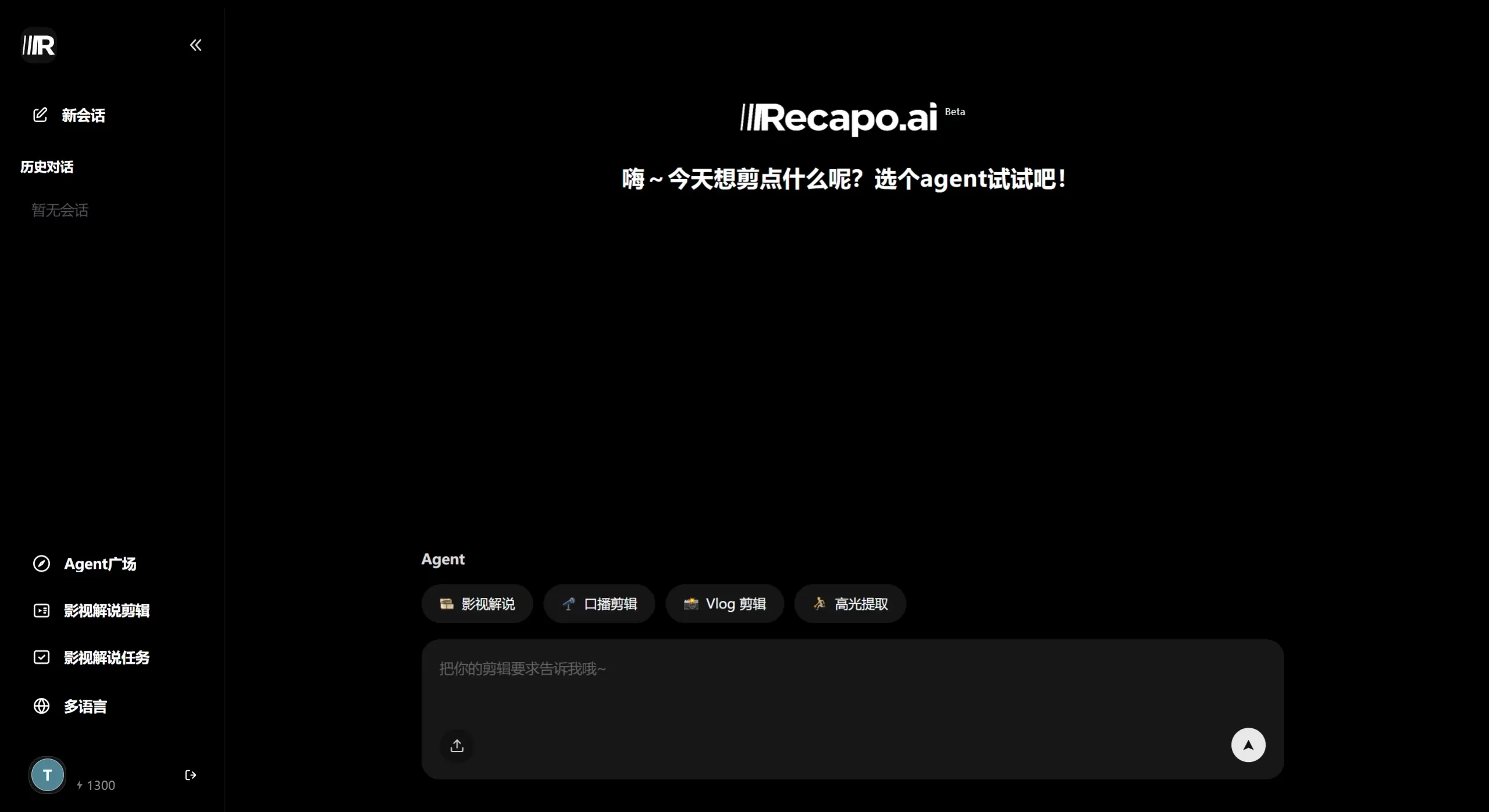
Recapo ai is a next-generation AI video editing platform built specifically for content creators, MCN organizations, and overseas teams. It is designed to solve the editing challenges of long-form videos such as film commentary, sports highlights, and live stream replays. Unlike generic short-video tools, it focuses on "deep understanding and automated restructuring of long-form footage." Leveraging conversational interaction and a fully integrated cloud-based workflow, it compresses traditional editing tasks that take hours down to just 10 to 20 minutes.
Core Features
Chatcut (Conversational Editing): Control the entire editing workflow directly through natural language commands—no need to master tracks, keyframes, or other professional operations. Simply type "cut out all the goal clips + add an epic BGM + add subtitles," and the AI will automatically execute the entire process.
Ultra-Long Footage Analysis: Supports direct upload of ultra-HD videos up to 6GB and 3 hours long, with no manual splitting required. The system automatically performs semantic-level narrative analysis.
Deep Narrative Understanding: Powered by multimodal large models (VLM), it accurately identifies plot turning points, core conflicts, twist highlights, and emotional beats, automatically extracting the most share-worthy highlight clips.
End-to-End Automation: Covers the entire process—from video upload, narrative analysis, script generation, intelligent editing, AI emotional voiceover, automatic subtitles, to final delivery—without the need to switch between any tools.
Cloud-Based Parallel Rendering: All computation and rendering are completed in the cloud, allowing even low-spec devices to smoothly handle 4K multi-track videos and supporting batch production.
Multi-Platform Adaptive Export: One-click generation of vertical/horizontal versions and cover copy optimized for Douyin, Bilibili, Video Account, YouTube, TikTok, and Reels.
Agent Template Ecosystem: Supports uploading viral editing rules and style preferences to the Agent Marketplace, allowing you to customize a dedicated editing AI for consistent, batch content production.
Use Cases and Target Users
Film & TV Commentary: Automatically identifies plot beats, generates three-segment commentary scripts, and matches voiceover with subtitles. A finished video takes about 12 minutes to produce.
Sports/Live Stream Highlights: Quickly locates goals, buzzer-beaters, and impressive plays, producing shareable content in real time.
Vlog/Knowledge Science: Automatically filters high-quality clips, matches BGM, and generates subtitles. Beginners can produce 1 minute of quality content in just 5 minutes.
Ad Creative Batch Production: Automatically filters high-engagement clips and adapts them to different platform specs, boosting the efficiency of ad creative output.
Corporate Promotion/Meeting Minutes: Quickly edits promotional videos, extracts core viewpoints from meetings, and generates live stream clips.
Target Users: Film & TV commentary UP creators, sports highlight bloggers, Vloggers, small and medium-sized MCN organizations, content matrix operation teams, cross-border e-commerce/brand operators who need to produce short videos in bulk, as well as side-hustle newcomers with zero editing experience looking to get started quickly.
Recapo AI Pros and Cons
Advantages
Extremely Low Barrier to Entry: Conversational interaction completely eliminates the learning curve of professional editing software. Zero-experience users can produce a finished video in 10 minutes.
Industry-Leading Long Video Processing: The ability to directly analyze 6GB/3-hour footage offers significant differentiation among similar tools.
End-to-End Closed Loop: From footage to finished video, there's no need to switch tools, avoiding the efficiency losses caused by multi-software collaboration.
Zero Hardware Requirements: Cloud rendering enables ordinary laptops, tablets, or even phones with browsers to smoothly process 4K videos.
Compliance Assistance: Enhances the originality of secondary content through content-level restructuring (re-editing, original copy, AI voiceover), reducing copyright risks.
Disadvantages
Subscription Barrier: It uses a Freemium model. The free tier includes watermarks, queue waiting times, and export restrictions. Deep usage requires a paid plan.
Limited Emotional Rhythm Control: In segments that require precise emotional progression and creative resonance, human intervention is still needed. AI is currently better suited to handling "80% of the basic work."
Not a Universal Tool: For materials with clear semantic anchors such as product showcases or structured courses, it is less precise than specialized extraction tools like FunClip. For cinematic-quality creative projects, it falls short of professional tools like Runway.
How to Use Recapo AI
Visit the official website: https://recapo.ai
Register and log in; use it directly in your browser
Upload your video footage (supports MP4/MKV and other formats, up to 6GB)
Enter editing commands in the Chatcut dialog window (e.g., "Turn this 2-hour movie into a 5-minute commentary, highlighting 3 plot twists")
AI automatically handles analysis, editing, voiceover, and subtitles
Fine-tune through conversation and export the finished product, with one-click adaptation for multi-platform publishing
Competitor Comparison
| Tool | Core Positioning | Differences from Recapo.ai |
|---|---|---|
| 剪映2026 / CapCut | General-purpose short-video editing with a mature ecosystem, rich templates, and free access | Focuses on generic packaging and template-based editing, lacking deep narrative understanding of ultra-long videos and an end-to-end automation loop. Recapo.ai leads in efficiency for long-content secondary creation. |
| CapCut Mate (Open Source API) | Batch automation, code-driven, cloud rendering | Designed for matrix-account batch production and requires some technical configuration. Recapo.ai places greater emphasis on natural language interaction and narrative-level content understanding, with a lower barrier to entry. |
| Runway Gen-4.5 | Creative visuals, physical accuracy, camera movement | Targets ad drafts and cinematic-quality previews, offering top-tier generation quality. Recapo.ai does not generate visuals; it focuses on restructuring existing long-form material—the two serve different tracks. |
| 易元AI | E-commerce ROI structured editing, storyboard-level semantic understanding | Suited for batch production of selling-point videos with clear frameworks. Recapo.ai is more adept at understanding and restructuring open-ended narrative content such as films and sports events. |
| FunClip | Keyword-driven content extraction | Excels at semantic search in structured scenarios like meetings and courses, but lacks narrative rhythm understanding. Recapo.ai performs better on emotion- and plot-driven content. |















