
 Script Planner Assistant▸
 AI Apps
 AI News

PXZ AI: All-in-One AI Video, Image & Graphics Platform
PXZ AI: All-in-One AI Video, Image & Graphics PlatformIntroduction
PXZ ai is a platform for generating video, images, and graphics. It features many top-tier AI models capable of generating images and videos, converting images to videos, turning text into videos, and enhancing video effects.
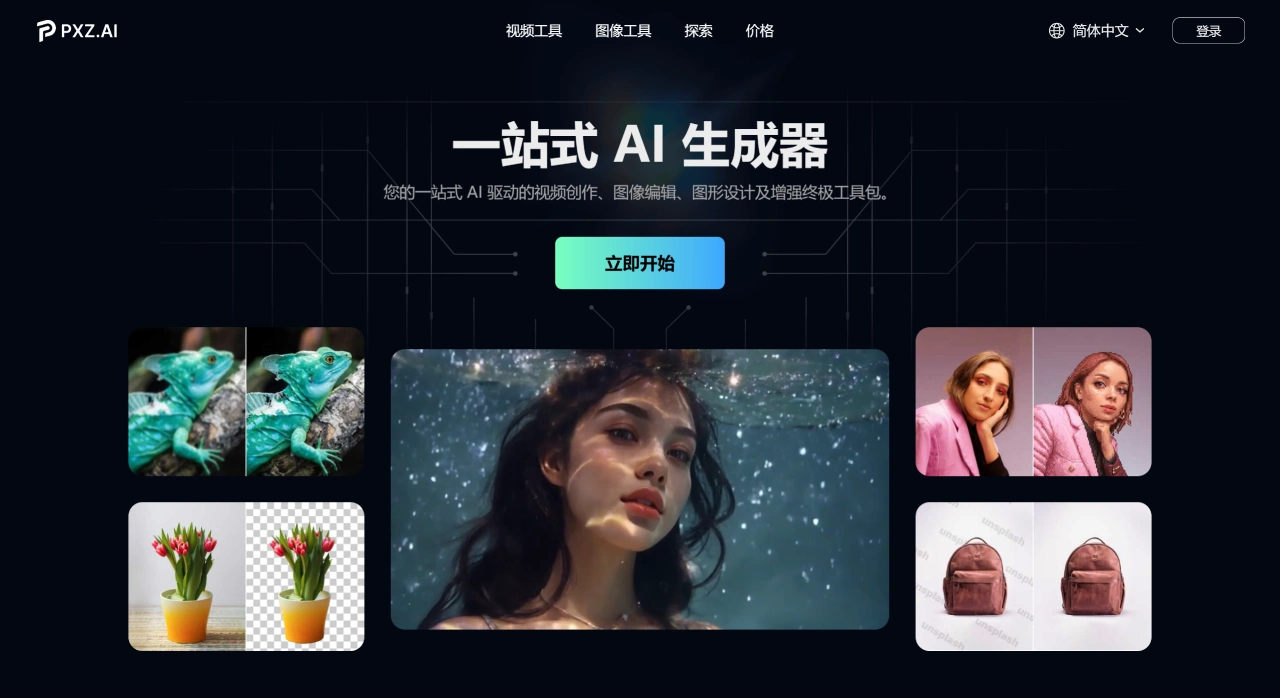
PXZ AI Features
Image Tools
AI Image Generator: PXZ AI can generate images simply from text descriptions, turning ideas into reality.
AI Tattoo Designer: Create unique, one-of-a-kind tattoo designs.
AI Photo Filter: Transform photos into avatars in various styles, such as Ghibli, The Simpsons, and more.
Family Portrait Generator: Combine two photos into one, with the option to include deceased family members, while protecting privacy.
AI Image Upscaler: Turn blurry, low-resolution images into high-definition ones.
Background Remover: PXZ AI can automatically remove image backgrounds without manual cutting.
Old Photo Restoration: Add color to black-and-white old photos, bringing them back to life.
AI Face Swap Tool: Achieve natural face-swap effects while preserving natural expressions.
Baby Predictor: Generate what a baby might look like based on the parents' appearance.
Video Tools
Image to Video: Add dynamic effects to images and turn them into videos.
Text to Video: Turn written stories into animated videos.
Video Enhancement: Improve video quality for sharper visuals.
PXZ AI Pricing Plans
Free Plan: 30 credits per month, generated content includes a watermark, and only one task can be processed at a time.
Lite Plan: $4.9 for the first month, then $9.9 per month. 200 credits per month, no watermarks, and priority access to new features.
Pro Plan: $12 for the first month, then $20 per month. 600 credits per month, access to all features, and support for multiple simultaneous tasks.
Who Is PXZ AI For
Video and image creators
Social media content producers
Digital marketing teams
Designers and artists
E-commerce sellers
General users interested in AI creation
How to Use PXZ AI
Sign Up and Log In
Open your browser, enter https://pxz.ai/zh, and go to the PXZ AI homepage.
Click "Sign Up," fill in your email, password, and other information to complete registration. After signing up, use your account and password to log in.
Choose a Tool
AI Image Generation: Click "AI Image Generator," select a model, and generate an image.
AI Video Generation: Click "AI Video Generator," select a model, and turn static images into videos.
Image Enhancement Tools: Click on options like "Upscale," "Remove Background," or "Colorize" to optimize images.
Portrait Processing Tools: Click on features like "Face Swap," "Generate Virtual Avatar," or "Family Portrait" to process portraits.
Video Enhancement and Effects Tools: Click on features like "Enhance Video Quality" or "Add Dynamic Effects" to optimize videos.
Input Parameters
Text Description: Enter a description in the input box, telling the AI what to generate or process.
Upload Materials: Click "Upload" and select local image or video files.
Adjust Settings
Model Selection: Choose an appropriate AI model based on your needs and budget.
Parameter Adjustment: Adjust parameters such as resolution and style intensity to better match your desired outcome.
Generate Content
Click "Generate," and PXZ AI will begin the generation process. Simply wait for it to finish.
Preview and Download
Once generated, preview the result on the page. If satisfied, click "Download" to save it locally.
Key Questions
Question 1: What are PXZ AI's core strengths? How does it differ from other single-function AI tools?
PXZ AI is a one-stop AI creation platform with multiple features and top-tier models. Compared to single-function tools, it offers a richer selection of models, more comprehensive features, simpler operation, and the ability to meet a wide range of needs.
Question 2: What are the commercial use and copyright rules for content generated with PXZ AI? How do the rights of free users differ from those of paid users?
Commercial Use and Copyright Rules: Paid users can use generated content commercially, while free users are limited to personal use. The platform guarantees that generated content is original.
Differences Between Free and Paid Users: The free plan includes watermarks and has limited features; paid plans have no watermarks, full feature access, and commercial usage rights.
Question 3: For ordinary users without a technical background, how can they quickly use PXZ AI to complete a full creation? For example, to generate a family portrait that includes a deceased relative, how long does the entire process take?
Process for an ordinary user to generate a family portrait: Go to the official website and sign up, find the "Family Portrait Generator," upload photos, click "Generate," and wait for it to finish. The platform protects privacy. The entire process takes about 10 to 20 minutes, depending on network conditions.











