Script Planner Assistant▸
 AI Apps
 AI News

Pomelli: Google's AI Marketing Tool for SMBs
Pomelli: Google's AI Marketing Tool for SMBsIntroduction
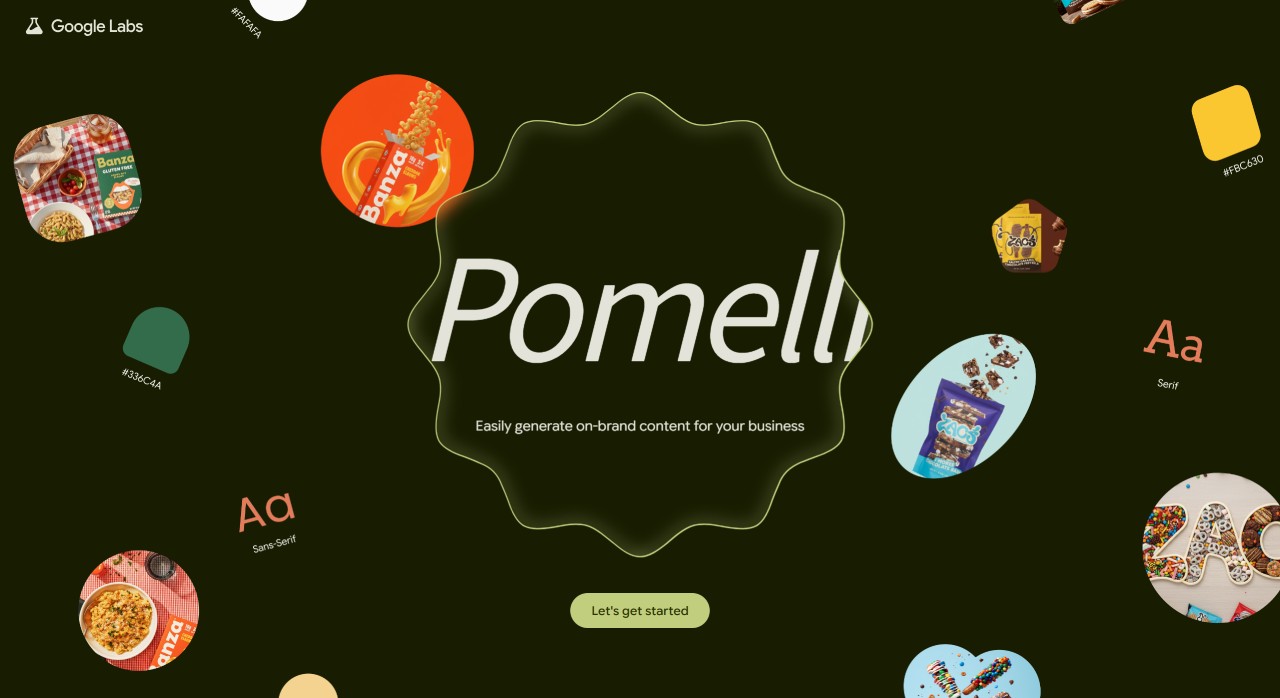
Pomelli is an ai marketing tool developed jointly by Google and DeepMind, mainly serving small and medium-sized businesses. All you need to do is provide your company's official website address, and it will automatically analyze the brand's core characteristics — such as colors, fonts, common styles, tone of voice, slogans, and more — to build a brand "foundation information library." With this information library, it can help you create marketing content and assets suitable for multiple platforms (such as social media, ad placements, etc.) within minutes, saving you a lot of time spent on ideation and design.
Main Features of Pomelli
Extract brand core information: After you input your official website address, Pomelli will automatically crawl brand information from the site, including brand name, website, fonts and colors used, usual tone of voice (e.g., formal or friendly), slogans, and overall visual style (e.g., minimalist or lively). This information will be aggregated into a brand "foundation information library," which serves as the basis for all subsequent marketing content to ensure it stays on-brand.
Generate marketing campaign ideas: Based on the brand's "foundation information library," Pomelli will recommend several campaign themes suitable for you (such as holiday promotions or new product launches). You can directly select the most appropriate one, or come up with your own idea, and it will help you produce the corresponding content.
Create marketing assets and make adjustments: Once the campaign is finalized, Pomelli will generate a batch of images, text, and other assets. You can review the images you like, and edit the title, layout, or colors until you're satisfied. Finally, you can directly download them or publish them to social media.
Pomelli workflow: 1. Input your website address → 2. Review and modify brand information → 3. Select/generate campaign ideas → 4. Edit assets and export
What is Pomelli Used For?
Save time and money: No need to come up with ideas slowly or hire a designer — it can quickly produce marketing content that fits your brand image, saving you the time and cost of design and production.
Improve efficiency: It automatically comes up with campaign ideas and assets, so you don't need to start from scratch and can launch marketing campaigns faster.
Maintain brand consistency: All content produced is consistent with your brand's "foundation information library," so the style stays consistent across every platform you publish on.
What Is Pomelli Suitable For?
Posting on social media: It can create on-brand posts and ad images that are more suitable for sharing on social platforms.
Creating ads: Use the assets it generates to create ads that look more attractive and likely perform better.
Promoting your brand: It helps you quickly create creative marketing campaigns to get more people to know your brand.
How exactly do you use Pomelli?
Step 1: Build your brand foundation information
Action: Simply fill in your company's official website address and click "Continue." Loading may take around 8 minutes because it needs to collect information and learn about your brand.
Review the information: Pomelli will create your brand "foundation information library" (an overall snapshot of the brand). You can click on any section to fix anything incorrect or fill in any missing information.
Step 2: Choose a marketing campaign direction
Check out the recommended ideas: You can see several campaign themes recommended by the system.
Pick an idea: Choose the most suitable campaign plan, or come up with your own idea — Pomelli will continue producing content based on your selection.
Step 3: Generate and refine assets
Review the assets: Once the campaign is set, Pomelli will generate a batch of images and other assets. You can check out the images you like.
Edit assets: You can modify the title, layout, or colors until you're satisfied. Once edited, you can download them or publish them directly to your social platforms.
Final reminder: Pomelli only produces English content. If your website targets overseas markets, it's worth giving it a try.
Tips for Beginners
Before using Pomelli, it's best to use an official website with complete information and a stable page style so Pomelli can extract brand information more accurately.
When reviewing brand information, pay special attention to colors, fonts, and tone of voice — fill in anything that's missing yourself.
For campaign ideas, you can start by picking from the system's recommendations, then adjust them according to your business goals. After exporting assets, remember to adjust the dimensions and text to meet each platform's requirements.
Always double-check important content yourself — such as text, links, and data — to make sure there are no typos, broken links, or policy violations. Treat AI as a tool to help save time, and don't rely on it completely.