
 Script Planner Assistant▸
 AI Apps
 AI News

NanoPhoto AI_云技派,专注ai人工智能!
NanoPhoto AI_云技派,专注ai人工智能!Introduction
What is NanoPhoto ai
NanoPhoto.AI is an all-in-one content generation platform that integrates multiple AI models. It mainly provides services such as video generation, image generation, and prompt tools. The platform connects underlying models including OpenAI Sora 2, Google Veo 3.1, and Gemini 3 Pro. Targeting content creators, marketers, and e-commerce sellers, it offers a complete workflow from writing prompts to outputting finished products. Pay-as-you-go, ready to use out of the box.
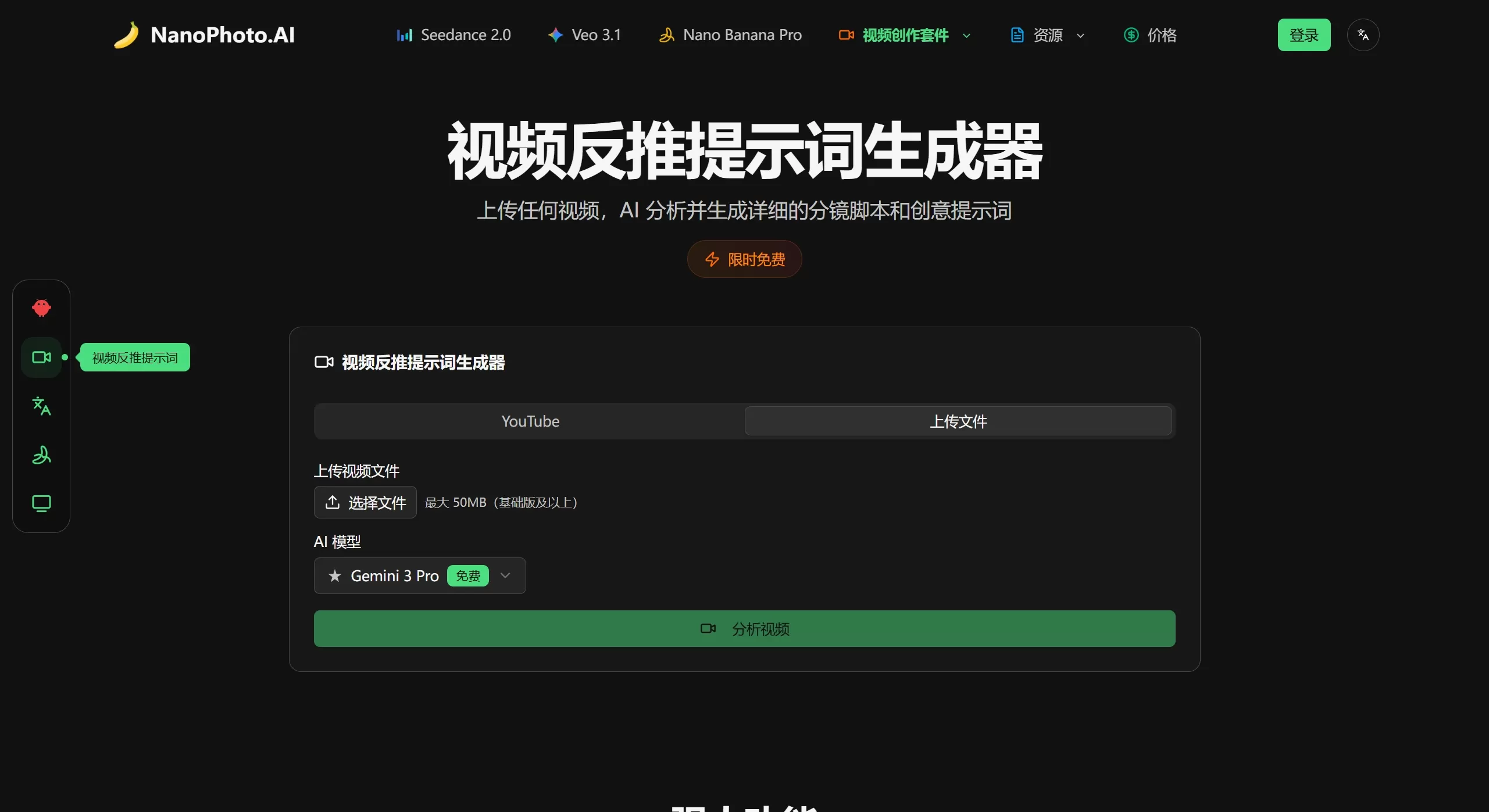
NanoPhoto AI official website screenshot
Core Feature Modules
1. AI Video Generation
Sora 2 Video Generation: Text-to-video, Image-to-video, up to 1080p, up to 15 seconds per clip. Built-in style presets such as cinematic, realistic, and animated.
Veo 3.1 Long Video: Based on Google's model, up to 168 seconds (stitched from 21 eight-second shots). Character consistency and multi-shot style are unified automatically, supporting first/last frame control and reference image guidance.
Sora Storyboard Video: Generate multi-scene storyboards with one click, automatically splitting scenes, shots, and transitions. Suitable for ad storyboards and short drama creation.
TVC Ad Production: A three-step workflow (input topic → AI storyboard images → automatic voiceover to finished video).
2. AI Image Generation and Editing
Nano Banana Pro: Text-to-image / image-to-image, supports 1K/2K/4K, up to 8 reference images, with ratios including 16:9, 9:16, 4:3, 3:4.
Nano Banana 2: Builds on Pro by adding Google Search enhancement, supports up to 14 reference images, and produces results closer to real-world scenes.
AI Image Editor (11 modes):
Photo Processing: Remove passersby, change hair color, restore old photos, optimize group/family photos.
Creative Design: Magazine covers, miniature figurines, backpack charms, poster font swaps, creative doodles, special-effect hair accessories.
Commercial Application: E-commerce main image enhancement.
3. Prompt Tools
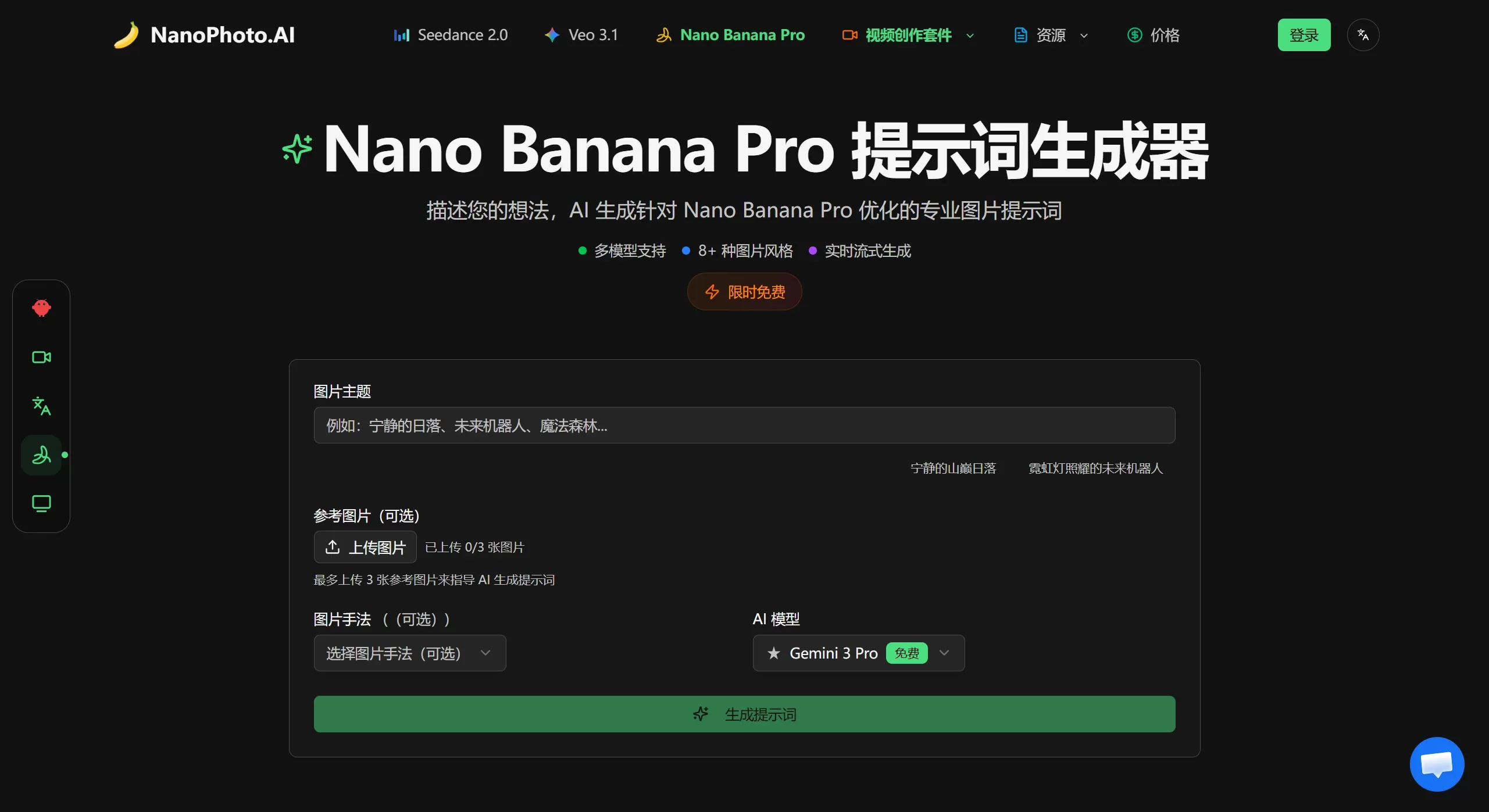
Prompt Generator: Input a Chinese creative idea, automatically output a professional English prompt. Supports multiple art styles and photography techniques.
Video Reverse Prompt: Input a YouTube link, MP4 link, or upload a local video (up to 10MB). The AI extracts visual elements, camera movement, lighting/color grading, and outputs structured prompts in both Chinese and English.
Prompt Marketplace: Purchase proven high-quality prompts from others, or sell your own prompts to earn credits.
4. Handy Utilities
Sora Watermark Remover: Automatically detects and removes Sora video watermarks, supports batch processing (up to 50), preserving original resolution and audio track.
Image Format Converter: Client-side local processing, supports mutual conversion between HEIC, AVIF, WebP, JPG, PNG, and SVG, with batch conversion and quality adjustment.
Image Compression: Reduces file size while preserving image quality as much as possible, suitable for bulk e-commerce uploads.
Image Collage: Supports 2×2, 3×3, 4×4, and magazine-style asymmetric layouts, with drag-and-drop operation and real-time preview.
5. Integration and Extensions
OpenClaw Skill Set: Directly invoke Sora 2, Veo 3.1, Nano Banana Pro, and the comic-drama production pipeline through IM platforms such as Telegram, Feishu, and WeChat.
API Support: Provides API Key management, with a default rate of 100 requests per hour, and can be integrated into your own applications.
Target Users and Scenarios
Content Creators / Short Video Bloggers: Produce content at high frequency daily, quickly generate footage with Veo 3.1 or Sora 2 to boost efficiency.
Marketers / Brand Owners / E-commerce: Traditional ad production is costly and has long lead times; TVC ad production and e-commerce main image enhancement enable minute-level output and unlimited iteration.
Independent Developers / Product Managers: Limited budget, pay-as-you-go allows flexible cost control with no subscription required.
Educators: Quickly visualize abstract concepts and produce teaching videos and training materials.
Designers / Photographers: Use AI editing functions to accelerate post-processing, such as batch watermark removal, old photo restoration, and magazine cover design.
Platform Highlights
Pay-as-you-go: Credit-based system, purchase credits as needed to use various features, with no forced subscription.
Multilingual Support: The interface supports 11 languages, including Simplified Chinese and Traditional Chinese.
Cloud Processing: All AI computation is completed in the cloud, consuming no local resources, so even low-spec devices run smoothly.
Wide Range of Users: Professional photographers, designers, e-commerce practitioners, and ordinary content creators can all find features suited to them.
Pros and Cons
Pros
Pay-as-you-go, no subscription barrier: Pay for what you use, with pricing roughly 25% of Google's direct API. An 8-second video costs approximately
Multi-Model Aggregation: Switch between models from different vendors such as Sora 2, Veo 3.1, and Gemini 3 Pro on the same platform, reducing the learning curve.
Native Chinese Support: Interface, prompt input, and video reverse-prompting all support Chinese, and the prompt generator can automatically translate into professional English.
Outstanding Long Video Capability: Veo 3.1 supports 168-second multi-shot storytelling, making it an option following Sora's shutdown.
IM Integration: Generate content directly within Feishu / WeChat / Telegram via OpenClaw, suitable for team collaboration.
Cons
Sora 2 Has Been Discontinued: OpenAI has shut down the Sora app and API. Updates on the Sora 2 functionality within the platform should be tracked via official announcements.
Credit Consumption: API calls and some advanced features consume credits, so heavy users need to top up continuously; features such as batch watermark removal are limited to Pro subscribers.
Video Length Limits: A single Sora 2 video is up to 15 seconds, and a single Veo 3.1 shot is 8 seconds; ultra-long narratives require manual stitching of storyboards.
Network Dependence: All features are cloud-processed, so uploading large files and generating videos require a stable network connection.
How to Use NanoPhoto AI?
Account Registration and Getting Credits
Visit the official website https://nanophoto.ai
Click the login button in the top-right corner. You can sign in with a Google account authorization or with an email.
Get Initial Credits:
Join the official Discord community to typically receive a 100-credit newcomer reward.
Submit feedback or bug reports within the platform to also receive credit bonuses.
- p>Top up credits: Go to the "Credits Center" to top up as needed, no monthly subscription required.
AI Video Generation
Enter the feature page: Select /veo-3 from the homepage or navigation bar.
Enter your idea: Type a description in Chinese directly in the text box; if you need more professional prompts, you can first use the "Prompt Generator" to optimize it and then paste it.
Upload references (optional):
Image-to-video: Upload a reference image, and the AI generates motion based on the image content.
First/Last Frame Control: Upload a first frame and a last frame image, and the AI automatically fills in the transition between them.
Set parameters:
Resolution (up to 1080p)
Duration (Veo 3.1 single shot up to 8 seconds, system automatically stitches multiple shots for up to 168 seconds)
Enable "Character Consistency" (suitable for keeping characters consistent across a video series)
Generate and download: Click Generate, download the MP4 file when complete, or publish it to the "Works Gallery" with one click.
AI Image Generation
Enter the feature page: Select /nano-banana-pro or /nano-banana-2
Text-to-Image mode: Enter a description in Chinese, select the aspect ratio (16:9, 9:16, 4:3, 3:4, 1:1) and resolution (1K/2K/4K), then click Generate.
Image-to-Image / Reference Image mode: Upload reference images (up to 8 for Pro, up to 14 for Nano Banana 2), and describe the changes you want in the description box (e.g., "change the background to a cyberpunk style").
Download and edit: Download directly as PNG/JPG after generation, or click "Send to Image Editor" for further processing.
AI Image Editor
Enter the editor: Select "AI Image Editor" on the homepage and upload your target image.
Choose editing mode: Photo processing (remove passersby, change hair color, restore old photos, family photo optimization), creative design (magazine generation, miniature figurines, bag charms, poster font change, creative doodles, special effect scrunchies), commercial applications (e-commerce main image enhancement).
Add description: Enter specific instructions in the text box. For example:
"Remove passersby" → "Remove the passerby wearing red in the background"
"Change hair color" → "Change the hair to silver-white, keep the original hairstyle"
"E-commerce main image enhancement" → "Enhance the texture, add layers of light and shadow, blur the background"
Generate and compare: Click Generate to compare the original and the result side by side, and download when satisfied.
Using Prompt Tools
Prompt Generator: Enter the page, type your idea in Chinese (e.g., "an astronaut drinking coffee on Mars, cyberpunk style"), select the art style and photography technique, click Generate, and copy the professional English prompts output for use.
Video Reverse-Prompt: Enter the "Video Reverse" page, provide a YouTube link, MP4 direct link, or upload an MP4 locally (up to 10MB). Click Analyze, and the AI extracts visual elements, camera movement, lighting/color grading, and more, outputting structured prompts in both Chinese and English. Copy them for style replication or adaptation.
Prompt Marketplace: Browse high-quality verified prompts sold by others, purchase with credits to use, or list your own well-tuned prompts to earn credits.
Useful Utilities
Sora Watermark Remover: Enter the tool, upload videos with the Sora watermark (up to 50 in batch), the AI automatically detects and removes the watermark while preserving the original resolution and audio track. Download the processed video (this feature usually requires a Pro subscription or consumes credits).
Image Format Conversion: Open the "Format Conversion" feature in the desktop client, drag images into the window, supports conversion between HEIC, AVIF, WebP, JPG, PNG, and SVG. Select the output format and quality parameters, then export in batch.
Image Compression and Collage:
Compression: Upload images, select the compression level, reduce file size while maintaining quality as much as possible, ideal for batch e-commerce uploads.
Collage: Choose a layout (2×2, 3×3, 4×4, or asymmetrical magazine-style layout), drag and drop images for real-time preview, adjust spacing and rounded corners, then export.
IM Integration (OpenClaw Skill Set)
If you prefer to invoke AI directly within chat apps:
Supported channels: Telegram, Feishu (Lark), WeChat, and others.
Usage: Enter commands in the IM app, for example:
/sora2 + description → directly generate a Sora 2 video
/veo3 + description → directly generate a Veo 3.1 video
/banana + description → directly generate a Nano Banana image
/comic + description → directly generate a comic-drama video
Result delivery: The AI returns a link or file of the generated result within the chat window, no need to switch to a web page.
Competitor Comparison
| Comparison Dimension | NanoPhoto.AI | Runway | Kling AI (Kling 3.0) | Pika (2.5) |
|---|---|---|---|---|
| Product Positioning | One-stop AI creation platform, pay-as-you-go with no subscription barrier | Professional-grade AI video generation and editing platform, aimed at advertising and film production | From Kuaishou, an AI video model excelling at realistic physics simulation and character dynamics | Lightweight and fast AI video tool, focused on social short-form content |
| Core Models | Aggregates Veo 3.1, Nano Banana Pro/2, and others (the original Sora 2 has been discontinued) | Gen-4/4.5/Turbo, Aleph, Act-Two, plus integration with third-party models such as Veo 3.1, Kling 3.0 Pro, FLUX.2 | Kling 3.0 proprietary model | Pika 2.5 proprietary model |
| Video Generation | Up to 168 seconds (multi-shot stitching with Veo 3.1), 1080p, automatic style consistency | 10–15 seconds per clip (extendable to 40+ seconds), 4K export, director-level camera control | Longer single-clip duration, excellent multi-shot continuity, realistic physics collisions and motion simulation, supports 4K | About 10 seconds per clip, 1080p, generation time 30–60 seconds, suitable for rapid iteration |
| Image Generation | Nano Banana Pro/2, text-to-image / image-to-image, 1K–4K, up to 14 reference images | Integrates third-party image models such as FLUX.2, Seedream 5.0 | Has image generation capability, but not the platform's core focus | Focused on image-to-video, not a professional image generation platform |
| Pricing Model | Pay-as-you-go, about $0.125–$0.25 per 8-second video, no monthly commitment | Standard $12–15/month (625 credits); Pro $35/month; Unlimited $95/month | Free tier about 10 generations per day; Membership ¥68/month (unlimited, with watermark); Professional ¥198/month (no watermark, 4K) | Free tier (480p); Basic $8/month; Standard/Pro $28/month |
| Chinese Support | Native Chinese interface, automatic Chinese-English prompt conversion, bilingual video reverse-prompt output | Primarily English, limited Chinese support | Native Chinese, no barriers for domestic use | Primarily English |
| Featured Functions | Prompt marketplace (buy and sell), video reverse-prompts, 11 types of AI image editing, Sora watermark removal, IM integration (OpenClaw), API | Motion Brush, Director Mode multi-scene scripting, Lip Sync, Green Screen, video extension | Realistic character motion and physics, natural emotional expressions, smooth multi-shot storytelling | Pikaffects effects (melt/explode, etc.), Motion Brush, Sound-to-Video audio sync, object replacement/addition |
| Best Suited For | Budget-conscious creators, e-commerce practitioners, indie developers, educators | Advertising agencies, filmmakers, VFX artists, professional creators | Domestic short-video creators, marketing teams needing realistic character/action scenes | Social media creators, TikTok/Reels high-frequency producers, rapid prototype makers |
Related News:
2923.html" target="_blank" rel="noreferrer noopener">AI Image-to-Video Tool












