
 Script Planner Assistant▸
 AI Apps
 AI News

MonkeyCode AI: Intelligent Code Generation Platform
MonkeyCode AI: Intelligent Code Generation PlatformIntroduction
What is MonkeyCode AI?
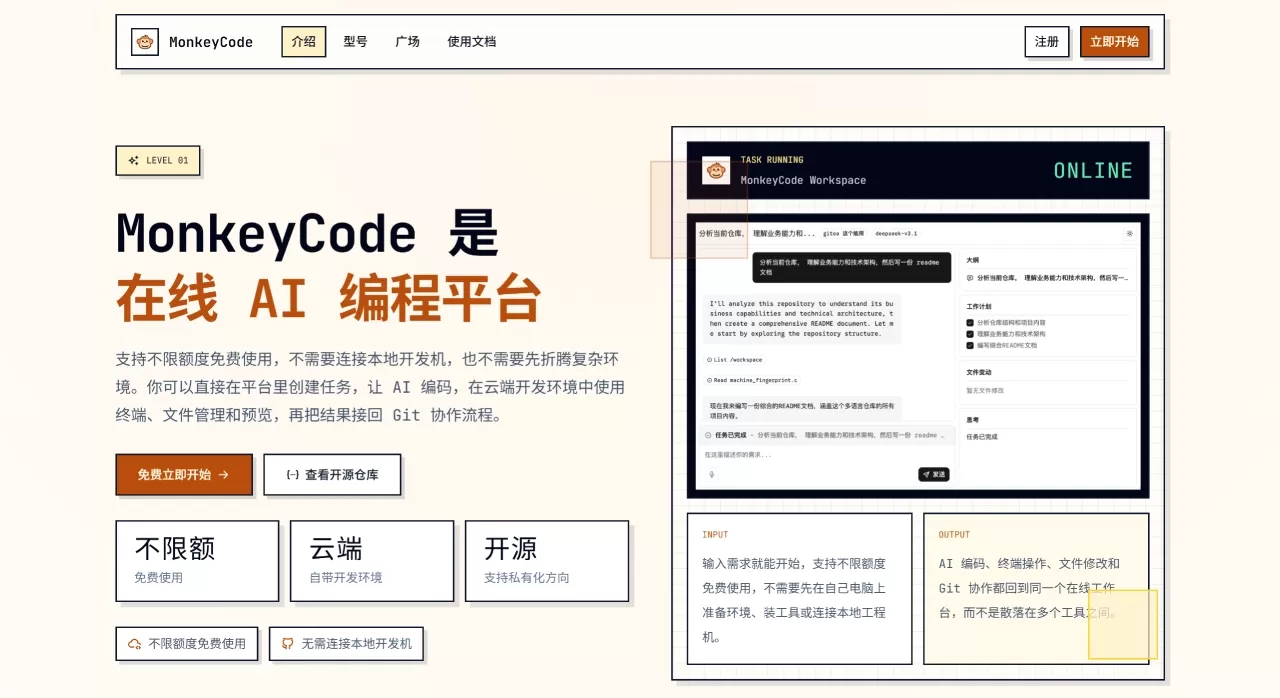
MonkeyCode AI is an enterprise-grade AI coding assistance platform built by Chaitin Tech, primarily targeting R&D collaboration and management scenarios. It is not just a simple AI coding assistant, but an AI R&D infrastructure that covers the entire workflow of "requirements → design → development → review".
This project is based on the AGPL-3.0 open-source license, supports private deployment and fully offline use, and is friendly to enterprise code security and privacy protection.
🚀 Features
| Feature Category | Specific Features |
|---|---|
| IDE Plugin Capabilities | • Conversational programming (similar to Cursor) • Intelligent code completion (suggestions as you type) • Real-time security scanning during coding |
| Git Platform Bot | • Automatic PR review and suggestions • Automatically develop features based on Issues and create PRs • Requirement breakdown and similar Issue search • Supports GitHub/GitLab/Gitee/Gitea |
| Enterprise Management Dashboard | • AI programming behavior statistics and analysis • Audit control and compliance tracking • Unified LLM quota management • Member permissions and resource management |
| Online Development Environment | • Web IDE (multi-language syntax highlighting) • Multi-session Web terminal • File management and online preview • Remote assistance and session sharing |
| Security and Deployment | • Private/offline deployment • Code security scanning engine • Sensitive information detection • Independent virtual machine runtime environment |
🎯 Use Cases
Enterprise-grade code development: Suitable for enterprises with high code security requirements; private deployment ensures data stays within the internal network.
Code security audit: Built-in security scanning detects potential vulnerabilities during coding, meeting the needs of sensitive industries such as finance and healthcare.
Team collaborative development: Achieves multi-person collaboration, permission control, and audit logs through the management dashboard, suitable for medium and large R&D teams.
Individual developers: Open-source and free, supports custom models, so individuals can also get an enterprise-grade AI coding experience.
Git workflow enhancement: @monkeycode-ai in PR/Issue to enable automated code review and requirement implementation.
🛠️ How to Use MonkeyCode AI
Method 1: VS Code Plugin (Recommended)
Open VS Code and click the Extensions icon (Ctrl/Cmd + Shift + X)
Search for MonkeyCode and install it
Click the MonkeyCode icon on the left, register an account and log in via the invitation link
Configure the API type in settings (supports OpenAI-compatible, local models, etc.)
Start using conversational programming and intelligent completion
Method 2: Private Deployment
# Ensure the server has Docker 20.10.14+ and Docker Compose 2.0.0+ installed
git clone https://github.com/chaitin/MonkeyCode.git
cd MonkeyCode
docker-compose up -d
After deployment is complete, install the VS Code plugin and configure the local API address to start using it.
Method 3: Online Use
Open the MonkeyCode AI webpage, and directly @monkeycode-ai in the Issue or PR comment sections of GitHub, GitLab, and Gitee. The AI engineer will respond within 30 seconds after receiving the message. No configuration is needed; just describe your requirements, and you can get help from the AI engineer.
✅ MonkeyCode AI Advantages
Completely free and open-source: AGPL-3.0 license, no subscription fees, freely customizable
Private deployment: One-click installation, supports offline use, data privacy guaranteed
Built-in security scanning: Automatically detects vulnerabilities during coding, "secure by generation"
Multi-model compatibility: Supports mainstream models such as DeepSeek, Kimi, Qwen, GLM
Enterprise-grade features: Audit, control, permissions, and quota management are all included
Fast response: Git platform bot responds within 30 seconds
❓ FAQ
Does MonkeyCode charge? Core features are completely free and open-source under the AGPL-3.0 license.
Which IDEs are supported? Currently primarily supports VS Code, integrated via a plugin.
Can it be used offline? Yes, it supports fully private deployment and offline use without internet connection.
Which programming languages are supported? Multi-language support including Python, Java, JavaScript, Go, and other mainstream languages.
How is code security ensured? Private deployment ensures data stays within the internal network, and the built-in security scanning engine detects vulnerabilities in real time.
What's the difference from Cursor? MonkeyCode provides an enterprise-grade management dashboard, private deployment, and code security scanning; Cursor is mainly a cloud-based personal tool.
Which AI models are supported? Supports DeepSeek, Kimi, Qwen, GLM, OpenAI, Claude, etc.
How to integrate a custom model? In the plugin settings, select the API type as OpenAI-compatible, and fill in the Base URL and API Key.
💬 Review
MonkeyCode has a very clear positioning—it is not a simple alternative to Cursor, but an AI R&D infrastructure aimed at professional teams. Compared with tools such as Cursor and GitHub Copilot, the main differences are:
Security and control: Private deployment + offline use, full control over code data
Enterprise-grade management: The management dashboard is much stronger than Cursor Team version, supporting audit, control, and quota management
Dual-mode in one: Supports both code completion and Agent mode simultaneously, while many open-source solutions only support one
Localization adaptation: Supports domestic large models such as Kimi K2 and Qwen3 from the start
Community feedback shows that after use, new feature development time is shortened by 40%, code review workload is reduced by 60%, and onboarding speed for new team members is doubled.
MonkeyCode AI Resources
GitHub Repository: https://github.com/chaitin/MonkeyCode
Technical Documentation: https://monkeycode.docs.baizhi.cloud/












