
 Script Planner Assistant▸
 AI Apps
 AI News

LocallyTools: A Free, Secure, Offline Browser-Based Toolkit
LocallyTools: A Free, Secure, Offline Browser-Based ToolkitIntroduction
LocallyTools is a localized tool kit built for individuals and teams. It brings together image processing, PDF processing, developer tools, and more into a single website, with a strong focus on privacy and efficient usage. It relies solely on browser capabilities, requires no software installation, and is ready to use as soon as you open it. All file processing in LocallyTools is done locally on your own device, ensuring privacy and security. It also supports offline use, delivering a truly convenient experience that works when you need it and lets you leave right after.
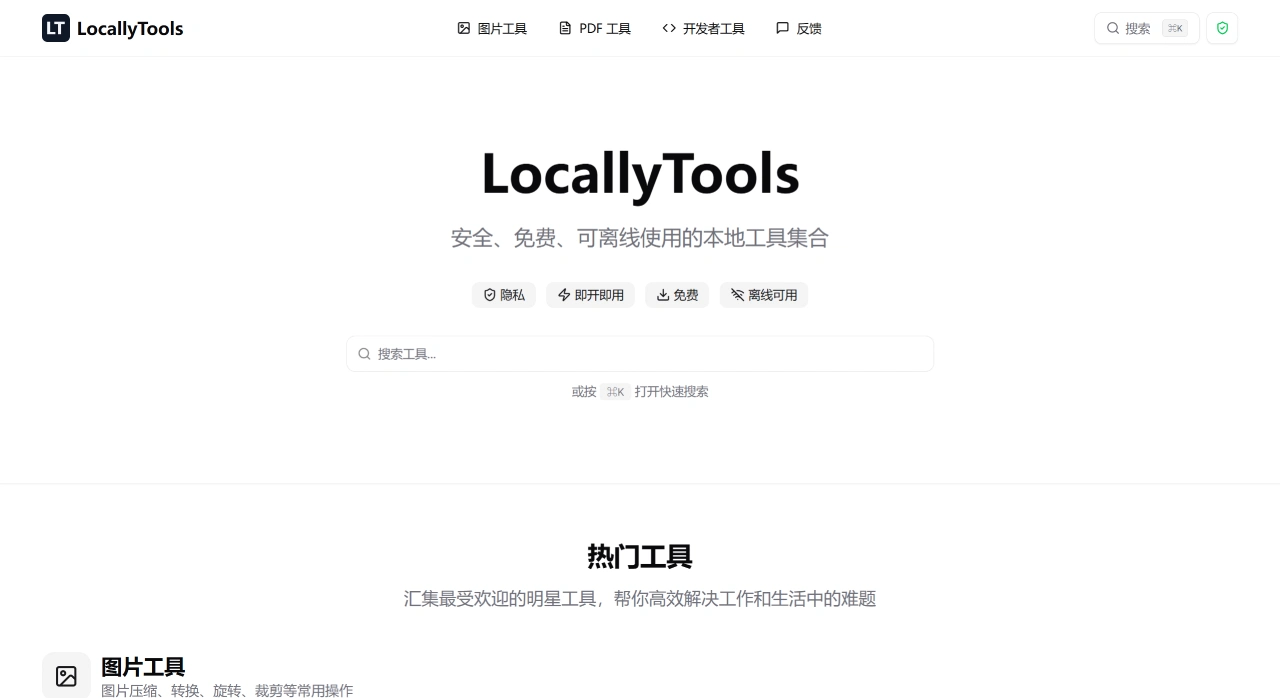
LocallyTools Features:
100% Local Processing: All computations run in the browser; files are never uploaded.
No Sign-up, Free Forever: Ready to use the moment you open it, with no barriers.
Offline Capable: After the first load, you can keep working even without an internet connection.
Cross-Platform: Powered by modern browsers, it works on Windows, macOS, and Linux.
Chinese Interface: A zh-Hans version is available, making it easy to get started.
Quick Search: Supports searching tools with the keyboard shortcut ⌘K (Mac).
LocallyTools Core Functions
Image Tools: LocallyTools supports image compression, format conversion (JPEG, PNG, WebP, AVIF, etc.), cropping, rotation, resizing, Base64 encoding, and more.
PDF Tools: Supports merging PDFs, splitting PDFs, deleting pages, and converting PDFs to images (JPEG/PNG/WebP/AVIF).
Developer Tools: Provides UUID generation, JWT decoding, date/time conversion, code formatting, regex testing, and more.
LocallyTools Use Cases and Advantages
Privacy First: Sensitive files never leave your device, making it ideal for handling work documents, ID scans, code, and keys.
Weak Network/Offline Environments: Get the job done while traveling or in places with unstable internet.
Zero Cost and Low Barrier: No sign-up, no ads, no usage limits, with a simple interface that works with a single click.
Lightweight and Fast: It's a single-page application with direct interactions, perfect for both occasional and frequent use.
Getting Started with LocallyTools
Visit the LocallyTools official website and start using it right away—no installation required.
On the homepage, browse by category or press ⌘K to search for the tool you need (for example, "Split PDF" or "JWT Decode").
After choosing a tool, drag your file onto the page or click to upload, set the parameters as needed, then run the operation.
Once processing is complete, download the result; you can continue using it offline in the same browser later.
Tip: When splitting PDF pages, each page is exported as a separate file, making it easy to download individually or archive.
Frequently Asked Questions
Q: As a collection of local tools, what are LocallyTools' core advantages, and what scenarios does it help users with?
A: LocallyTools' core advantages are security, free usage, and offline capability. It works without an internet connection, charges nothing, and is committed to protecting your file data. The scenarios it addresses include: image processing (such as compressing, converting formats, and cropping images to meet different needs), PDF processing (for example, splitting/merging PDFs and turning PDF pages into images for easier viewing or sharing), and development tasks (such as generating UUIDs, handling JWTs, and formatting code to boost development efficiency)—covering many practical needs in both work and everyday life.
Q: For users who need to handle PDF files, what specific features does LocallyTools offer? Can it convert PDFs to multiple image formats and edit PDF pages?
A: LocallyTools' PDF tools meet these needs with two categories of features. First, PDF format conversion: it supports converting PDF pages into four image formats—JPEG, PNG, WebP, and AVIF. Second, PDF page editing: it supports splitting a PDF into multiple files, combining multiple PDFs into a single new PDF, and deleting specified pages from a PDF, fully covering users' needs for PDF conversion and page editing.
Q: Is my file data secure?
A: Absolutely secure! All file processing in LocallyTools is done locally on your device, so your file contents never leave your device. We do not collect, store, or process any of your personal files—they are entirely under your control. This local-processing approach technically guarantees your privacy and security.













