
 Script Planner Assistant▸
 AI Apps
 AI News

LibTV AI – Professional Video Creation Tool by LiblibAI
LibTV AI – Professional Video Creation Tool by LiblibAIIntroduction
What is LibTV ai
LibTV AI is a professional video creation tool launched by LiblibAI. It supports real-person footage and integrates scriptwriting, storyboarding, shot composition, and editing on a single infinite canvas, supporting the full creative workflow from script to finished video. The full version of Seedance 2.0 is available with no waiting.
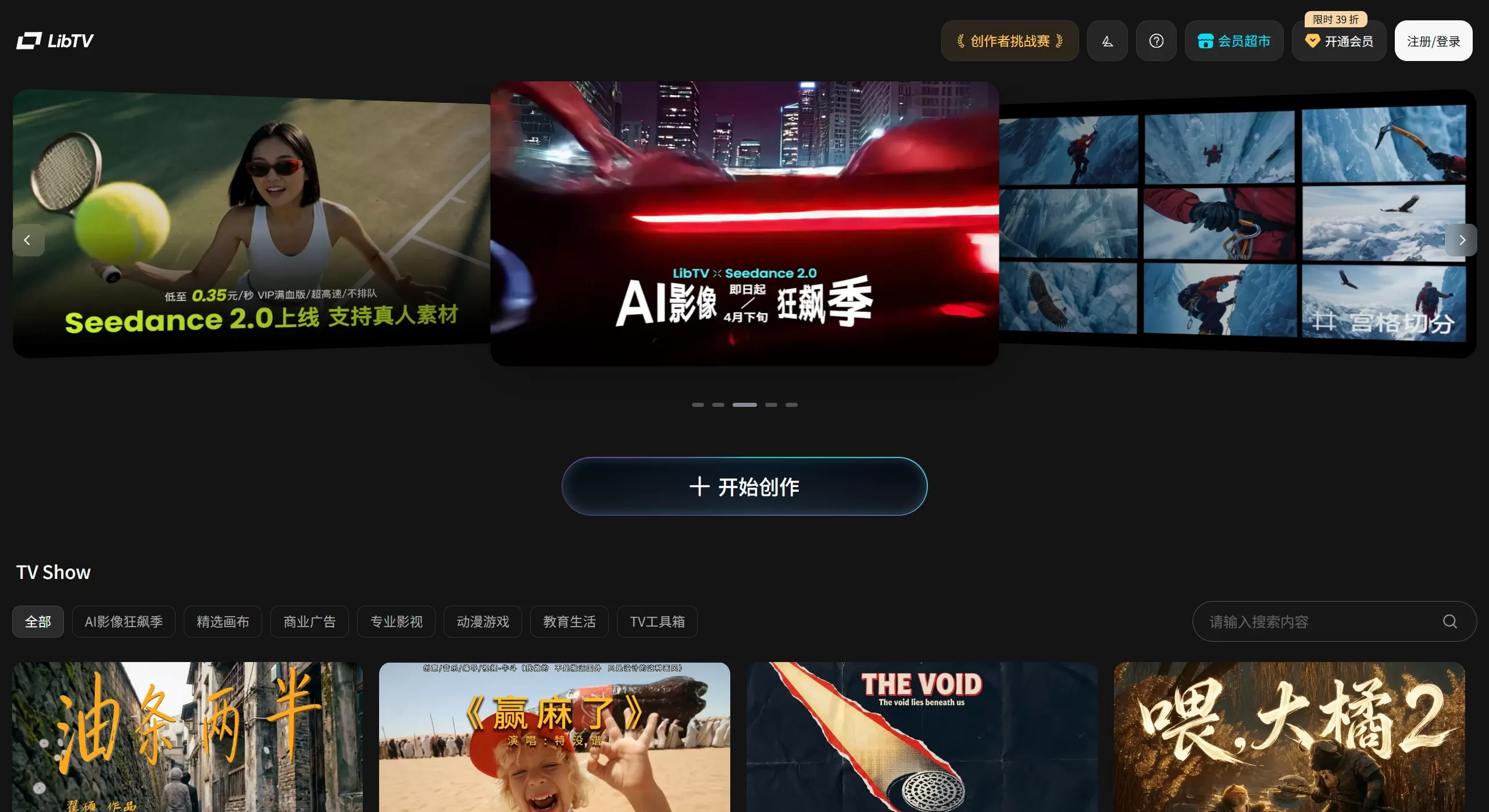
Features
Core Features
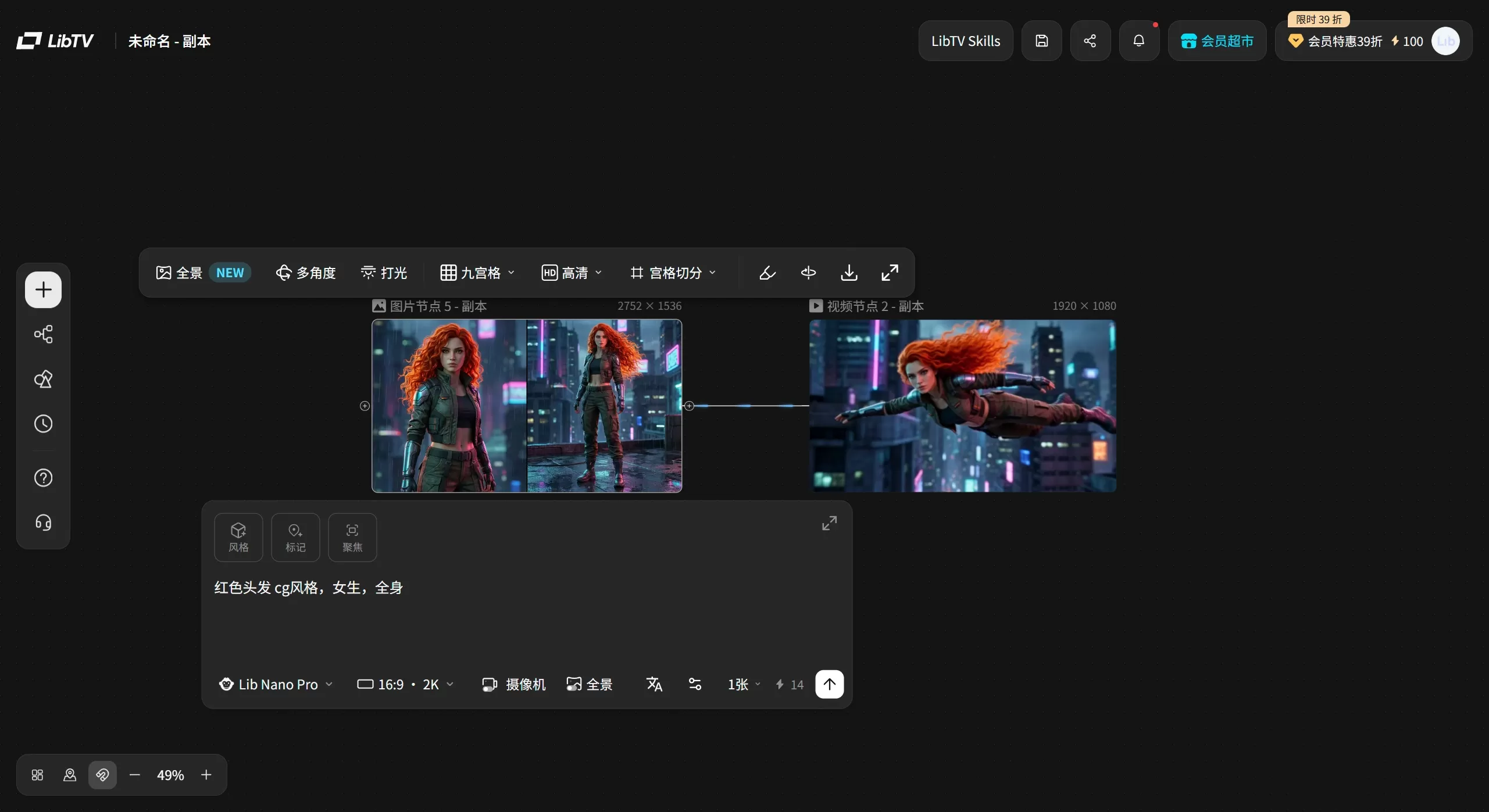
Infinite Canvas: Text, images, video, audio, and scripts are all nodes that can be freely dragged. Everything is laid out in one place and easy to see at a glance.
Node-Based Workflow: Video creation is broken down into individual nodes that can each be adjusted, regenerated, and assembled independently — turning it from "hoping for the best" into "running a project."
20+ Professional Tools
9/25-Grid Storyboard Generation: Enter a script, and get a full set of storyboards with one click — what used to take 2 hours now takes 2 minutes.
Character Three-View Generation: Upload one front-facing photo, and it automatically generates front, side, and back views, keeping the character's look consistent.
Plot Inference Four-Grid: Give it a reference image, and it can predict what might happen "3 seconds later" or "5 seconds earlier."
Multi-Camera 9-Grid: For the same scene, it produces 9 different camera positions and angles.
Cinematic Lighting Control: 24 main light positions, 9 rim light presets, plus a 3D coordinate sphere for manual adjustment.
Video Parsing: Paste a video link, and it breaks the footage down into a storyboard.
Subject Library: AI helps fill in a character's multi-angle views, and you can upload a voice or use AI to generate one.
First 3s/Last 5s Video Extension: Extend video clips both forward and backward.
HD Image Upscaling: Supports 2x, 4x, and 6x enlargement with automatic detail filling.
Video Frame Interpolation: Smoothly upscales low-frame-rate video to 90fps.
Multi-Model Integration
Integrates more than 30 mainstream AI models, including:
Video Models: Kling 3.0, Pixverse V5.5, Wan 2.6, Vidu Q3 PRO, Seedance 2.0
Image Models: Nano Pro, Seedream 5.0, Midjourney V7
Audio Model: Mureka
Two Entry Points
Creator Entry: A graphical interface for hands-on adjustment on the canvas.
AI Agent Entry: Through Skill interfaces (such as OpenClaw), Agents can directly invoke platform capabilities — say one sentence, and the process from script to finished video runs fully automatically.
Reusable Workflow Templates
Satisfactory workflows can be grouped into templates for storage, ready to be applied to similar projects next time without rebuilding from scratch.
Use Cases
AI Short Film/Short Drama Creation: Given a theme or script, generate full-process short films in styles such as Guoman (Chinese animation) or 3D Pixar, going from script to usable video clips within 20 minutes.
AI Film Production: Professional creators coordinate scripts, storyboards, shots, and editing to produce feature-length or short films.
Storyboard Design: Quickly produce professional-grade storyboard scripts, ideal for video bloggers and self-media creators planning their shots.
Agent-Automated Video Production: Configure Agents such as OpenClaw to invoke the LibTV Skill for batch, automated video production.
Creative Development & Narrative Expansion: Using the plot inference feature, quickly explore the before-and-after of a story starting from a single reference image.
Real-Person Digital Avatar: Through liveness detection and authorization, create a personal digital avatar for talking-head videos or narrative short films.
LibTV AI Pros and Cons
Pros
Full-Process Integration: No need to switch back and forth between multiple tools.
Professional-Grade Control: Character consistency management, multi-camera support, lighting control, and other film-production-level features are included to meet professional needs.
Fast Speed, No Queues: Seedance 2.0 on LibTV essentially requires no queueing — a 4-second video is generated in 2–3 minutes, and a 15-second video in 5–6 minutes.
Agent-Friendly: The dual-entry-point design lets both professional and ordinary users work comfortably.
Optimized Results: The underlying models have been optimized for better multi-shot coherence and audio-video sync compared with the official originals.
Cons
Learning Curve: The infinite canvas and node logic require some adjustment for those who have never used a creation tool.
Limited Enterprise Readiness: Features focus on "content creation itself" without dedicated optimization for enterprise branding, marketing, or batch production.
Operational Complexity: The node-based interface looks complex, making it a bit challenging for ordinary users to get started.
Higher Price: The Professional Edition starts at 499 RMB/year, which isn't very friendly for occasional users.
How to Use LibTV AI
Creator Workflow
Visit the official website: https://www.liblib.tv/, register and log in.
Create a New Project: Enter the infinite canvas page.
Enter Your Script: Add script nodes to the canvas and write a creative direction or a complete script.
Generate Storyboards: Use the keyboard shortcut "/" to bring up the storyboard generation feature and batch-generate storyboard images.
Generate Videos: Convert storyboard images into video clips in batches or individually, and select a suitable video model.
Edit and Refine: Use image editing, lighting adjustment, and camera control features to refine the assets.
Export the Final Video: Download the video clips; they can be imported into tools such as Jianying (CapCut) for final compositing.
LibTV Agent Invocation Workflow
Install the LibTV Skill: In Agents such as OpenClaw, run npx skills add libtv-labs/libtv-skills
Obtain the Key: Get your personal Access Key from the top-right corner of the LibTV official website.
Configure the Key: Set the environment variable export LIBTV_ACCESS_KEY="your-access-key"
Issue a Command: Describe the requirement in natural language, such as "create an MV video based on this song," and the Agent will automatically complete the full workflow.
FAQ
Q: How is LibTV different from other AI video tools such as Kling and Jimeng?
A: Kling and Jimeng mainly focus on single-image or single-video generation. LibTV is a complete video creation workstation that covers everything from script to finished video, also supporting batch operations and multi-shot management. At its core, it integrates models such as Kling as its engines.
Q: Can I use it if I don't know how to edit or write scripts?
A: Yes. The storyboard generation and plot inference features lower the barrier to entry — give it a theme, and it will automatically generate professional storyboard scripts. In Agent mode, just say one sentence and the entire video creation process runs fully automatically.
Q: Is there a limit to the length of generated videos?
A: Videos longer than 5 minutes can be generated. It is recommended to keep videos under 2 minutes during testing for more stable results.
Q: How does LibTV protect the security of real-person facial data?
A: Liveness detection and an authorization mechanism are used. Users need to scan a QR code with their phone to complete facial liveness detection and authorization. You can delete the authentication and authorization at any time, and facial data will not be misused.
Q: Does LibTV charge a fee?
A: It is a paid subscription. The Professional Edition is 499 RMB/year, the Master Edition is 1299 RMB/year, the Flagship Edition is 2999 RMB/year, and the Prestige Edition is 6599 RMB/year. Different tiers offer different credits, generation quotas, concurrent tasks, and cloud storage.
Q: Does it support API calls?
ent integration, automated invocation of platform capabilities.Reviews
Weibo influencer @北邦 said: "The director has a strong sense of control. Its infinite canvas and storyboard features let me handle everything from script to final cut in one interface... I really feel like I'm 'directing' a film, not just drawing cards."
WeChat Official Account user @行者AI视频 commented: "This is currently the most suitable AI video tool for professional creators, bar none."
User @老秦 believes: "This might be the optimal 'end-to-end efficiency boost' solution we've been looking for."
WeChat Official Account user @GenAI共生人 mentioned: "What impresses me most is that it can generate everything needed for AI video creation within a single canvas."
Beta testers praised features like character three-view sheets, multi-camera nine-grid layouts, and cinema-grade lighting control for solving core pain points in AI video such as face drift and inconsistent shots, making "every strand of the girl's hair seem to glow."











