
 Script Planner Assistant▸
 AI Apps
 AI News

LandPPT: Open-Source Free AI PPT Generator Powered by LLMs
LandPPT: Open-Source Free AI PPT Generator Powered by LLMsIntroduction
LandPPT is an AIPPT generation platform based on large language models, supporting automatic conversion of document content into professional PPTs. It features multi-AI model support, intelligent document processing, smart image matching, deep research, and other capabilities. The workflow follows "Requirements Confirmation - Outline Generation - PPT Generation", with export to PDF/HTML/PPTX formats. The tech stack includes backend and AI integration, supporting both local installation and Docker deployment as startup methods.
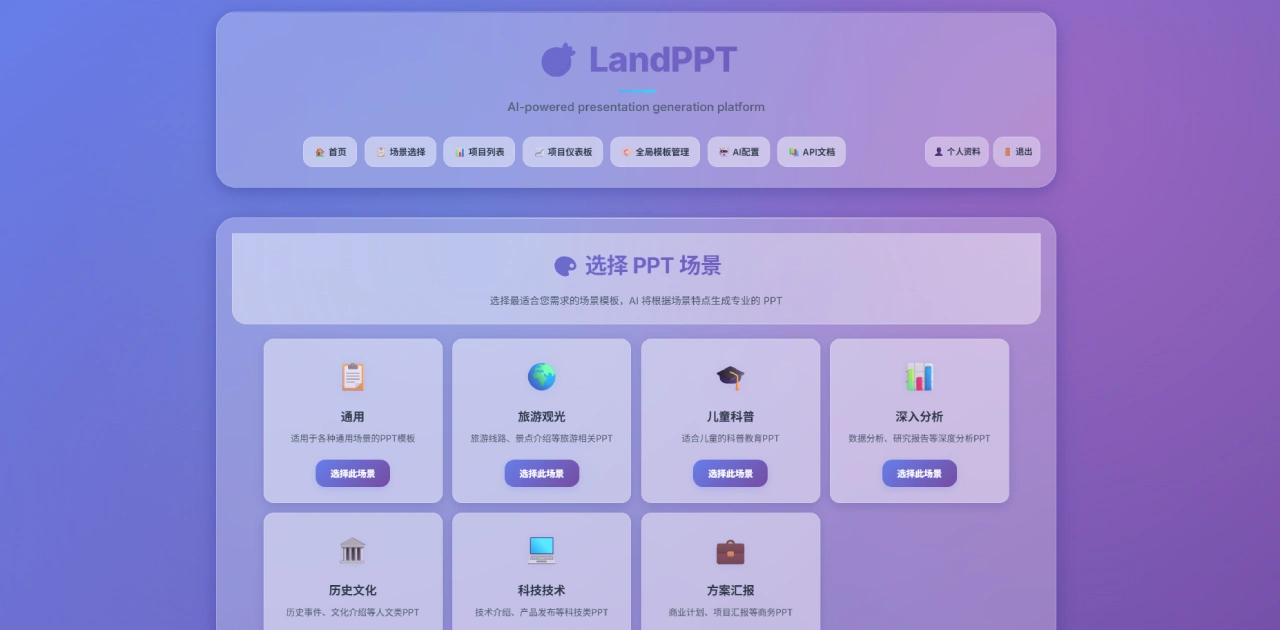
LandPPT Core Features
Multi-AI Model Support: Integrates mainstream models such as OpenAI GPT-4o, Anthropic Claude-3.5, and Google Gemini-1.5, while also supporting Ollama local deployment, allowing users to choose on demand.
Intelligent Document Processing: Supports uploading PDF, Word, Markdown, Excel and other format files. Content is extracted through MinerU and MarkItDown, automatically identifying structure and converting it into presentation content.
Intelligent Image System: Provides a three-in-one solution including local image library management, web image search (Pixabay, Unsplash), and AI image generation (DALL-E, SiliconFlow), automatically matching appropriate images.
Deep Research Function: Integrates Tavily and SearXNG dual engines to obtain real-time web information, extracting and structuring content to provide data support for PPTs.
Scenario-Based Templates: Provides professional scenario templates for business, education, travel and more, supports custom template import, with AI automatically generating creative layouts.
Multi-Format Export: Supports exporting to PDF, HTML, and PPTX formats, adapting to various presentation scenarios.
LandPPT Feature Highlights
One-Click Generation: Fully automated process from topic to complete PPT.
Smart Image Matching: Automatically matches images from multiple sources.
Deep Research: Integrates multiple search engines to obtain the latest information.
Speech Script Generation: Automatically generates accompanying speech scripts with multi-format export support.
Multi-File Upload: Supports batch processing to improve efficiency.
Batch Generation: Accelerates PPT page generation.
Model Customization: Choose models on demand to control costs.
How LandPPT Generates PPTs
Requirements Confirmation: Input the topic, select the target audience and page count range, choose a scenario template, and let the AI understand your needs.
Outline Generation: The AI analyzes requirements to generate a structured outline, supporting visual editing and real-time preview adjustments.
PPT Generation: Generate a complete PPT with one click based on the outline, including design, images, and professional content.
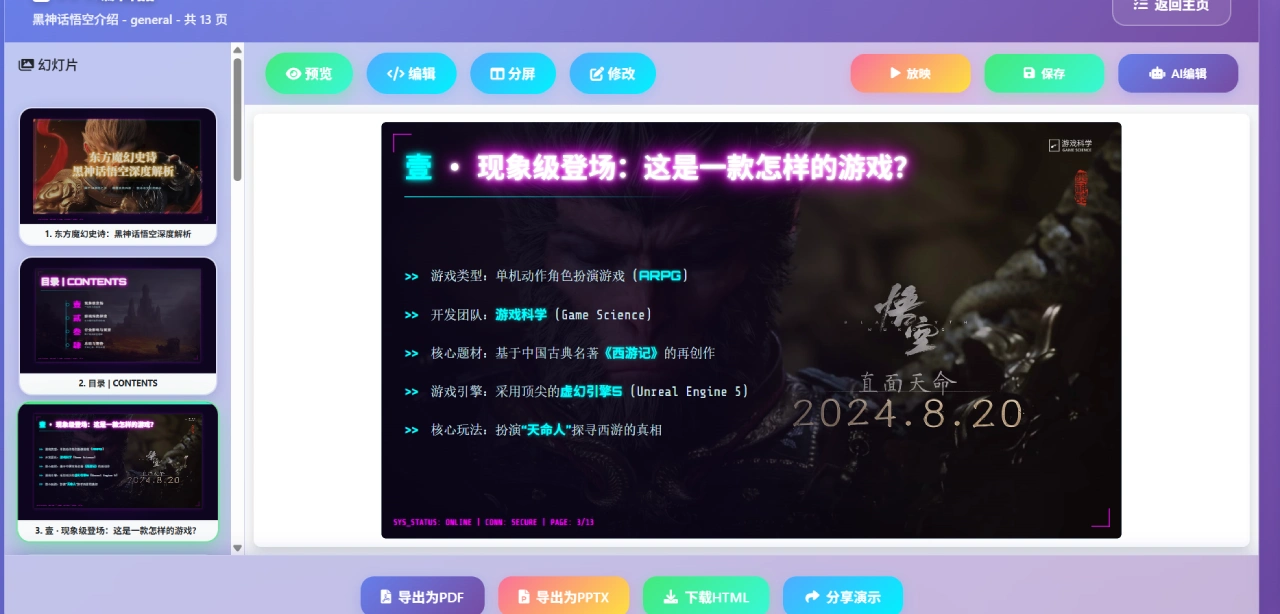
LandPPT Tech Stack
Backend: FastAPI (async framework), SQLAlchemy (database), Pydantic (data validation), Uvicorn (server).
AI Integration: OpenAI GPT series, Anthropic Claude, Google Gemini, LangChain framework.
Document Processing: MinerU (PDF parsing), MarkItDown (format conversion), BeautifulSoup4 (HTML parsing), Playwright (web extraction).
Image Processing: DALL-E (AI generation), Pillow (image processing), SiliconFlow (domestic AI), Pollinations (open-source AI).
LandPPT Installation
Local Installation (Recommended):
git clone https://github.com/sligter/LandPPT.git
cd LandPPT
curl -LsSf https://astral.sh/uv/install.sh | sh
uv sync
cp .env.example .env
# Edit .env to configure API keys
uv run python run.py
Docker Deployment:
docker pull bradleylzh/landppt:latest
cp .env.example .env
# Edit .env to configure API keys
docker run -d \
--name landppt \
-p 8000:8000 \
-v $(pwd)/.env:/app/.env \
bradleylzh/landppt:latest
Visit http://localhost:8000, with initial account admin and password admin123.
FAQ
Question: Which AI models are supported? Are there differences in deployment methods?
Four types of models are supported: OpenAI GPT-4o, Anthropic Claude-3.5, Google Gemini-1.5, and Ollama. The first three require configuring the corresponding provider's API keys (via the .env file) and depend on external services; Ollama supports local deployment without external APIs, making it suitable for scenarios with high data privacy requirements (such as inside enterprises).
Question: What are the steps to generate a "Product Technical Introduction" PPT? How to include Excel technical parameter data?
Generation steps:
Requirements Confirmation: Input the topic "Product Technical Introduction", select the target audience (e.g., customers, technical teams), set the page count range (e.g., 8-15 pages), and choose a "Tech & Technology" template.
Outline Generation: The AI generates a structured outline (including sections like product overview and core technology), which can be edited, adjusted, and previewed.
PPT Generation: After confirming the outline, generate with one click. The platform automatically matches tech-style design and technology-related images, filling in professional content.
Adding Excel Data: During the "Requirements Confirmation" or "Outline Generation" stage, import the Excel file through "Intelligent Document Processing". The platform extracts technical parameter data (such as tables and values) and automatically converts them into charts or text in the PPT, without manual copying; after generation, the format can be adjusted in the preview interface.
Question: What are the differences in applicable scenarios between local installation and Docker deployment? What should be noted for first-time use?
Applicable scenario differences:
Local Installation: Suitable for tech-savvy individuals/small teams who need secondary development or custom features; requires manual Python environment configuration, with a higher technical barrier.
Docker Deployment: Suitable for enterprises/non-technical users seeking rapid deployment; no need to worry about environment configuration, can be started with one click via containers, but offers lower flexibility for modifying source code.
Notes for first-time use:
Access URL: http://localhost:8000.
Login: Initial account is admin, password is admin123. It is recommended to change the password after first login.
Configuration: Check whether the AI model API keys in the .env file are valid (unconfigured or invalid keys will prevent the use of GPT and other models); when using Ollama local models, ensure it is deployed and connected with the platform.
Github: https://github.com/sligter/LandPPT
Related News:















